
Comments
1. Introduction
Comments are notes written inside a Java program for developers.
They are ignored by the compiler and do not affect program execution.
Comments help you:
- Explain code logic
- Increase readability
- Document complex logic
- Disable code temporarily
- Communicate with other developers
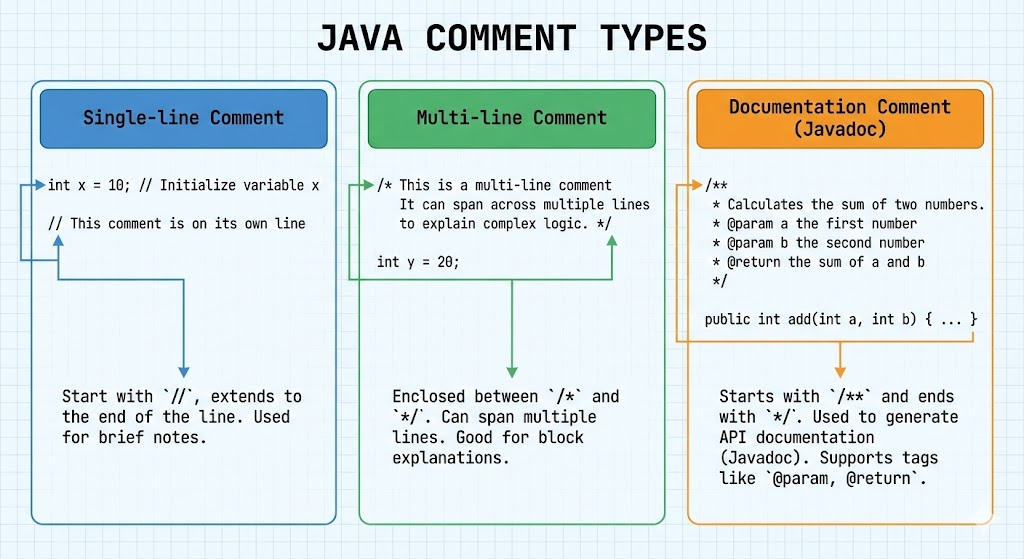
Java supports three types of comments:
- Single-line comment
- Multi-line comment
- Documentation comment (JavaDoc)
This document explains each with examples, use-cases, and best practices.
2. Why Are Comments Important?
Good code becomes great when it is easy to understand.
Comments help:
- Clarify complex logic
- Make team collaboration easier
- Provide quick explanations for future maintenance
- Describe class/method usage through JavaDoc
However, comments should support code, not replace proper naming or structure.
3. Types of Comments in Java
3.1 Single-Line Comment (//)
Used for short explanations.
Syntax:
// This is a single-line commentExample:
int marks = 90; // storing marksUse cases:
- Quick notes
- Inline explanations
- Disabling a single statement
3.2 Multi-Line Comment (/* ... */)
Used for longer descriptions that span multiple lines.
Syntax:
/*
   This is a
   multi-line comment
*/
Example:
/*
  Calculate the area of a circle.
  Formula: πr²
*/
double area = 3.14 * r * r;
Use cases:
- Describing logic blocks
- Adding detailed explanations
- Temporarily disabling code sections
3.3 Documentation Comment (/** ... */)
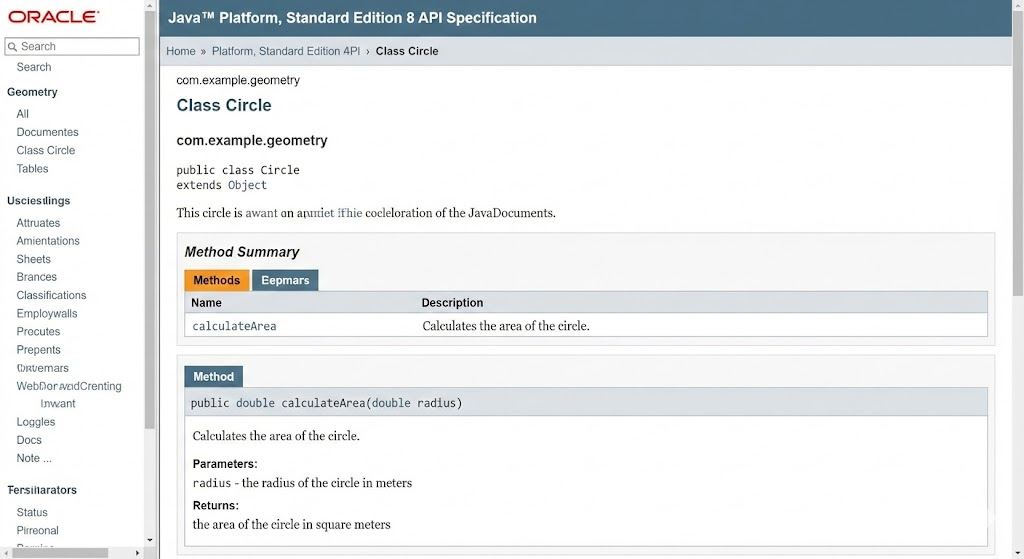
Documentation comments are used to generate JavaDoc, which creates HTML documentation automatically.
Syntax:
/**
 * This is a documentation comment.
 */
Example:
/**
 * Adds two numbers and returns the result.
 * @param a first number
 * @param b second number
 * @return sum of a and b
 */
int add(int a, int b) {
    return a + b;
}
Use cases:
- Documenting methods, classes, and fields
- Auto-generating API documentation
- Providing parameter and return descriptions
JavaDoc Tags
| Tag | Purpose |
|---|---|
@param | Describes a method parameter |
@return | Describes return value |
@author | Specifies author |
@version | Specifies version |
@since | Indicates since which version |
@throws | Describes exceptions thrown |
4. Disabling Code Using Comments
Sometimes, developers disable code temporarily for testing.
Example:
// int result = multiply(a, b); // temporarily disabledOr using multi-line comments:
/*
System.out.println("debug output");
System.out.println("more logs");
*/
Note: Avoid leaving unnecessary disabled code in production.
5. Best Practices for Comments
Write meaningful comments
Bad:
// incrementing i
i++;
Good:
// Increasing loop counter to move to the next element
i++;
Avoid obvious comments
Bad:
int x = 10; // x is equal to 10Keep code clean instead of over-commenting
If variable names are clear, comments often become unnecessary.
Use single-line comments for short explanations
Use multi-line comments for detailed blocks
Use JavaDoc for classes, methods, and APIs
6. Examples
Example 1: All Comment Types Together
/**
 * This class represents a student entity.
 */
class Student {

    // instance variables
    String name;
    int age;

    /**
     * Prints student details.
     * @return nothing
     */
    void displayDetails() {
        /* Printing both values
           using a single statement
        */
        System.out.println(name + " - " + age);
    }
}
7. Common Mistakes
- Over-commenting obvious code
- Keeping outdated comments
- Using comments to hide poor code structure
- Forgetting to update comments after modifying logic
8. Summary
- Java provides single-line, multi-line, and documentation comments.
- Comments improve code readability and maintainability.
- JavaDoc comments help generate official documentation.
- Use comments wisely-clarify logic, but avoid over-explaining obvious code.
Written By: Shiva Srivastava
How is this guide?
Last updated on