
Need of Array
1. Introduction
Before arrays were introduced, storing multiple values required creating multiple variables:
int s1 = 85;
int s2 = 90;
int s3 = 70;
int s4 = 88;
This approach becomes:
- Hard to manage
- Difficult to scale
- Repetitive
- Error-prone
If you want to store 100 student marks, it is impossible to manually create 100 variables. To solve this, Java provides arrays, which allow storing multiple values of the same type inside a single container.
2. What Is the Need for Arrays?
Arrays solve several problems that occur when using individual variables.
2.1 Problem 1: Too Many Variables
Without arrays:
int employee1 = 50000;
int employee2 = 55000;
int employee3 = 60000;
Not maintainable for large data.
Array solution:
int[] employees = {50000, 55000, 60000};All values stored inside one variable.
2.2 Problem 2: No Easy Iteration
Without arrays, printing 100 items means writing many print statements.
With arrays:
for (int salary : employees) {
    System.out.println(salary);
}
Single loop handles any number of values.
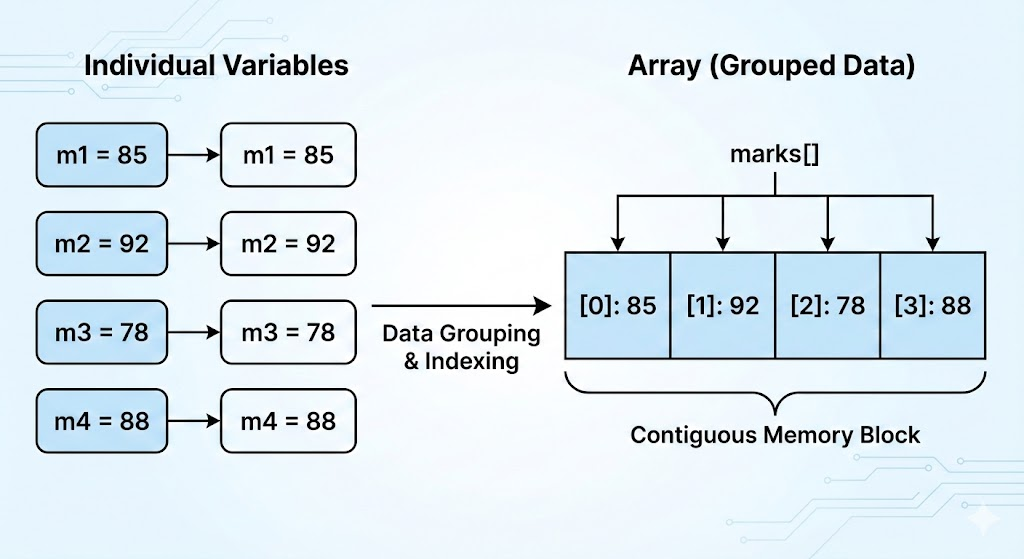
2.3 Problem 3: No Grouping of Related Data
Variables:
int m1 = 80;
int m2 = 75;
int m3 = 92;
These values are related but scattered. Arrays group them into a single structure:
int[] marks = {80, 75, 92};Clean, organized, and scalable.
2.4 Problem 4: No Dynamic Processing
Without arrays, doing tasks like:
- Finding max/min
- Calculating sum/average
- Searching values
…requires long, repetitive code.
With arrays:
int max = marks[0];
for (int m : marks) {
    if (m > max) max = m;
}
Arrays allow automation using loops.
2.5 Problem 5: Memory Inefficiency
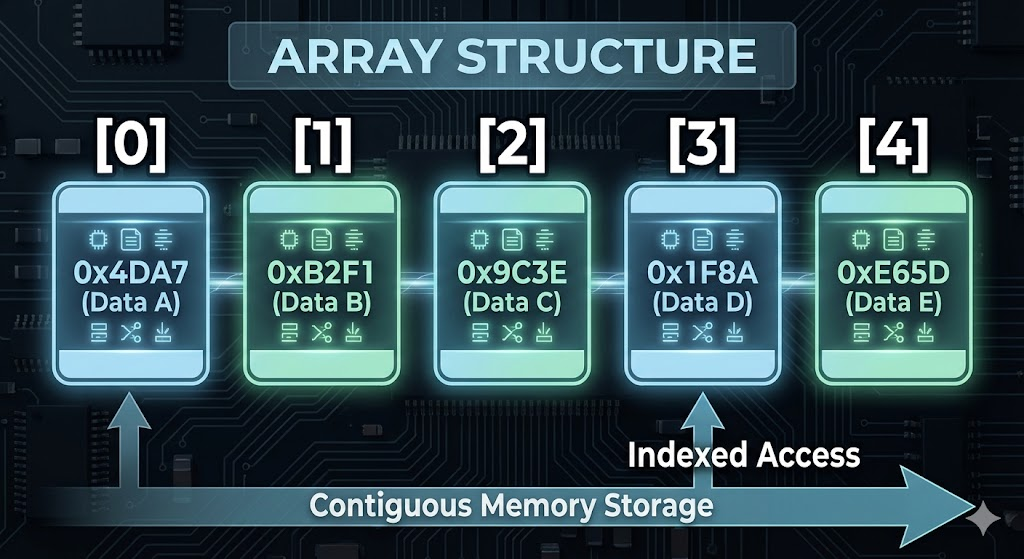
Creating separate variables wastes memory. Arrays store values contiguously, making memory use efficient.
3. What Arrays Provide
Arrays offer:
✔ Single variable to store multiple values
int[] nums = new int[5];✔ Sequential access using index
System.out.println(nums[2]);✔ Easy iteration (for loop / enhanced for)
✔ Structured storage for algorithms
Sorting, searching, statistical operations, etc.
✔ Foundation for advanced data structures
Lists, stacks, queues, trees, matrices → all rely on arrays internally.
4. Real-World Use Cases of Arrays
4.1 Storing sensor readings
Smart devices gather dozens of measurements per second.
4.2 Handling student marks
double[] marks = new double[50];4.3 Processing images (pixel arrays)
Photos are grids represented as 2D arrays.
4.4 Game development
Player positions, scores, enemy lists → arrays.
4.5 Data processing
Large datasets are often stored in arrays before being processed.
5. Limitations (Why We Move to ArrayList Later)
Arrays are powerful but have limitations:
- Fixed size → cannot grow or shrink
- Only store same data type
- No built-in methods (like add, remove, search)
- Must manage indices manually
This leads to the need for more advanced structures like ArrayList, but arrays remain fundamental.
6. Summary
- Arrays allow storing multiple values of the same type in a single container.
- They solve issues of scalability, looping, memory efficiency, and structured data handling.
- Arrays are essential for loops, algorithms, and data organization.
- Although limited, they form the base of many advanced data structures.
Written By: Shiva Srivastava
How is this guide?
Last updated on