
Array of Objects
1. Introduction
So far, we have seen arrays that store primitive data types such as:
int[]double[]char[]
But Java is an object-oriented language, and in real applications, data is often represented using objects, not primitives.
Example:
- Student objects
- Employee objects
- Product objects
- Book objects
To store multiple objects, Java allows arrays of objects.
2. What Is an Array of Objects?
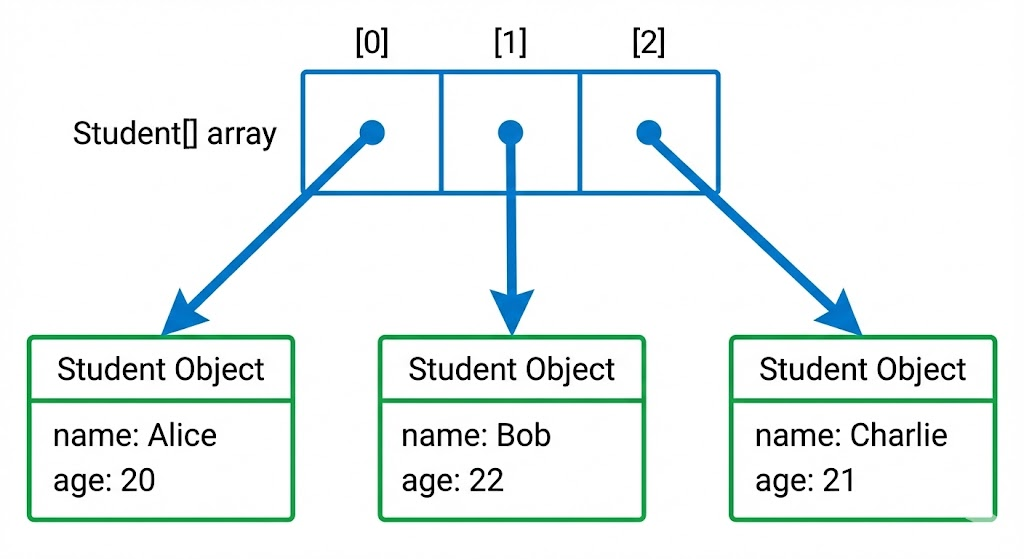
An array of objects is an array where each element is a reference to an object, not the object itself.
Example:
Student[] students = new Student[3];This creates space to store 3 references, but not the actual Student objects yet.
3. Creating an Array of Objects
Using a simple Student class:
class Student {
    String name;
    int age;
}
Step 1: Declare and create the array
Student[] students = new Student[3];Memory created:
students[0]→ nullstudents[1]→ nullstudents[2]→ null
Because the objects are not created yet.
Step 2: Create objects manually
students[0] = new Student();
students[1] = new Student();
students[2] = new Student();
Then assign values:
students[0].name = "Amit";
students[0].age = 20;

students[1].name = "Sara";
students[1].age = 22;

students[2].name = "John";
students[2].age = 21;
4. Complete Example
class Student {
    String name;
    int age;
}

public class Main {
    public static void main(String[] args) {

        Student[] students = new Student[3];

        students[0] = new Student();
        students[1] = new Student();
        students[2] = new Student();

        students[0].name = "Amit";
        students[0].age = 20;

        students[1].name = "Sara";
        students[1].age = 22;

        students[2].name = "John";
        students[2].age = 21;

        for (Student s : students) {
            System.out.println(s.name + " - " + s.age);
        }
    }
}
Output:
Amit - 20
Sara - 22
John - 21
Image prompt
A diagram showing an array with 3 cells:
[0] [1] [2] each cell containing a reference arrow pointing to a Student object box (with fields name and age). Clean OOP visualization.
5. Initializing Array of Objects Directly
Instead of creating objects separately, you can initialize in one line:
Student[] students = {
    new Student("Amit", 20),
    new Student("Sara", 22),
    new Student("John", 21)
};
But the constructor must exist:
class Student {
    String name;
    int age;

    Student(String name, int age) {
        this.name = name;
        this.age = age;
    }
}
6. Iterating Over Array of Objects
Using Enhanced For Loop
for (Student s : students) {
    System.out.println(s.name);
}
Using Index Loop
for (int i = 0; i < students.length; i++) {
    System.out.println(students[i].age);
}
7. Important Notes
7.1 Array Stores References, Not Objects
This is crucial:
Student[] arr = new Student[3];This does not create 3 objects.
It creates 3 null references.
Objects must be created separately.
7.2 NullPointerException Risk
If you forget to create objects:
Student[] arr = new Student[2];
arr[0].name = "Amit"; // ERROR!
Fix:
arr[0] = new Student();7.3 Array of Objects vs ArrayList
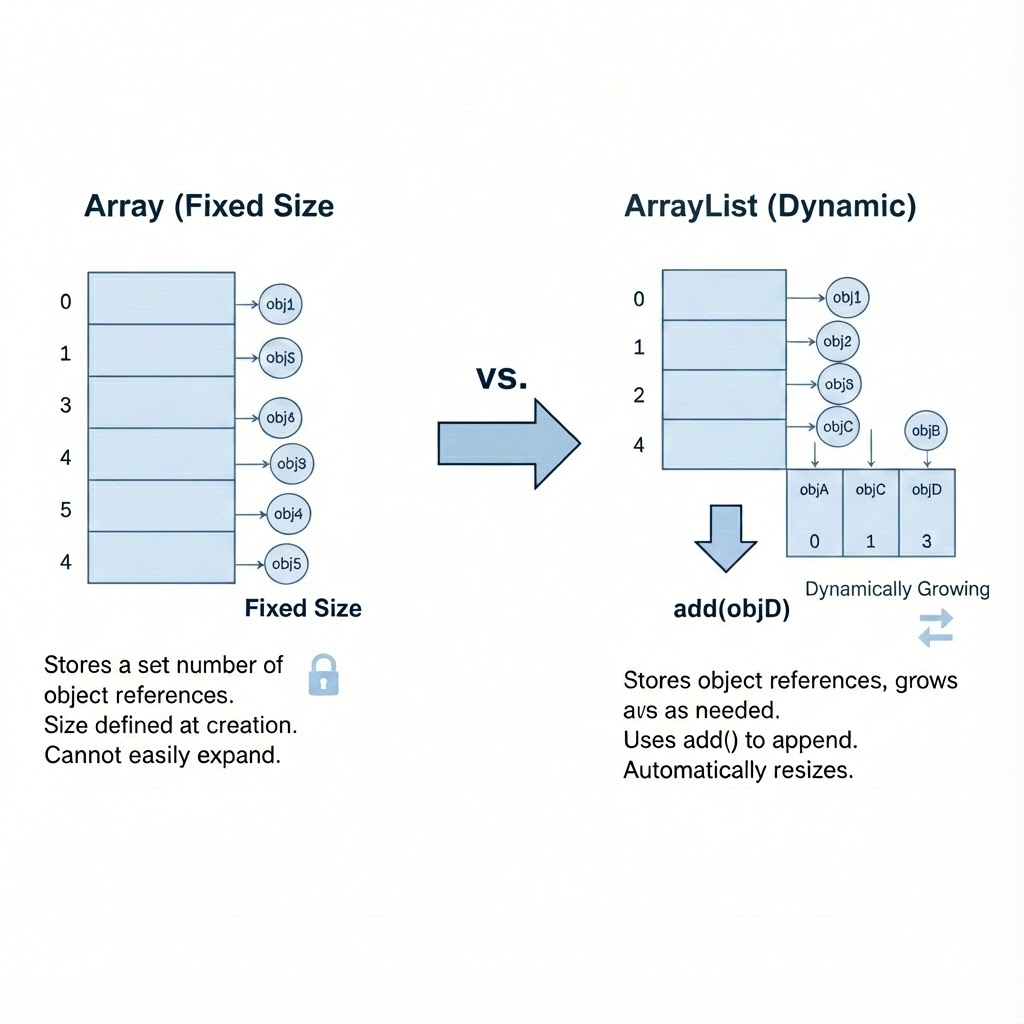
Arrays are fixed size. ArrayList grows automatically.
Example:
ArrayList<Student> list = new ArrayList<>();
list.add(new Student("Amit", 20));
ArrayList is preferred in real-world applications.
Image prompt
A comparative diagram: Left → Array with fixed size storing object references Right → ArrayList dynamically growing with add()
8. Real-World Example: Product List
class Product {
    String name;
    int price;

    Product(String name, int price) {
        this.name = name;
        this.price = price;
    }
}

public class Demo {
    public static void main(String[] args) {

        Product[] products = {
            new Product("Laptop", 50000),
            new Product("Mouse", 700),
            new Product("Keyboard", 1500)
        };

        for (Product p : products) {
            System.out.println(p.name + " - " + p.price);
        }
    }
}
9. Summary
- Java arrays can store object references.
- Creating an array does not create objects - only references.
- Objects must be created individually or using array literals.
- Arrays of objects work like primitive arrays, but each element holds a reference.
- Useful for grouping related objects (students, employees, products).
- In real-world applications, ArrayList is more flexible.
Written By: Shiva Srivastava
How is this guide?
Last updated on