
Array Basics
1. Introduction
An array in Java is a container object that holds a fixed number of values of the same type.
Each value in the array is called an element, and every element is accessed using an index.
Key points:
- Arrays store multiple values in a single variable
- All elements in an array must be of the same data type
- Array size is fixed once created
- Elements are stored in contiguous memory locations
Example:
int[] marks = {85, 90, 78, 92};Here:
int[]→ type of the array (array of integers)marks→ array name{85, 90, 78, 92}→ elements of the array
2. Array Terminology
To understand arrays clearly, remember these terms:
- Array type: data type of elements (
int[],double[],String[]) - Array name: variable name pointing to the array (
marks,prices) - Array element: each value inside the array (
marks[0],marks[1]) - Index: position number of the element (starts from 0)
- Array length: total number of elements in the array (
marks.length)
Example:
int[] marks = {85, 90, 78, 92};

// elements
// marks[0] -> 85
// marks[1] -> 90
// marks[2] -> 78
// marks[3] -> 92

int length = marks.length; // 4
3. Array Declaration
You can declare an array in two ways:
int[] numbers;   // preferred style
int numbers[];   // also valid
Both are correct, but the first style is more readable and commonly used. Declaration only tells Java:
- The type of array
- The name of array
It does not create memory for elements yet.
4. Array Creation (Overview)
Array creation happens using the new keyword:
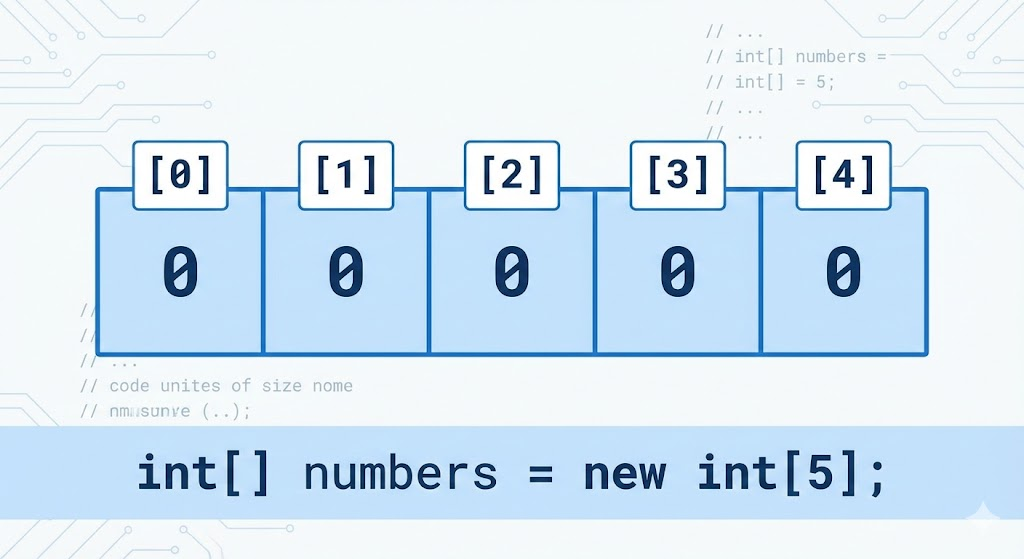
numbers = new int[5];This:
- Creates an array that can hold 5 integers
- Index range:
0to4 - All elements are initialized with default values (
0for int)
Declaration and creation can be combined:
int[] numbers = new int[5];We explain creation in detail in creation-of-array.mdx,
but here you should remember:
[]means “array”[size]decides how many elements the array can hold
5. Initializing Arrays
You can assign values to array elements in two ways:
5.1 Using Index Assignment
int[] numbers = new int[3];

numbers[0] = 10;
numbers[1] = 20;
numbers[2] = 30;
5.2 Using Array Literal
int[] numbers = {10, 20, 30};This is shorter and more convenient when values are already known.
6. Accessing Array Elements
You can access elements using their index:
int[] marks = {85, 90, 78};

System.out.println(marks[0]); // 85
System.out.println(marks[1]); // 90
System.out.println(marks[2]); // 78
Important:
- First element index →
0 - Last element index →
length - 1
So if marks.length is 3, valid indices are 0, 1, 2.
7. Array Length
Every array in Java has a public length field:
int[] numbers = {1, 2, 3, 4, 5};
System.out.println(numbers.length); // 5
Use length when iterating:
for (int i = 0; i < numbers.length; i++) {
    System.out.println(numbers[i]);
}
This ensures:
- You do not go out of bounds
- Your loop adapts if array size changes
8. Default Values in Arrays
When you create an array using new, its elements get default values:
| Type | Default value |
|---|---|
| int | 0 |
| double | 0.0 |
| boolean | false |
| char | '\u0000' |
| Object | null |
Example:
boolean[] flags = new boolean[3];

System.out.println(flags[0]); // false
System.out.println(flags[1]); // false
System.out.println(flags[2]); // false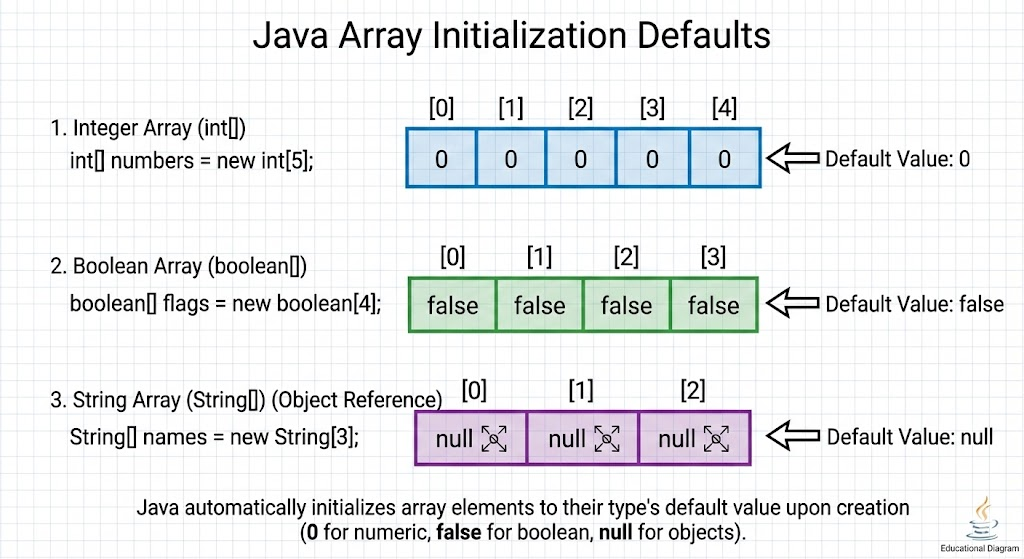
9. Common Errors in Arrays
9.1 ArrayIndexOutOfBoundsException
Occurs when you try to access index outside the valid range.
int[] a = new int[3];

// valid: 0, 1, 2

a[3] = 10; // Error at runtime
Always ensure:
0 <= index < array.length9.2 Forgetting to Initialize the Array
int[] a;
a[0] = 10; // Error: a is not initialized (NullPointerException)
You must create the array before use:
a = new int[5];10. Simple Complete Example
public class ArrayBasics {
    public static void main(String[] args) {

        // Declare and create array
        int[] marks = new int[3];

        // Initialize elements
        marks[0] = 85;
        marks[1] = 90;
        marks[2] = 78;

        // Print all elements
        for (int i = 0; i < marks.length; i++) {
            System.out.println("marks[" + i + "] = " + marks[i]);
        }
    }
}
Output:
marks[0] = 85
marks[1] = 90
marks[2] = 78
11. Summary
- An array is a collection of elements of the same type, stored in contiguous memory.
- Each element is accessed by an index starting from
0. - Arrays have a fixed size determined at creation.
- Use
array.lengthto safely iterate over elements. - Default values are automatically assigned when using
new.
Written By: Shiva Srivastava
How is this guide?
Last updated on