
Introduction to Classes and Objects
1. Introduction
Java is an object-oriented programming (OOP) language.
This means Java programs are designed using objects-real-world entities that have state (data) and behavior (actions).
To work with objects, Java provides a blueprint called a class.
A class defines what an object is and what it can do.
An object is the real instance created from that class.
Understanding classes and objects is the foundation of Java development.
Before diving into advanced OOP concepts like encapsulation, inheritance, and polymorphism, you must thoroughly understand the basics of class structure, object creation, and how data and methods interact.
2. What Is a Class?
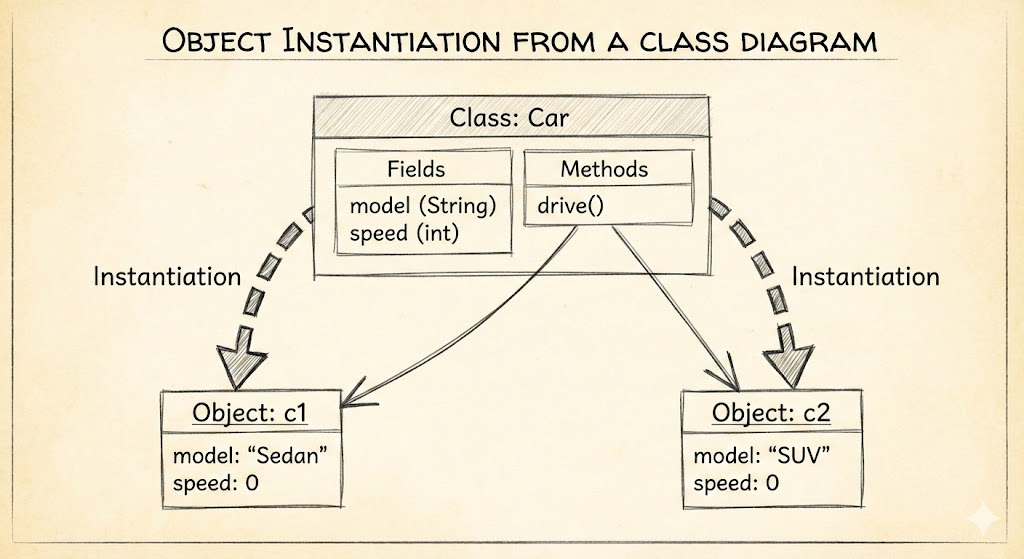
A class in Java is a blueprint or template used to create objects.
A class contains:
- Fields (variables): representing data or state
- Methods: representing actions or behavior
- Constructors: to initialize objects
- Blocks and Nested classes (optional)
Example Structure of a Class
class Car {
    String model;        // field
    int speed;           // field

    void drive() {       // method
        System.out.println("Car is driving");
    }
}
A class does not consume memory until an object is created.
3. What Is an Object?
An object is a runtime instance of a class. It has:
- Identity
- State (its data)
- Behavior (its methods)
Example of creating an object:
Car c1 = new Car();Here:
Car→ classnew Car()→ object creationc1→ reference variable pointing to the object
Accessing fields and methods using objects:
c1.model = "Honda City";
c1.drive();
4. How Object Creation Works Internally
When Java executes:
Car c = new Car();Behind the scenes:
- Memory is allocated on the heap for the Car object
- Fields get default values
- Constructor executes
- The reference
cstores the memory address of that object
Object memory = stored on heap Reference variable = stored on stack
(Full explanation in stack-and-heap.mdx)
5. Example: Class and Object Together
class Student {
    String name;
    int age;

    void study() {
        System.out.println(name + " is studying");
    }
}

public class Main {
    public static void main(String[] args) {

        Student s1 = new Student(); // object created
        s1.name = "Amit";
        s1.age = 21;
        s1.study();
    }
}
Output:
Amit is studying6. Objects Have Independent Copies of Data
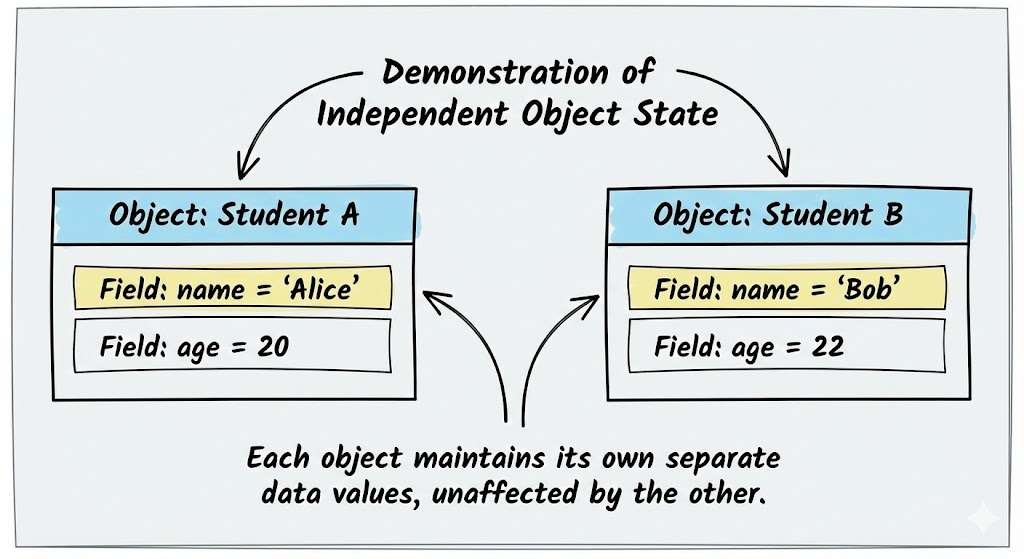
If multiple objects of the same class are created, each has its own copy of the fields.
Student s1 = new Student();
Student s2 = new Student();

s1.name = "Amit";
s2.name = "Ravi";
s1 and s2 do not affect each other's data.
7. Behaviors Are Shared, But Data Is Not
- All objects share the same methods
- But each object maintains its own state
Example:
s1.study(); // same method, different output based on state
s2.study();
Methods operate differently depending on the object's data.
8. Anonymous Objects (Brief Introduction)
Objects without reference variables:
new Student().study();Useful for one-time use.
Explained completely in anonymous-object.mdx.
9. Object Lifecycle (Simplified)
-
Constructor runs during object creation
-
Object remains in memory as long as:
- It is referenced
-
Object becomes eligible for garbage collection when no reference points to it
-
JVM garbage collector eventually removes it
-
Finalization may occur (deprecated)
Detailed explanation in:
garbage-collection-and-finalize.mdx
10. Why Classes and Objects Matter
They form the core of Java programming. Every advanced topic-encapsulation, inheritance, polymorphism, interfaces, abstraction-depends on this base concept.
Objects help in:
- Code organization
- Data security
- Reusability
- Real-world modeling
11. Complete Example Program
class Employee {
    int id;
    String name;

    void work() {
        System.out.println(name + " is working");
    }
}

public class Main {
    public static void main(String[] args) {

        Employee e = new Employee();
        e.id = 101;
        e.name = "Karan";
        e.work();
    }
}
Output:
Karan is working12. Summary
- A class is a blueprint; an object is its real instance.
- Objects store data and perform actions using methods.
- Class → no memory until object is created.
- Object → stored on heap; reference → stored on stack.
- Each object has independent data but shares methods.
- Understanding classes & objects is essential for all OOP concepts.
This completes Introduction to Classes and Objects.
Written By: Shiva Srivastava
How is this guide?
Last updated on