
Introduction to Github Actions
GitHub Actions brings automation directly into your GitHub repository. Instead of manually building, testing, or deploying an application after every change, you can define these tasks once and let GitHub execute them automatically.
In this lecture, we will understand what GitHub Actions is, how CI/CD fits into it, its core building blocks, and how to create a simple workflow.
What is GitHub Actions?
GitHub Actions is a platform for automating software development workflows. It can automatically build, test, deploy, and perform other tasks whenever something happens in your repository.
For example:
Developer pushes code
        ↓
GitHub detects the push
        ↓
Workflow starts
        ↓
Build → Test → Deploy
This reduces repetitive manual work and helps teams catch problems early.
Common Uses
- Run automated tests whenever code is pushed
- Build an application
- Check code quality
- Deploy an application
- Automate repository-related tasks
- Run scheduled jobs
What is CI/CD?
GitHub Actions is commonly used to implement CI/CD pipelines.
| Term | Full Form | Purpose |
|---|---|---|
| CI | Continuous Integration | Automatically build and test code changes |
| CD | Continuous Delivery / Deployment | Automate the process of delivering or deploying validated code |
A typical pipeline looks like:
Code Change
    ↓
Build
    ↓
Test
    ↓
Deploy
Continuous Integration
With CI, developers frequently integrate their changes into a shared repository. Automated workflows can build the application and run tests whenever changes are pushed or a pull request is created.
Continuous Delivery / Deployment
Once the code passes the required checks, the workflow can continue with deployment.
The exact deployment process depends on the project and its infrastructure.
Core Components of GitHub Actions
A simple way to understand GitHub Actions is:
Event
  ↓
Workflow
  ↓
Job
  ↓
Steps
  ↓
Commands / Actions
  ↓
Runner
1. Event
An event is something that triggers a workflow.
Examples:
push
pull_request
schedule
For example:
on: pushThis tells GitHub to run the workflow when code is pushed.
2. Workflow
A workflow is an automated process defined using a YAML file.
A repository can contain multiple workflows, such as:
ci.yml
test.yml
deploy.yml
Workflows must be stored inside:
.github/workflows/GitHub automatically discovers workflow files from this directory. Files must use the .yml or .yaml extension.
3. Job
A job is a group of related steps that GitHub executes together on a runner.
A job executes its steps in order.
For example:
Job: build-and-test

    Step 1 → Checkout code
    Step 2 → Install dependencies
    Step 3 → Build application
    Step 4 → Run tests
A workflow can contain one or multiple jobs.
4. Step
A step is an individual task inside a job.
A step can execute:
- A shell command
- A reusable GitHub Action
Example:
steps:
  - run: echo "Hello GitHub Actions"
5. Action
An Action is a reusable unit of automation that performs a specific task.
For example, the commonly used actions/checkout action checks out your repository's code onto the runner.
- name: Checkout code
  uses: actions/checkout@v6
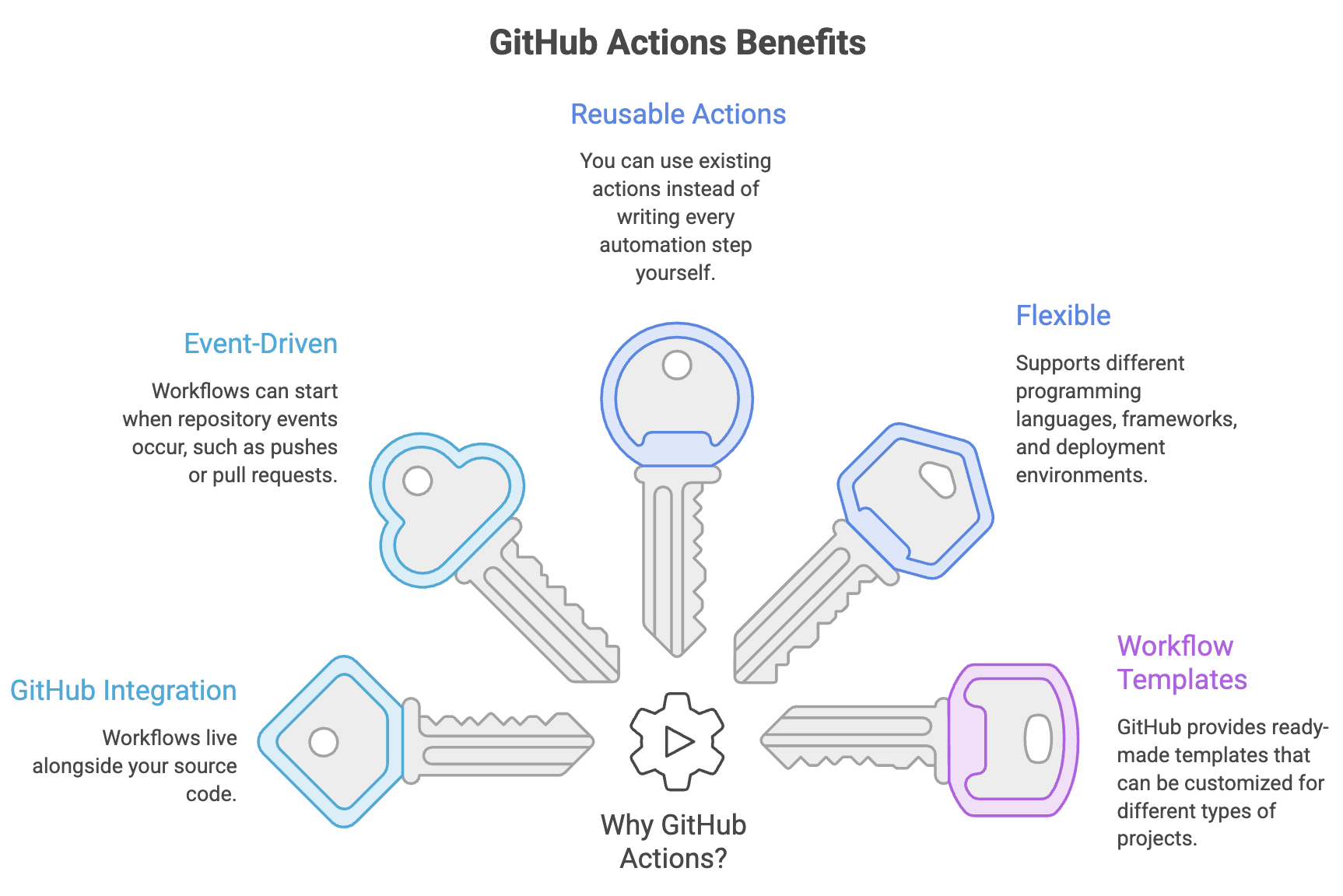
GitHub also provides workflow templates and reusable actions that can help you get started faster.
6. Runner
A runner is the machine that executes a workflow's jobs.
For example:
runs-on: ubuntu-latestThis tells GitHub to execute the job on an Ubuntu runner.
Conceptually:
Workflow
   ↓
Job
   ↓
Runner
   ↓
Steps execute
Where Are GitHub Actions Workflows Stored?
GitHub Actions workflows are stored inside the repository:
your-project/
│
├── .github/
│   └── workflows/
│       ├── ci.yml
│       ├── test.yml
│       └── deploy.yml
│
├── src/
├── pom.xml
└── README.md
The important rule is:
.github/workflows/GitHub looks for .yml or .yaml workflow files in this directory.
Creating Your First Workflow
GitHub provides workflow templates to help you create your first automation. You can also create the YAML file yourself.
Step 1: Open Your Repository
Go to the repository where you want to use GitHub Actions.
Step 2: Open the Actions Tab
Click Actions in your repository.
Step 3: Choose a Workflow
You can select an existing workflow template or create a workflow from scratch.
Step 4: Create the Workflow File
For example:
.github/workflows/demo.ymlStep 5: Add the Workflow
name: My First Workflow

on: push

jobs:
  greet:
    runs-on: ubuntu-latest

    steps:
      - name: Say Hello
        run: echo "Hello, GitHub Actions!"
Step 6: Commit the File
Once the workflow file is committed, the push event triggers the workflow.
Understanding the Basic Workflow
Let's break down the example:
name: My First Workflow

on: push

jobs:
  greet:
    runs-on: ubuntu-latest

    steps:
      - name: Say Hello
run: echo "Hello, GitHub Actions!"| Configuration | Purpose |
|---|---|
name | Name displayed for the workflow |
on | Defines when the workflow should run |
jobs | Defines the jobs in the workflow |
greet | Identifier for the job |
runs-on | Specifies the runner environment |
steps | Defines tasks performed by the job |
run | Executes a shell command |
The important idea is:
Push
 ↓
Workflow triggered
 ↓
Job starts on runner
 ↓
Step executes command
Viewing Workflow Results
After the workflow runs, you can inspect its execution from the Actions tab.
You can:
- Open the repository.
- Select Actions.
- Select the workflow.
- Choose a workflow run.
- Open the job.
- Expand individual steps to view their logs.
GitHub displays whether the workflow succeeded or failed and provides logs that help you understand what happened during execution.
Workflow Templates
You don't always have to start with an empty YAML file.
GitHub provides preconfigured workflow templates for common scenarios, including CI, deployments, automation, code scanning, and GitHub Pages.
For example, a Java project may have a workflow template that already contains common build and test steps.
You can:
Choose Template
      ↓
Customize YAML
      ↓
Commit Workflow
      ↓
GitHub Runs It
This is particularly useful when learning GitHub Actions because you can start with a working example and gradually understand each part.

Quick Reference
| Term | Remember It As |
|---|---|
| GitHub Actions | GitHub's workflow automation platform |
| Event | What triggers the workflow |
| Workflow | Complete automation process |
| Job | Group of tasks executed together |
| Step | Individual task inside a job |
| Action | Reusable automation component |
| Runner | Machine that executes the job |
| YAML | Format used to define workflows |
Summary
- GitHub Actions automates development tasks such as building, testing, and deployment.
- CI/CD is one of the most common uses of GitHub Actions.
- Workflows are YAML files stored in
.github/workflows/. - An event triggers a workflow.
- A workflow contains one or more jobs.
- Jobs contain steps, which can run commands or use reusable actions.
- A runner is the machine where a job actually executes.
- GitHub provides workflow templates to help developers get started quickly.
- Workflow execution results and detailed logs are available from the Actions tab.
Written By: Muskan Garg
How is this guide?
Last updated on