
Introduction to Git & Version Control
A comprehensive introduction to Git and Version Control
What is Version Control?
Version Control is a system that helps you track, manage, and organize changes made to a project over time. Instead of manually creating multiple copies of your project whenever you make changes, a version control system automatically records every modification, allowing you to revisit any previous version whenever needed.
Think of it as a time machine for your code. You can see what changed, who made the change, when it was made, and even restore an earlier version if something goes wrong.
Real-World Example
Imagine you're building a web application. Without version control, your project folder might look like this:
Project/
├── app_v1
├── app_v2
├── app_final
├── app_final_new
├── app_final_latest
└── app_final_latest2
Finding the correct version quickly becomes confusing, especially when multiple developers are involved.
With Version Control, you maintain a single project, while every change is recorded automatically in its history. You can restore any previous version with just a few commands.
Why Do We Need Version Control?
As software projects grow, developers constantly add new features, fix bugs, and improve existing code. Without version control, managing these changes becomes difficult and error-prone.
A Version Control System solves these challenges by providing a structured way to manage project history.
Benefits of Version Control
1. Complete History Tracking
Every change made to the project is recorded permanently.
You can easily:
- View previous versions
- Compare changes
- Restore an older version if needed
Example:
A newly introduced feature causes the application to crash. Instead of manually fixing everything, you can simply roll back to the last working version.
2. Easy Collaboration
Modern software is rarely built by a single developer.
Version control allows multiple developers to:
- Work on the same project simultaneously
- Modify different files independently
- Merge their work together safely
Without version control, developers would frequently overwrite each other's changes.
3. Backup and Recovery
Every saved version acts as a backup. You can recover your work from the repository.
Even if:
- Your laptop crashes
- Files are accidentally deleted
- A project becomes corrupted
4. Better Project Management
Version control provides a clear record of:
- What changed
- Who changed it
- When it changed
- Why it changed (through commit messages)
This makes debugging and maintenance much easier.
Evolution of Version Control
Software development has changed significantly over the years. As projects became larger and teams started working together, developers needed better ways to manage code changes. This led to the evolution of different version control systems, with each generation solving the limitations of the previous one.
The evolution of version control can be understood in four stages:
No Version Control
        ↓
Local Version Control
        ↓
Centralized Version Control
        ↓
Distributed Version Control (Git)
What is Git?
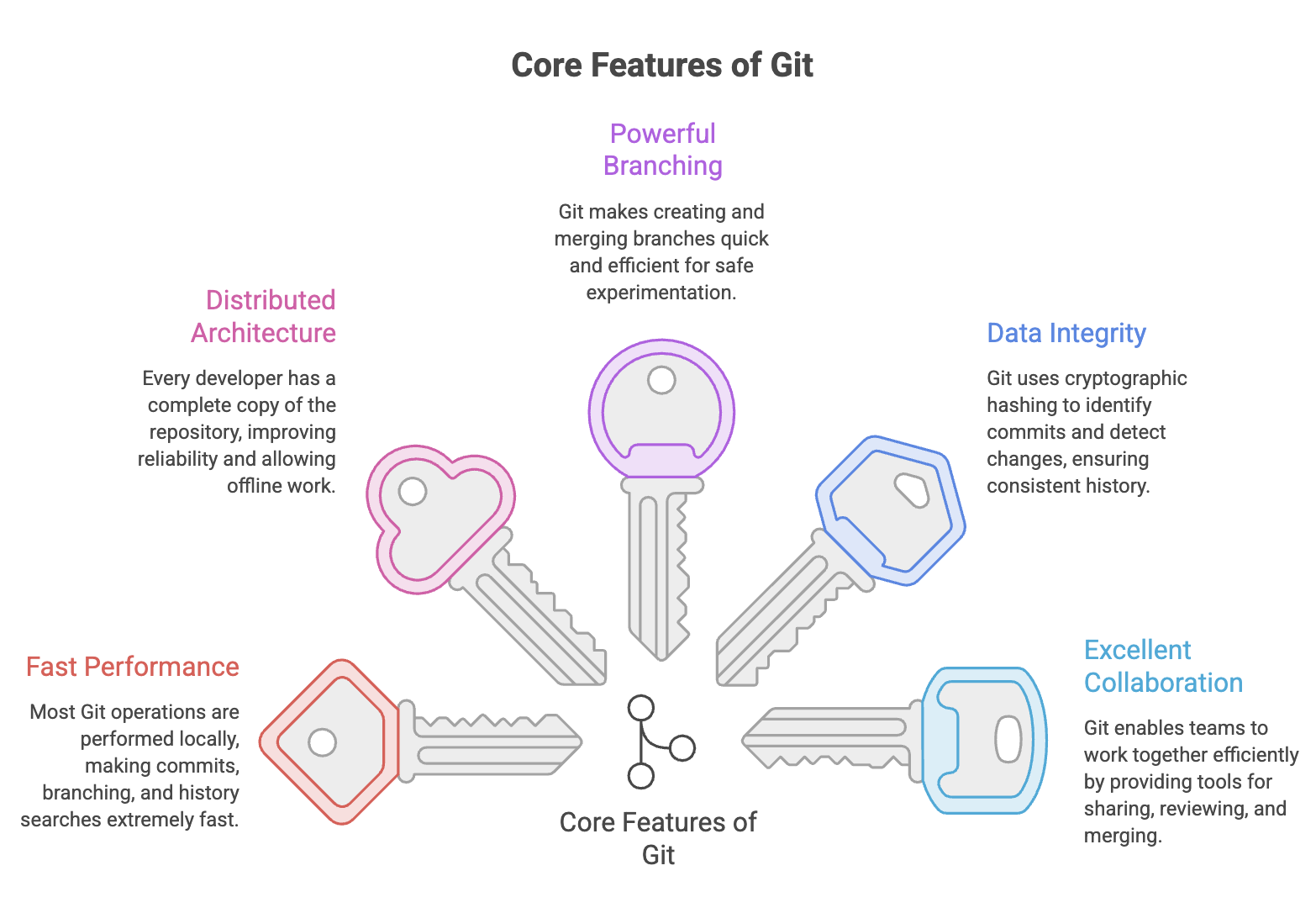
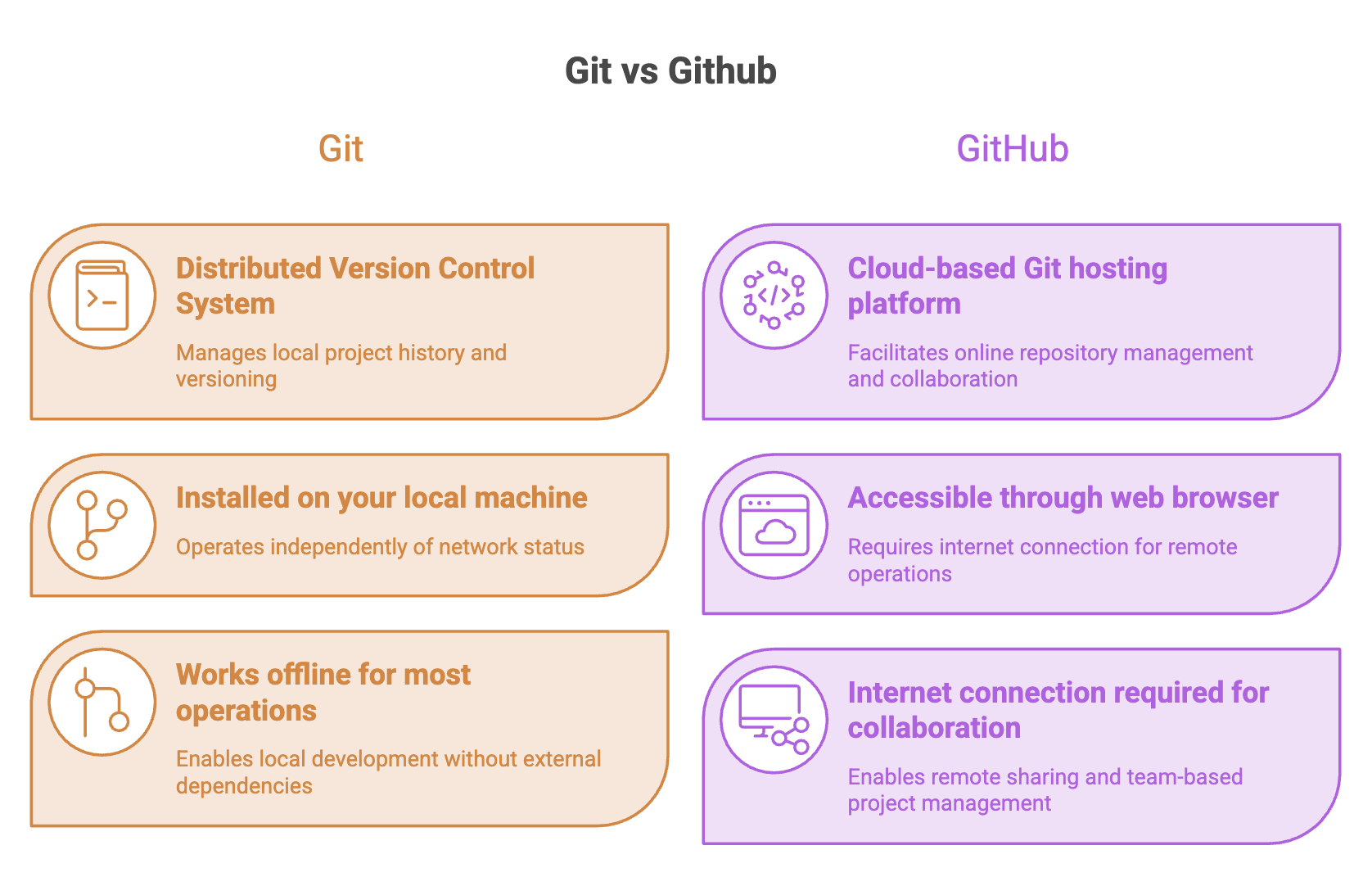
Git is a Distributed Version Control System (DVCS) that runs on your local computer.
It allows developers to:
- Track changes to source code
- Maintain complete project history
- Create branches and merge changes
- Restore previous versions
- Work offline without an internet connection
Git performs most operations locally, making it fast and efficient.
History of Git
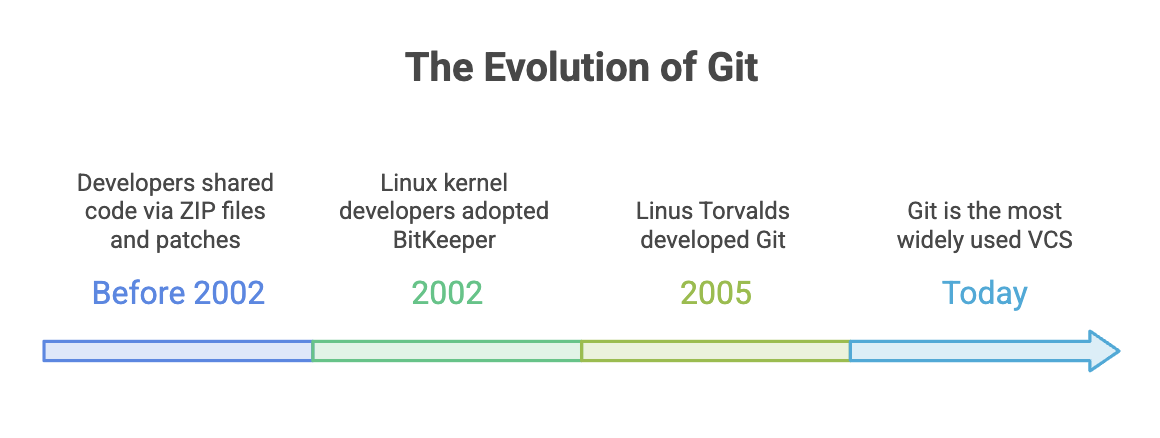
Before Git, developers managed source code in much simpler ways.
Before 2002
Developers often shared code by exchanging:
- ZIP files
- Archived project folders
- Patch files
As projects became larger, this process became slow, inefficient, and difficult to manage.
2002 – BitKeeper
To improve collaboration, many Linux kernel developers adopted BitKeeper, a proprietary version control system that supported version tracking and code merging.
Although it solved several problems, it required licensing and was not open source.
2005 – Birth of Git
In 2005, Linus Torvalds, the creator of Linux, developed Git as a free and open-source alternative after the Linux community could no longer use BitKeeper under the same terms.
Git was designed to be:
- Extremely fast
- Reliable
- Distributed
- Scalable
- Easy to branch and merge
Today, Git is the most widely used version control system in software development.
What is GitHub?
GitHub is a cloud-based hosting platform built around Git.
It stores remote repositories online and provides collaboration features that help developers work together on the same project.
In addition to hosting Git repositories, GitHub offers features such as:
- Remote repository hosting
- Pull Requests
- Code Reviews
- Issue Tracking
- Project Management
- GitHub Actions for automation
- Repository Security
- Release Management
GitHub uses Git internally but adds powerful collaboration and project management capabilities.
How Git and GitHub Work Together
Git and GitHub complement each other during software development.
A typical workflow looks like this:
Write Code
      │
      ▼
Track Changes using Git
      │
      ▼
Commit Changes Locally
      │
      ▼
Push Repository to GitHub
      │
      ▼
Collaborate with Other Developers
Developers use Git to manage code on their local machines and GitHub to share repositories, review code, and collaborate with team members.
Git can be used without GitHub, but GitHub cannot manage version history without Git. Together, they provide a complete solution for version control and collaborative software development.
Summary
- Version Control tracks, manages, and maintains project changes throughout development.
- Git is a distributed version control system that enables version tracking, branching, merging, and offline development.
- GitHub is a cloud-based platform for hosting Git repositories and enabling team collaboration.
- Git manages code and version history locally, while GitHub provides remote hosting and collaboration features.
- Version control improves collaboration, traceability, backup, and code recovery.
Written By: Muskan Garg
How is this guide?
Last updated on