
Types of Version Control
Types of Version Control Systems
As software development evolved, developers needed better ways to manage source code and collaborate efficiently. This led to the development of different types of Version Control Systems (VCS).
Each type stores project history differently and offers different levels of collaboration, reliability, and performance.
Version Control Systems are broadly classified into three categories:
- Local Version Control System (LVCS)
- Centralized Version Control System (CVCS)
- Distributed Version Control System (DVCS)
1. Local Version Control System (Local VCS)
In a Local Version Control System, all project versions are stored only on the developer's own computer.
There is no central server and no built-in collaboration.
How It Works
Developer's Computer

Project
├── Version 1
├── Version 2
├── Version 3
└── Version 4
All project history exists on a single machine.
Advantages
- Very simple to use
- No internet connection required
- Fast access to project history
Disadvantages
- No collaboration support
- If the computer fails, all history is lost
- Not suitable for team projects
2. Centralized Version Control System (CVCS)
A Centralized Version Control System stores the complete project history on one central server.
Developers connect to this server to download projects, commit changes, and access the latest updates.
How It Works
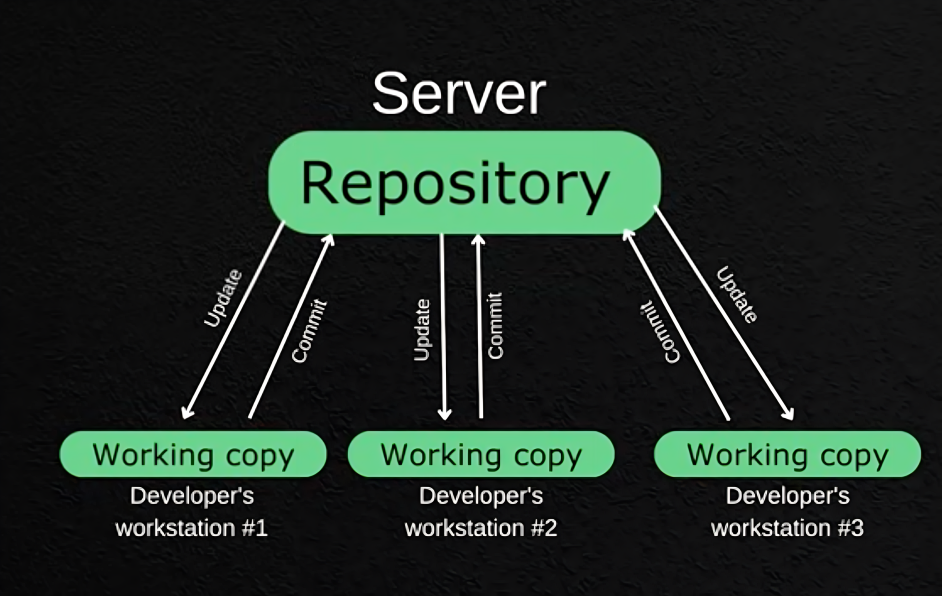
Every developer communicates with the same server.
Advantages
- Multiple developers can collaborate
- Easy centralized management
- Everyone shares the same project history
Disadvantages
- Single point of failure
- If the server crashes, development is disrupted
- Network connectivity is required for many operations
- If backups are unavailable, project history can be lost
3. Distributed Version Control System (DVCS)
A Distributed Version Control System stores the entire repository history on both the remote server and every developer's local machine.
How It Works
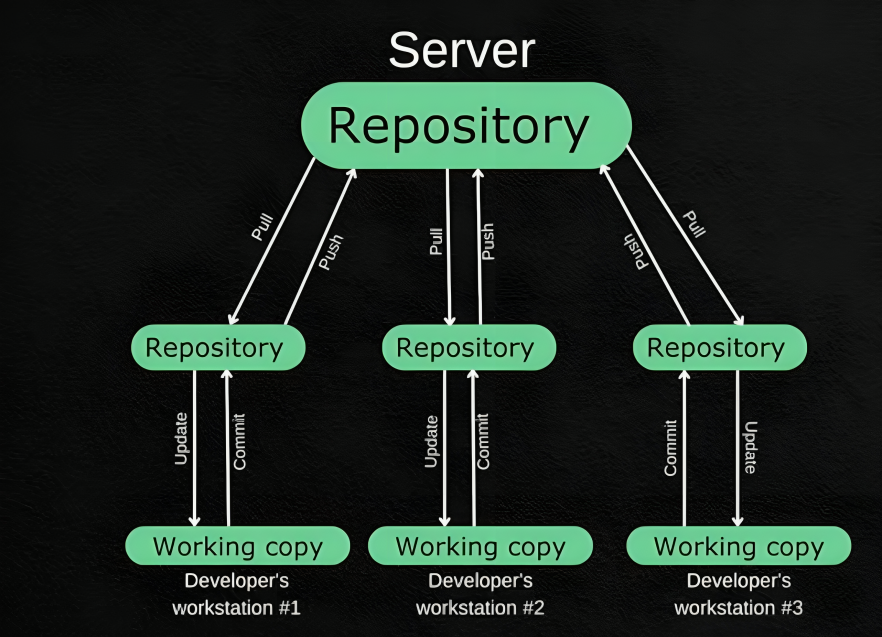
Each developer owns a complete copy of the repository and its history. Unlike CVCS, developers can continue working even if the remote server becomes unavailable.
Advantages
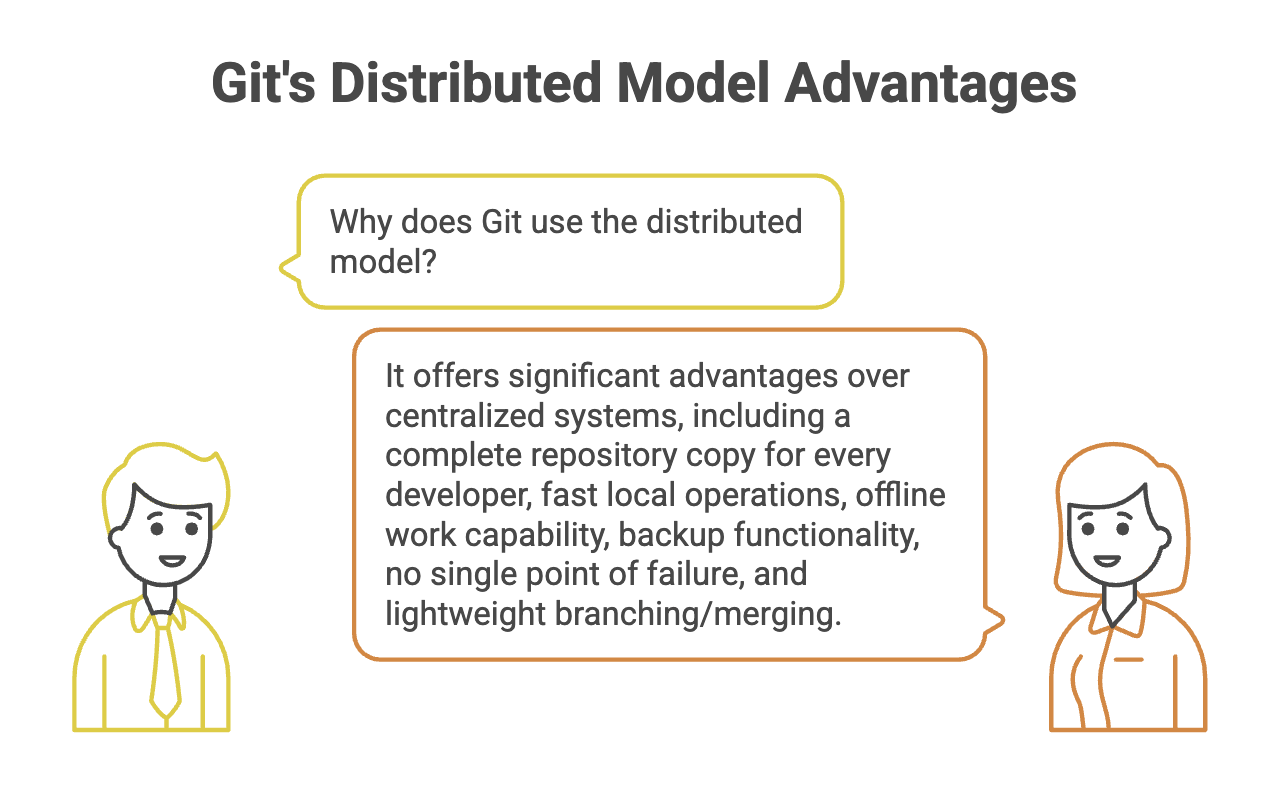
- Complete project history available locally
- Work offline without interruption
- No single point of failure
- Every clone acts as a backup
- Excellent collaboration support
- Faster operations because most actions happen locally
Examples of DVCS
- Git
- Mercurial
- Bazaar
Git is a Distributed Version Control System (DVCS).
Understanding Remote Copies
One of Git's biggest strengths is that the project history exists in multiple places.
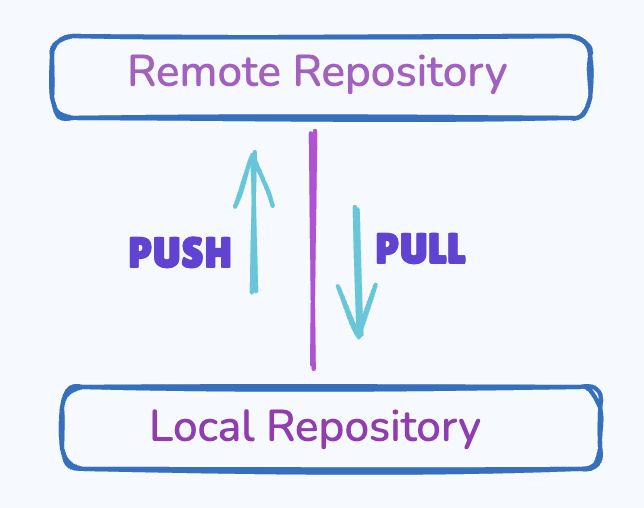
A Git repository typically has:
-
Local Repository – Stored on the developer's computer.
-
Remote Repository – Stored on a remote hosting service such as GitHub, GitLab, or Bitbucket.
This means:
- Every developer has a complete project history.
- Even if the remote server becomes unavailable, local development can continue.
- Multiple developers can synchronize their work by pushing and pulling changes.
This distributed design makes Git highly reliable.
CVCS vs DVCS
| Feature | CVCS | DVCS (Git) |
|---|---|---|
| Repository History | Stored only on the server | Stored on every developer's machine |
| Internet Requirement | Required for many operations | Most operations work offline |
| Performance | Slower | Faster |
| Backup | Central server only | Every clone acts as a backup |
| Failure Risk | Single point of failure | Highly fault tolerant |
| Branching & Merging | Comparatively slower | Fast and lightweight |
Summary
- Version Control Systems are categorized into Local, Centralized, and Distributed models.
- Local VCS is suitable for individual projects but does not support collaboration.
- Centralized VCS enables teamwork but depends on a central server.
- Distributed VCS gives every developer a complete copy of the repository.
- Git is a Distributed Version Control System designed for speed, reliability, and efficient collaboration.
- Git repositories typically consist of both local and remote copies that synchronize changes when required.
Written By: Muskan Garg
How is this guide?
Last updated on