
Secrets, Variables, Environments and Permissions
A real-world GitHub Actions workflow rarely works with code alone. It often needs API keys, deployment URLs, environment-specific settings, and permissions to access GitHub resources.
GitHub Actions provides Secrets, Variables, Environments, and Permissions to manage these requirements safely and control what a workflow is allowed to access.
Secrets
What Are Secrets?
Secrets are sensitive values used by workflows, such as:
- API keys
- Passwords
- Access tokens
- Cloud credentials
- Deployment credentials
- Private service keys
Secrets are stored securely by GitHub and are automatically redacted when their values appear in workflow logs. However, masking is not a guarantee against every possible transformation or exposure, so secrets should never be intentionally printed.
Creating a Repository Secret
Go to:
Repository → Settings → Secrets and variables → Actions → New repository secret
For example:
Name: DEPLOY_TOKEN
Value: <your-secret-value>
Using a Secret
A secret can be referenced through the secrets context:
steps:
  - name: Deploy
    run: ./deploy.sh
    env:
      API_KEY: ${{ secrets.API_KEY }}
      DEPLOY_TOKEN: ${{ secrets.DEPLOY_TOKEN }}
This keeps the actual value out of the workflow file.
Secret Scopes
Secrets can be defined at different levels:
| Scope | Purpose |
|---|---|
| Repository | Available to workflows in a specific repository |
| Environment | Available when a job targets a specific environment |
| Organization | Can be shared across multiple repositories |
Organization secrets can also be restricted to selected repositories.
Important Security Rules
- Never hard-code secrets in source code or workflow files.
- Never intentionally print secrets to logs.
- Do not commit
.envfiles containing real credentials. - Give credentials only the permissions they actually need.
- Be careful with workflows triggered from untrusted pull requests.
- Remember that GitHub's masking mechanism is not a substitute for secure secret handling.
Important: You cannot retrieve the original secret value from GitHub after creating it. You can update or delete the secret.
Variables
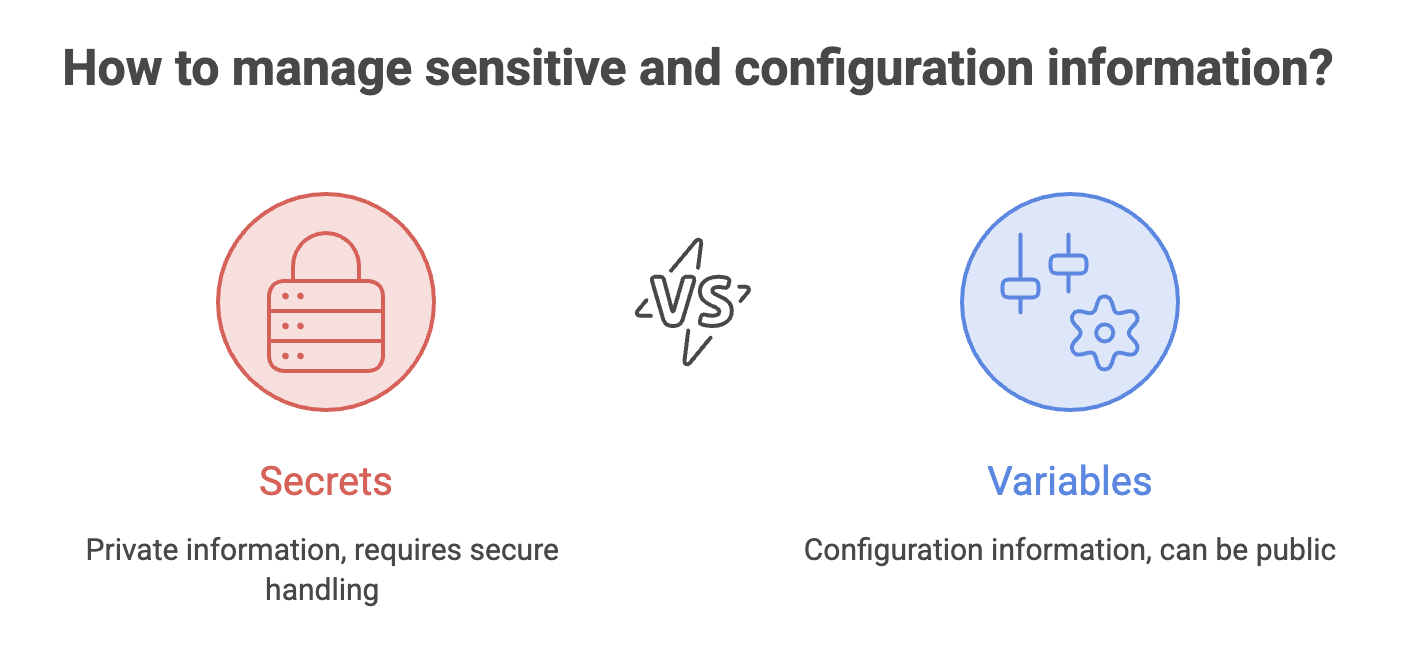
Not every configuration value is sensitive.
For example:
APPLICATION_NAME = my-app
DEPLOY_REGION = ap-south-1
DEPLOY_URL = https://example.com
These values can be stored as variables instead of secrets.
Workflow, Job, and Step Variables
The env keyword allows environment variables to be defined at different levels.
env:
  APP_NAME: my-application

jobs:
  build:
    runs-on: ubuntu-latest

    env:
      NODE_ENV: production

    steps:
      - name: Build
        env:
          DEBUG: true

        run: |
          echo "$APP_NAME"
          echo "$NODE_ENV"
          echo "$DEBUG"
Scope Hierarchy
| Scope | Defined At | Available To |
|---|---|---|
| Workflow | Top-level env | All jobs and steps |
| Job | Job-level env | All steps in that job |
| Step | Step-level env | Only that step |
A narrower scope can override a value defined at a broader scope.
Repository and Organization Variables
GitHub also supports configuration variables that can be managed outside the workflow file.
For example:
steps:
  - name: Deploy
    run: echo "Deploying to ${{ vars.DEPLOY_URL }}"
Repository and organization variables are useful when the same configuration is needed across multiple workflows.
Typical examples:
APP_NAME
DEPLOY_URL
AWS_REGION
FEATURE_FLAG
GitHub Context
GitHub Actions automatically provides information about the current workflow run through contexts.
For example:
steps:
  - name: Show workflow information
    run: |
      echo "Repository: ${{ github.repository }}"
      echo "Branch: ${{ github.ref }}"
      echo "Commit: ${{ github.sha }}"
      echo "Actor: ${{ github.actor }}"
      echo "Event: ${{ github.event_name }}"
Common GitHub Context Values
| Context | Meaning |
|---|---|
github.repository | Repository name |
github.ref | Branch or tag reference |
github.sha | Commit SHA that triggered the workflow |
github.actor | User who triggered the workflow |
github.event_name | Event that triggered the workflow |
github.run_id | Unique ID of the workflow run |
github.workspace | Default working directory |
Why Is This Useful?
Instead of hard-coding information, workflows can make decisions based on the current run.
For example:
run: echo "Building commit ${{ github.sha }}"This is especially useful for logging, deployment decisions, and creating version information.
Inputs for Manual Workflows
A manually triggered workflow can accept input from the person starting the workflow.
For example:
on:
  workflow_dispatch:
    inputs:
      environment:
        description: Target environment
        required: true
        type: choice
        options:
          - staging
          - production
The selected value can then be used by the workflow:
steps:
  - name: Deploy
    run: echo "Deploying to ${{ inputs.environment }}"
Example
When manually starting the workflow, the user can choose:
Environment
----------------
○ staging
○ production
This makes a workflow flexible without requiring changes to the YAML file.
Tip: Prefer the
inputscontext for workflow-dispatch inputs. It preserves input types such as Boolean values more accurately than the event payload representation.
Environments
What Is an Environment?
An environment represents a deployment target or stage such as:
development
staging
production
Environments are particularly useful for controlling deployments to sensitive targets.
They can provide:
- Environment-specific secrets
- Environment-specific variables
- Deployment protection rules
- Required approvals
- Deployment tracking
Using an Environment
A job can target an environment using the environment keyword:
jobs:
  deploy:
    runs-on: ubuntu-latest

    environment:
      name: production
      url: https://example.com

    steps:
      - name: Deploy
        run: echo "Deploying to production"
Now the job is associated with the production environment.
Environment Protection Rules
GitHub environments can be protected using rules such as:
| Protection | Purpose |
|---|---|
| Required reviewers | Requires approval before deployment proceeds |
| Wait timer | Delays deployment for a configured period |
| Deployment branches | Controls which branches can deploy |
| Environment secrets | Provides secrets specifically for that environment |
Environment Secrets
Suppose staging and production use different API keys:
staging → STAGING_API_KEY
production → PRODUCTION_API_KEY
Instead of putting both credentials into the workflow, environment-specific secrets can be configured for their respective environments.
GitHub can also require approval before environment secrets become available to the deployment job.
Permissions
Secrets protect your credentials.
Permissions control what the workflow itself is allowed to do.
This distinction is important.
For example, a workflow may need to:
- Read repository contents
- Create an issue
- Comment on a pull request
- Publish a package
- Deploy GitHub Pages
GitHub Actions provides the GITHUB_TOKEN for authenticating with GitHub during a workflow run.
Setting Permissions
Permissions can be specified in the workflow:
permissions:
  contents: read
  issues: write
This means the workflow can:
- Read repository contents
- Create or modify issues
but does not automatically receive write access to every other resource.
Common Permissions
| Permission | Purpose |
|---|---|
contents | Repository contents |
issues | Issues |
pull-requests | Pull requests |
packages | GitHub Packages |
pages | GitHub Pages |
id-token | OIDC-based authentication |
Permissions generally use:
read
write
none
Principle of Least Privilege
One of the most important security principles in GitHub Actions is:
Give a workflow only the permissions it actually needs.
Avoid giving every workflow broad write access.
Instead, start with restrictive permissions:
permissions:
  contents: read
Then give additional permissions only to jobs that require them:
permissions:
  contents: read

jobs:
  build:
    runs-on: ubuntu-latest

    steps:
      - run: echo "Building..."

  deploy:
    permissions:
      contents: read
      pages: write

    runs-on: ubuntu-latest

    steps:
      - run: echo "Deploying..."
Why This Matters
Imagine a build workflow only needs to read source code.
It does not need permission to:
Delete repositories
Modify issues
Write to pull requests
Publish packages
Limiting permissions reduces the potential impact if a workflow or third-party action is compromised.
GitHub recommends granting the minimum permissions necessary for credentials and workflows.
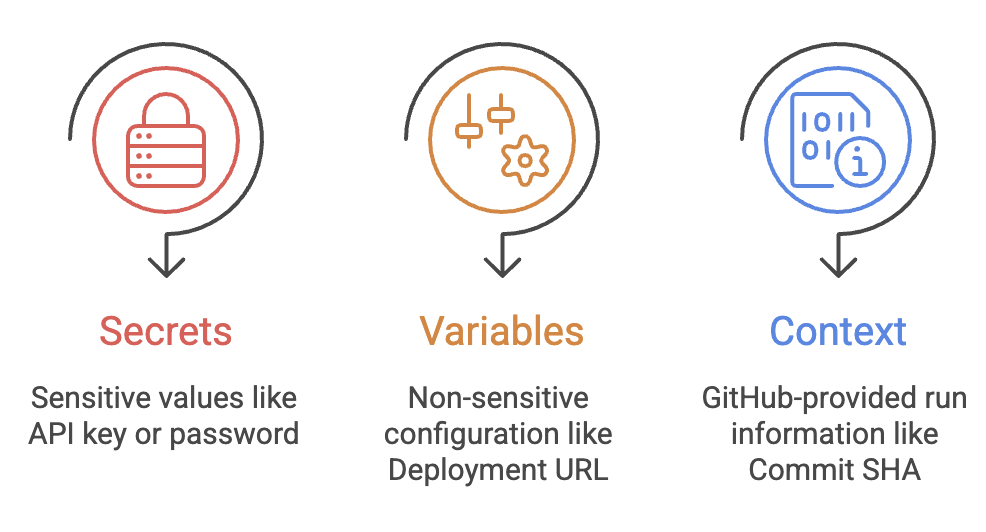
Secrets vs Variables vs Context
Example
env:
  APP_NAME: my-app

steps:
  - name: Deploy
    env:
      API_KEY: ${{ secrets.API_KEY }}

    run: |
      echo "Application: $APP_NAME"
      echo "Commit: ${{ github.sha }}"
      ./deploy.sh
Here:
APP_NAME→ configurationsecrets.API_KEY→ sensitive credentialgithub.sha→ GitHub workflow metadata
Putting Everything Together
A realistic deployment workflow may combine all four concepts:
name: Deploy

on:
  workflow_dispatch:
    inputs:
      environment:
        description: Deployment environment
        required: true
        type: choice
        options:
          - staging
          - production

permissions:
  contents: read

jobs:
  deploy:
    runs-on: ubuntu-latest

    environment:
      name: ${{ inputs.environment }}

    env:
      APP_NAME: my-application

    steps:
      - name: Deploy application
        env:
          DEPLOY_TOKEN: ${{ secrets.DEPLOY_TOKEN }}

        run: |
          echo "Deploying $APP_NAME"
          echo "Commit: ${{ github.sha }}"
          ./deploy.sh
What is happening?
Manual Input
     ↓
Select Environment
     ↓
Environment Configuration
     ↓
Environment Secret
     ↓
Workflow Permissions
     ↓
Deployment
Each concept has a different responsibility:
| Concept | Responsibility |
|---|---|
| Secrets | Protect sensitive values |
| Variables | Store reusable configuration |
| Contexts | Provide workflow metadata |
| Environments | Control deployment targets |
| Permissions | Control workflow access |
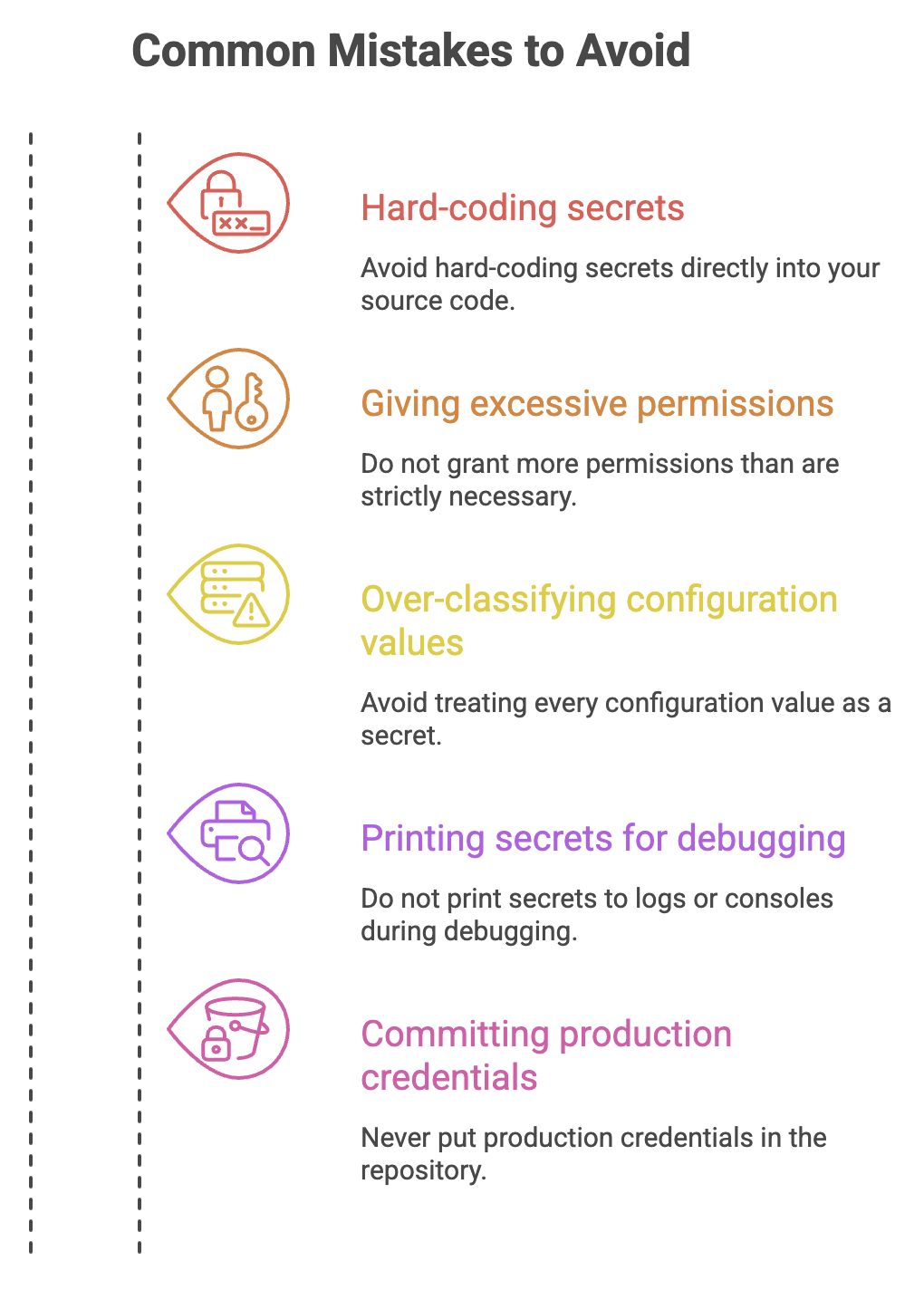
Quick Reference
| Requirement | Use |
|---|---|
| API key | Secret |
| Password | Secret |
| Deployment token | Secret |
| Application name | Variable |
| Deployment URL | Variable |
| Commit SHA | GitHub Context |
| Triggering user | GitHub Context |
| Staging/Production separation | Environment |
| Production approval | Environment protection |
| GitHub API access | GITHUB_TOKEN + Permissions |
| Cloud authentication without long-lived credentials | OIDC / id-token permission |
Interview Perspective
1. What is the difference between a Secret and a Variable?
A Secret is intended for sensitive information and is protected by GitHub's secret-management system. A Variable is intended for non-sensitive configuration.
2. What is a GitHub Environment?
An environment represents a deployment target such as staging or production and can provide environment-specific configuration, secrets, and deployment protection rules.
3. What is GITHUB_TOKEN?
It is a temporary authentication token automatically available to a workflow run for interacting with GitHub resources. Its access should be restricted using permissions.
4. Why is the principle of least privilege important?
It limits what a workflow can do if the workflow or an action it uses is compromised.
5. What is the difference between secrets, vars, and github?
secrets → sensitive values
vars    → reusable configuration
github  → workflow/run metadata
6. Why use environments for production?
Environments can add controls such as required approvals, deployment restrictions, and environment-specific secrets before production deployment proceeds.
Written By: Muskan Garg
How is this guide?
Last updated on