
For Loop
Why For Loop?
In a while loop, the initialization, condition, and update are written in different places.
This sometimes makes the loop harder to read because the logic is spread out.
The for loop provides a more compact and organized structure by placing all three components in a single line.
This makes it especially useful when the number of iterations is known beforehand.
A for loop is ideal for:
- counting loops
- iterating fixed ranges
- nested iterations
- pattern printing
- working with arrays and collections
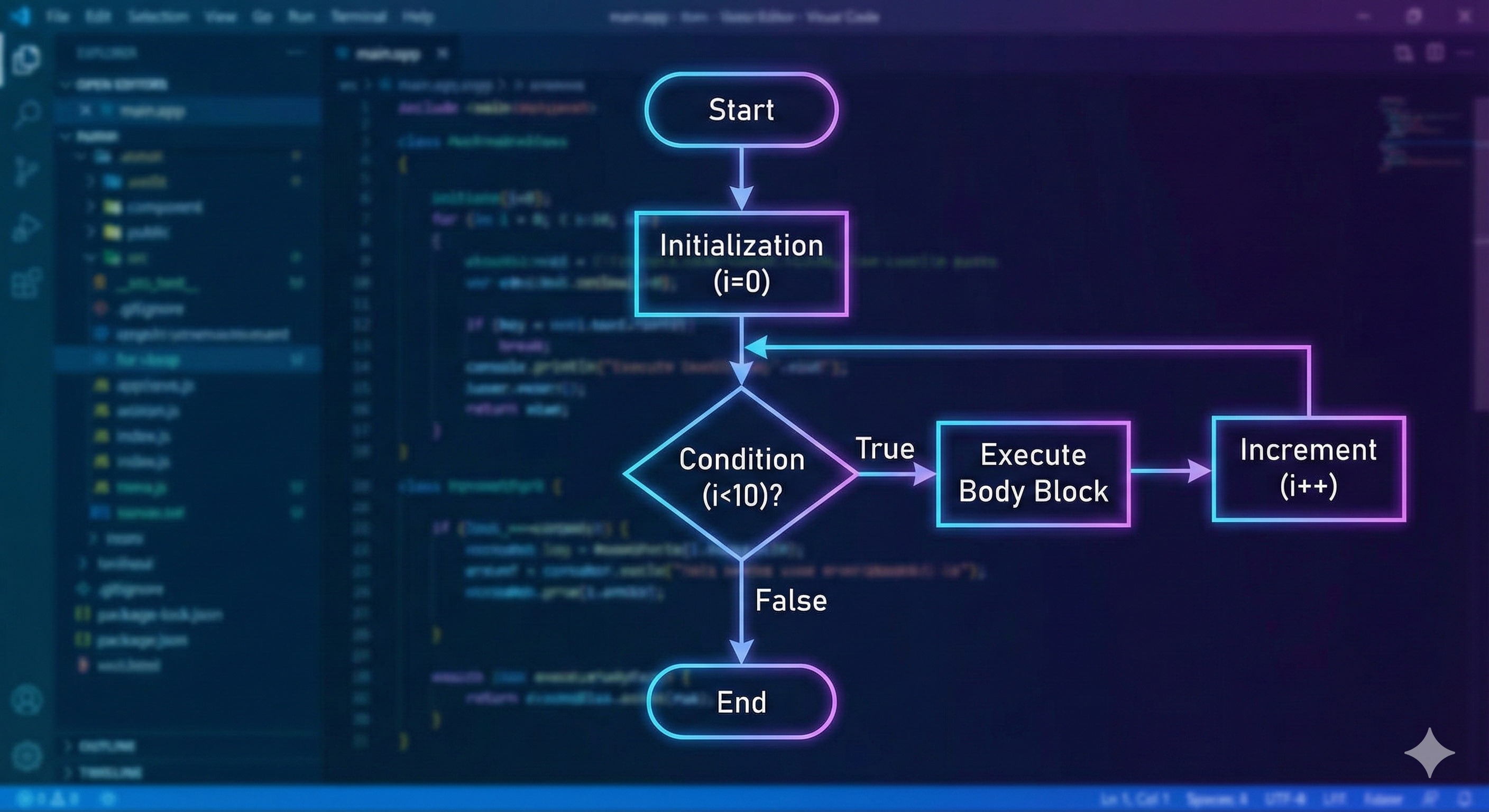
Syntax
for (initialization; condition; update) {
    // statements
}
Meaning of Each Part
- initialization → runs once before the loop starts
- condition → checked before every iteration
- update → runs after each loop iteration
If the condition becomes false, the loop stops.
Example 1 – Simple For Loop
for (int i = 1; i <= 4; i++) {
    System.out.println("Hi " + i);
}
Output
Hi 1
Hi 2
Hi 3
Hi 4
Explanation
- Loop starts with
i = 1 - Runs as long as
i <= 4 - Prints each value of
i i++increases the counter after every iteration
This is the most common use of a for loop-simple counting.
Example 2 – Nested For Loop
for (int i = 1; i <= 4; i++) {
    System.out.println("Day " + i);

    for (int j = 1; j < 9; j++) {
        System.out.println(" " + (j + 8));
    }
}
Sample Output
Day 1
 9
 10
 11
 12
 13
 14
 15
 16
Day 2
 9
 10
 ...
Explanation
- The outer loop runs 4 times - representing days.
- For each day, the inner loop prints numbers from
9to16. - This structure is extremely common when dealing with rows and columns, grids, tables, or patterns.
Nested loops allow repetitive tasks inside repetitive tasks.
Special Usage of the For Loop
1. Infinite Loop
for (;;) {
    System.out.println("Running forever...");
}
Explanation
- All parts are empty.
- Condition defaults to true, so the loop never ends.
- Same as:
while (true) { }Infinite loops are often used in game loops, server listeners, etc.
2. For Loop as a While Loop
You can leave the initialization or update part empty:
int i = 1;
for (; i <= 4;) {
    System.out.println("Hi " + i);
    i++;
}
Explanation
- Initialization is done outside the loop.
- Update is done manually inside the loop.
- Behavior becomes identical to:
while (i <= 4) { }This shows how flexible a for loop can be.
3. Multiple Updates in One For Statement
for (int i = 1, j = 5; i <= j; i++, j--) {
    System.out.println(i + " " + j);
}
Explanation
-
You can initialize multiple variables.
-
And update multiple variables in each iteration.
-
This is useful in algorithms where two indices move towards each other, such as:
- checking palindrome strings
- working with two-pointer techniques
- merging data
Key Notes
-
forloop is best when the number of iterations is known in advance. -
It keeps initialization, condition, and update neatly together-making code more readable.
-
The loop is flexible:
- Can become an infinite loop
- Can mimic a while loop
- Can use multiple counters
-
Common tool for patterns, counting tasks, arrays, and nested structures.
Written By: Shiva Srivastava
How is this guide?
Last updated on