
Do While Loop
Why Do-While Loop?
In many programs, we sometimes need a loop that executes at least once, regardless of whether the condition is true or false.
This is exactly what the do-while loop is designed for.
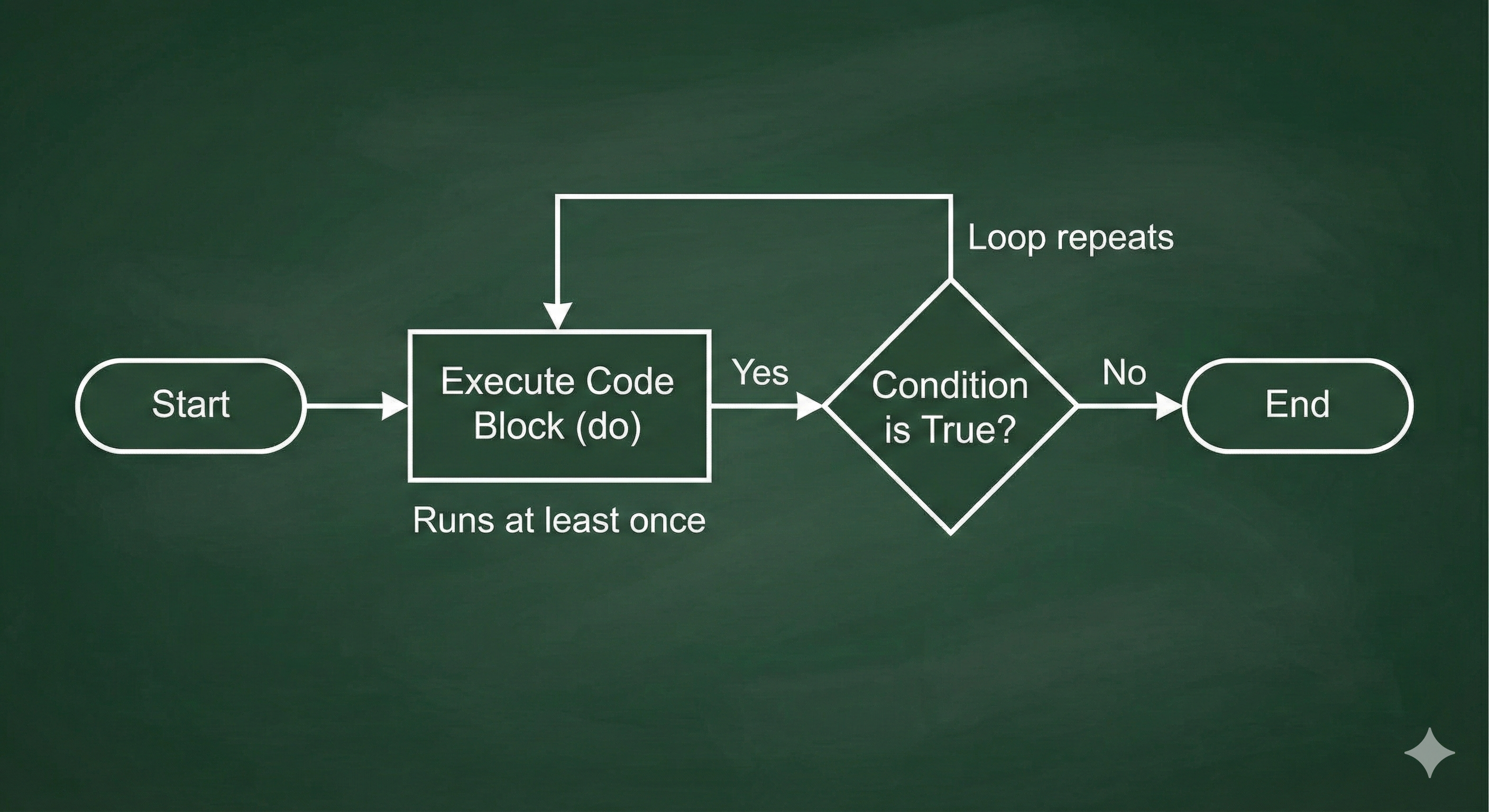
Unlike a while loop (which checks the condition before running), the do-while loop runs the body first and then checks the condition.
Because of this structure, the loop body always executes at least once, even if the condition is false initially.
Syntax
do {
    // statements
} while (condition);
How it works:
- Execute the block inside
do { ... } - Check the condition in
while (condition) - If condition is true, repeat the loop
- If condition is false, stop the loop
Example 1 – Condition False but Runs Once
int i = 5;
do {
    System.out.println("Hi " + i);
} while (i <= 4);
Output
Hi 5Explanation
- Even though the condition
i <= 4is false fori = 5, - The loop body executes once before the condition is checked.
- Since the condition becomes false afterward, the loop stops immediately.
This demonstrates the key feature of do-while: first run, then check.
Example 2 – Works Like a While Loop When Condition is True
int i = 1;
do {
    System.out.println("Hi " + i);
    i++;
} while (i <= 4);
Output
Hi 1
Hi 2
Hi 3
Hi 4
Explanation
- The condition
i <= 4is true initially, so the loop keeps running. - Each iteration prints the value of
iand increments it. - When
ibecomes 5, the condition turns false and the loop stops.
In this case, the do-while behaves the same as a regular while loop, but still carries the guarantee of at least one execution.
Key Difference: while vs do-while
Understanding the difference is important because it affects loop behavior.
| Feature | while loop | do-while loop |
|---|---|---|
| Condition checked | Before execution | After execution |
| Executes at least 1? | Not guaranteed | Guaranteed |
| When to use? | When condition may be false initially | When execution should happen once |
Simple Explanation
- while: "Check first, then run"
- do-while: "Run once, then check"
Summary
-
Use
do-whilewhen you want the loop body to run at least once. -
It is especially useful for tasks like:
- Input validation
- Menu-driven programs
- Reading values until a stop condition
-
A
whileloop may skip execution entirely, but ado-whileloop will not.
Written By: Shiva Srivastava
How is this guide?
Last updated on