
While Loop
Why While Loop?
A while loop is used when we want to repeat a task as long as a certain condition remains true.
It is especially useful when the number of repetitions is not known in advance.
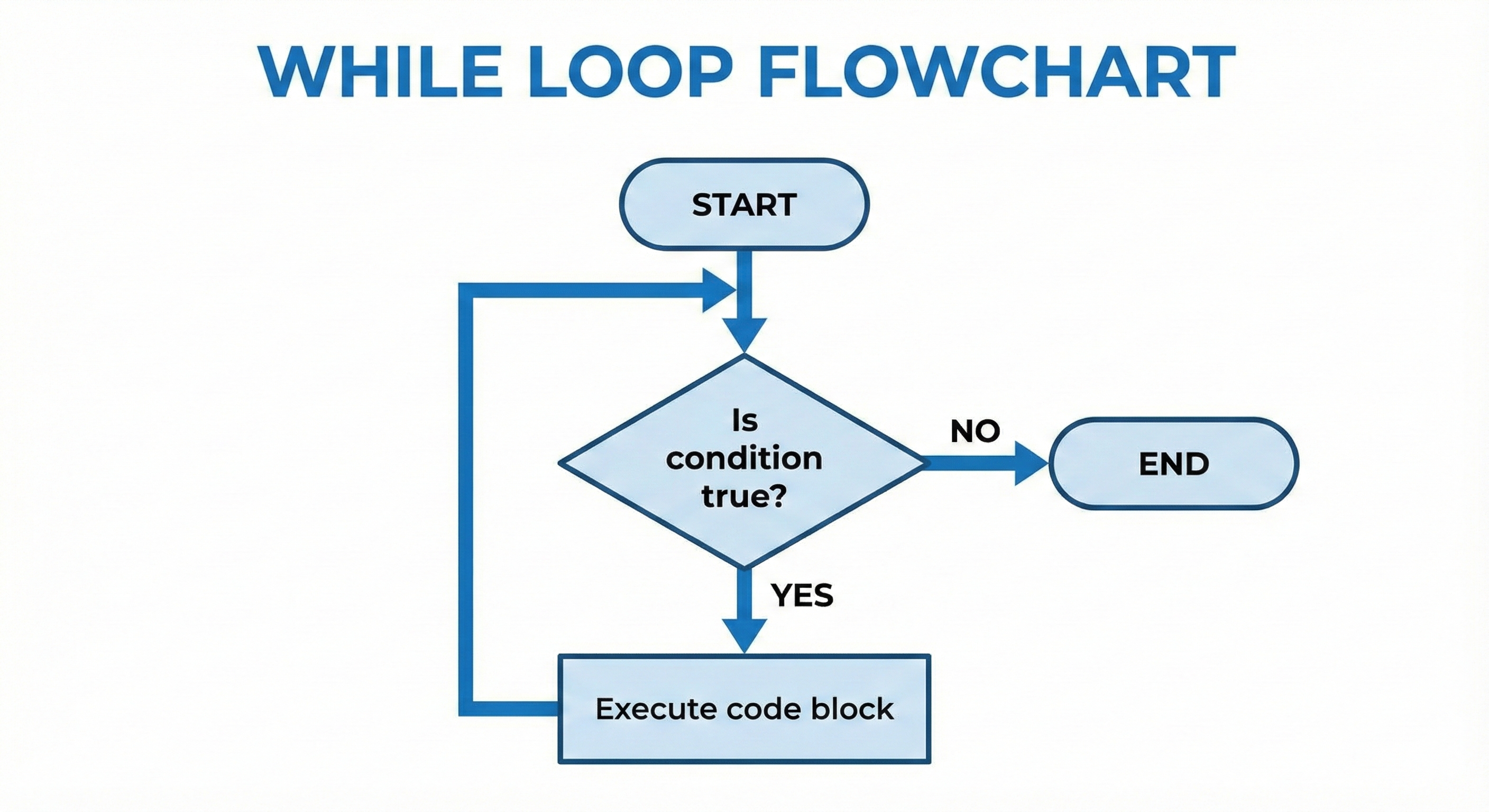
The structure is simple:
while (condition) {
    // statements
}
The loop continuously evaluates the condition:
- If true, the body executes.
- If false, the loop stops.
This makes the while loop perfect for real-world situations like waiting for user input, reading data until the end of a file, or running a task until a goal is met.
Example 1 – Infinite Loop
public class Demo {
    public static void main(String[] args) {
        while (true) {
            System.out.println("Hi");
        }
    }
}
Explanation
- The condition is
true, which never becomes false. - This results in an infinite loop.
"Hi"gets printed endlessly until the program is forcibly stopped or system resources run out.
Infinite loops can be intentional (e.g., servers waiting for requests) or accidental due to missing updates.
Example 2 – Loop with Counter
int i = 1;
while (i <= 4) {
    System.out.println("Hi " + i);
    i++;
}
System.out.println("Bye " + i);
Output
Hi 1
Hi 2
Hi 3
Hi 4
Bye 5
Explanation
-
Initialization:
int i = 1;sets the starting point. -
Condition:
i <= 4ensures the loop runs whileiis 1, 2, 3, or 4. -
Update:
i++moves the counter toward termination. -
After the loop,
ibecomes 5, so"Bye 5"prints outside the loop.
This example shows the typical structure of a controlled while loop.
Example 3 – Nested While Loop
int i = 1;
while (i <= 4) {
    System.out.println("Hi " + i);

    int j = 1;
    while (j <= 3) {
        System.out.println("Hello " + j);
        j++;
    }

    i++;
}
Output
Hi 1
Hello 1
Hello 2
Hello 3
Hi 2
Hello 1
Hello 2
Hello 3
Hi 3
Hello 1
Hello 2
Hello 3
Hi 4
Hello 1
Hello 2
Hello 3
Explanation
-
The outer loop runs 4 times (
i = 1to4). -
For each iteration of the outer loop:
- The program prints
"Hi i". - Then the inner loop runs 3 times (
j = 1to3), printing"Hello j".
- The program prints
Nested loops are useful for:
- Printing patterns
- Working with 2D arrays
- Handling repeated tasks inside repeated tasks
Key Notes
- Initialization happens before the loop begins.
- Condition is checked before every iteration (pre-test loop).
- Update step (e.g.,
i++) must be included to avoid infinite loops. - A
whileloop may run zero times if the condition is false initially. - Loops can be nested for multi-level repeated tasks.
- Incorrect or missing updates can easily lead to infinite loops.
Written By: Shiva Srivastava
How is this guide?
Last updated on