
Github Copilot
Modern software development involves much more than writing code. Developers spend time understanding existing projects, writing Git commands, debugging errors, creating tests, reviewing changes, and working with GitHub.
GitHub Copilot helps developers with many of these tasks by bringing AI assistance directly into the development workflow.
GitHub Copilot is an AI-powered development assistant that helps developers write, understand, modify, and review code.
What is GitHub Copilot?
GitHub Copilot is an AI-powered coding assistant from GitHub that provides suggestions and assistance while developers work on software projects.
Instead of searching for every solution manually, a developer can describe what they want and receive AI-generated suggestions.
For example:
Developer:
"Create a method that validates an email address."

             ↓

GitHub Copilot

             ↓

Generated Code Suggestion

             ↓

Developer Reviews → Modifies → Accepts
Copilot can assist with:
- Writing code
- Understanding existing code
- Debugging
- Refactoring
- Generating tests
- Working with Git commands
- Understanding GitHub issues and pull requests
- Exploring a repository
The important idea is that Copilot works inside the developer's workflow rather than being a completely separate tool.
Copilot in the Development Workflow
With Copilot, AI assistance can be available throughout several of these stages:
Requirement
     ↓
Understand / Plan
     ↓
Write Code ← Copilot
     ↓
Debug ← Copilot
     ↓
Generate Tests ← Copilot
     ↓
Review ← Copilot
     ↓
Git / GitHub ← Copilot
Copilot therefore acts as an assistant throughout development, rather than only providing code completion.
Copilot in the IDE
One of the most common ways to use Copilot is directly inside an IDE.
It can help developers understand and modify code without constantly switching between the editor and external resources.
1. Code Completion
Copilot can suggest code while you type.
For example, a developer might write:
public boolean isPrime(int number) {Copilot may suggest the implementation based on the surrounding code and context.
The developer can then:
- Accept the suggestion
- Modify it
- Reject it
- Continue writing manually
Suggestion does not mean correctness. Always review generated code.
2. Copilot Chat
Copilot Chat allows developers to interact with Copilot using natural language.
For example:
"Explain this method."

"Why is this code throwing a NullPointerException?"

"Convert this code to use streams."

"Write unit tests for this class."
This makes it possible to work with code conversationally.
3. Code Explanation
Understanding an unfamiliar codebase can take considerable time.
Copilot can help explain:
- What a method does
- How a class works
- Why a particular approach is used
- How different parts of the code interact
For example:
Developer:
"Explain this authentication service step by step."

Copilot:
→ Identifies the main method
→ Explains the logic
→ Describes dependencies
→ Explains the flow
The developer can then verify the explanation against the actual code.
4. Debugging
When code produces an error, Copilot can help investigate possible causes.
For example:
Error
  ↓
Share error/context with Copilot
  ↓
Analyze possible cause
  ↓
Suggest fix
  ↓
Developer verifies
Copilot can help explain stack traces, identify suspicious code, and suggest possible fixes.
However, the suggested solution should always be tested before being considered correct.
5. Refactoring
Copilot can help improve existing code without changing its intended behavior.
For example, a developer might ask:
"Refactor this method to make it easier to read."Possible improvements may include:
- Breaking large methods into smaller methods
- Improving naming
- Removing unnecessary duplication
- Simplifying conditions
- Improving code structure
The developer should verify that the refactoring preserves the original behavior.
6. Test Generation
Writing tests is an important part of software development, but creating repetitive test cases can take time.
Copilot can help generate tests based on existing code.
For example:
Production Code
      ↓
Copilot analyzes behavior
      ↓
Suggests Test Cases
      ↓
Developer Reviews
      ↓
Run Tests
It can help generate:
- Unit tests
- Edge cases
- Input validation tests
- Error-handling tests
Generated tests should also be reviewed because a test can be syntactically correct while still failing to verify the intended behavior.
Copilot with Git
Copilot can also assist developers while working with Git.
This is especially useful for developers who are still becoming comfortable with Git commands.
Working with Git Commands
Copilot can help developers:
Understand Git Commands
For example:
"What does git rebase -i HEAD~3 do?"Copilot can explain the command and its purpose.
Generate Git Commands
A developer can describe the intended operation:
"I want to undo the last commit but keep the changes staged."Copilot can suggest an appropriate Git command.
Explain Git Output
For example, when Git reports:
Your branch is ahead of 'origin/main' by 2 commits.Copilot can explain what that means and what actions may be appropriate.
Troubleshoot Git Problems
Copilot can help investigate situations such as:
- Merge conflicts
- Failed rebases
- Detached HEAD state
- Authentication problems
- Unexpected Git status output
The developer should still understand the command before executing it, particularly when it can modify or remove Git history.
Example: Copilot with Git
A typical workflow might look like:
Developer
    ↓
Ask Copilot about Git operation
    ↓
Understand / Generate Command
    ↓
Review Command
    ↓
Execute
    ↓
Review Git Changes
    ↓
Commit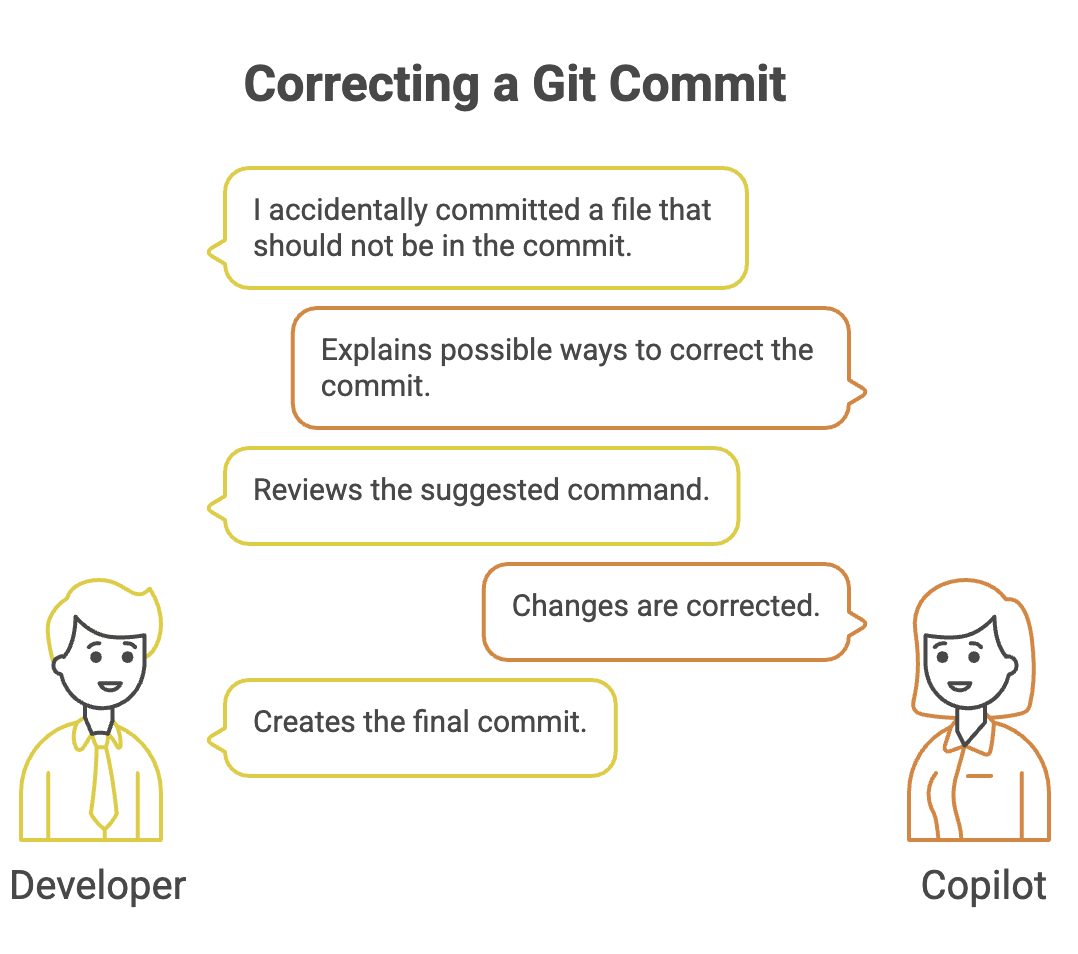
Copilot can suggest Git commands, but the developer should understand their impact before running them.
Copilot with GitHub
Copilot can also assist with work that happens around GitHub repositories.
This includes understanding issues, pull requests, and project context.
GitHub Issues
Issues commonly describe bugs, improvements, or new features.
A developer may receive an issue such as:
"Add pagination to the course listing API."Copilot can help the developer understand the requirement and turn it into an implementation plan.
For example:
Issue
  ↓
Understand Requirement
  ↓
Identify Relevant Files
  ↓
Plan Changes
  ↓
Implement
  ↓
Test
This can reduce the time required to understand an unfamiliar task.
Pull Requests
Pull requests are used to review and merge changes.
Copilot can assist with activities such as:
- Understanding changes
- Summarizing modifications
- Creating PR descriptions
- Identifying potential issues
- Suggesting improvements during review
A simplified workflow is:
Code Changes
     ↓
Pull Request
     ↓
Copilot Assistance
     ↓
Developer Review
     ↓
Merge
AI assistance can make reviews faster, but it should complement rather than replace human code review.
Repository Context
A useful part of AI-assisted development is the ability to work with the context of a project.
Instead of looking at an isolated code snippet, Copilot can assist with understanding things such as:
- Project structure
- Existing code
- Related files
- Documentation
- Coding conventions
For example:
Developer:
"Where should I add the service for this new feature?"

        ↓

Copilot analyzes available project context

        ↓

Suggests relevant location / files

        ↓

Developer verifies the recommendation
This is particularly helpful when working with an unfamiliar repository.
Copilot Agent Mode
Traditional Copilot assistance often works around individual suggestions or conversations.
Agent Mode goes a step further by allowing Copilot to work through a development task using multiple steps.
Instead of only asking:
"Write this method."a developer can provide a broader task:
"Add pagination to the product API and update the tests."Agent Mode can work through the task as a sequence:
Task
  ↓
Analyze Repository
  ↓
Plan Changes
  ↓
Modify Files
  ↓
Run Tests / Commands
  ↓
Review Results
  ↓
Make Corrections
This makes the interaction more task-oriented and iterative.
Agent Mode vs Traditional Copilot
| Traditional Copilot | Agent Mode |
|---|---|
| Primarily assists with suggestions and conversation | Works through broader development tasks |
| Often focused on a specific piece of code | Can coordinate multiple changes |
| Developer drives each step | Copilot can perform multiple steps |
| Useful for code completion and explanations | Useful for task-level implementation |
Agent Mode does not remove the need for developer supervision.
The developer should still:
- Review changes
- Check commands before allowing them when appropriate
- Run and verify tests
- Check security implications
- Confirm that the implementation matches the requirement
Benefits of GitHub Copilot
Faster Development
Developers can reduce the time spent writing repetitive code.
Easier Code Understanding
Copilot can explain unfamiliar code and project structures.
Better Developer Productivity
Developers can spend more time on design and problem solving instead of repetitive implementation work.
Faster Testing
Copilot can help create initial test cases and edge cases.
Easier Git and GitHub Work
Developers can get assistance with Git commands, issues, pull requests, and repository tasks.
Important Limitations
Copilot is powerful, but it is not always correct.
Incorrect Suggestions
Generated code may contain bugs or incorrect assumptions.
Security Risks
Generated code can introduce insecure patterns or vulnerabilities.
Context Limitations
AI suggestions depend on the context available to the system and may not fully understand business requirements.
Over-Reliance
Developers should not accept generated code blindly.
Human Review Is Essential
The developer should validate:
Correctness
   +
Security
   +
Performance
   +
Maintainability
   +
Business Requirements
before accepting important changes.
Summary
- GitHub Copilot is an AI-powered development assistant. It can assist with coding, explanation, debugging, refactoring, and testing.
- Copilot Chat allows developers to interact using natural language.
- Copilot can help understand and generate Git commands.
- It can assist with GitHub Issues and Pull Requests.
- Repository context can help developers understand unfamiliar projects.
- Agent Mode allows Copilot to work through broader, multi-step development tasks.
- AI-generated code must always be reviewed and tested.
- Copilot improves developer productivity but does not replace developer responsibility.
Written By: Muskan Garg
How is this guide?
Last updated on