
System Design Components
At the heart of every system lies data. Whether it's WhatsApp, YouTube, LinkedIn, or Instagram, all applications present data to users in various forms (videos, images, audio, or text). The goal of system design is to find efficient ways to store, process, and deliver this data in the format users expect.
Core Idea of System Design
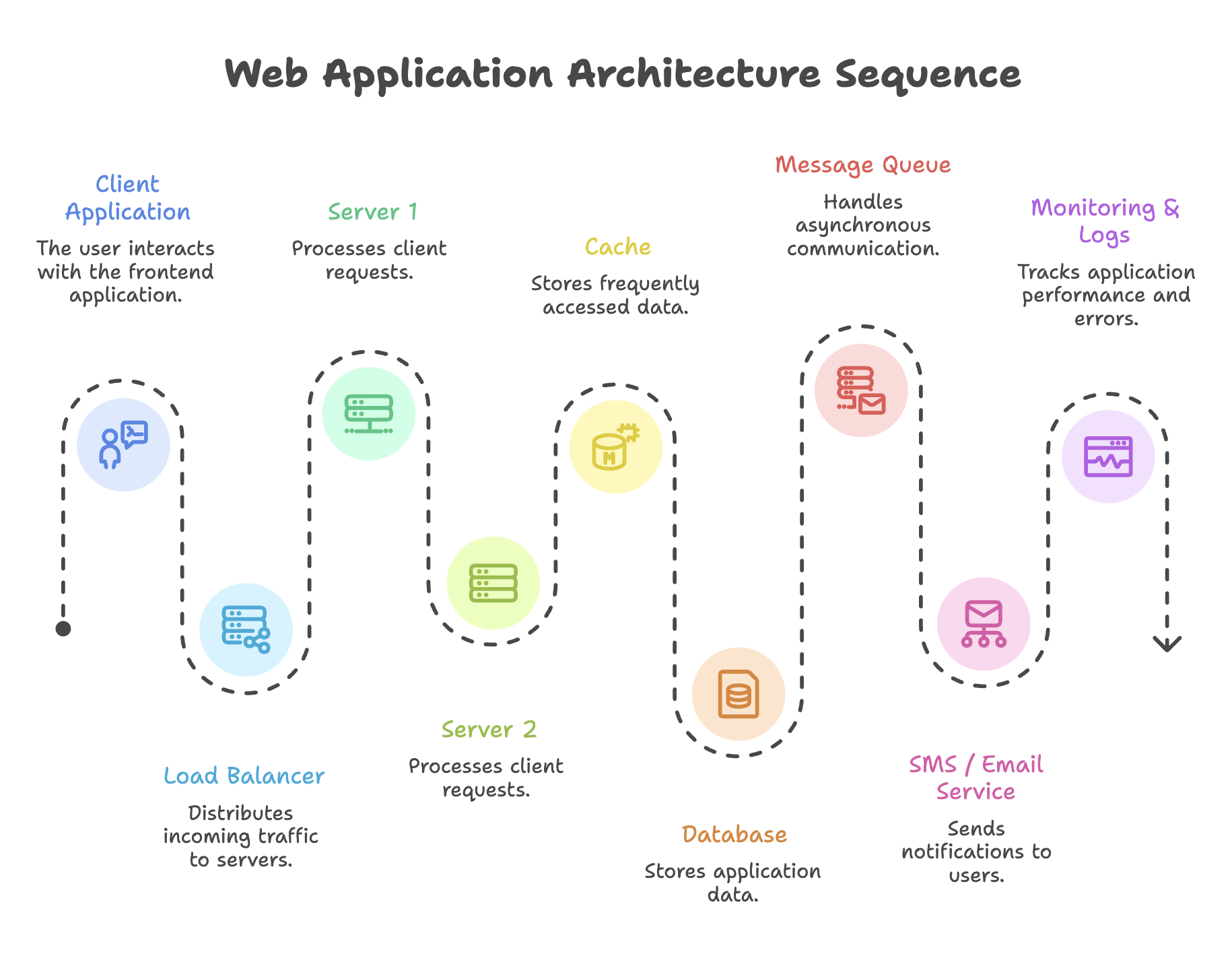
A software system is made up of multiple interconnected components.
Each component has a specific responsibility such as:
- storing data,
- processing requests,
- handling traffic,
- improving speed,
- managing communication,
- or monitoring the system.
Key Components of System Design
Database
The database is responsible for storing and retrieving data. It is the persistent storage layer of any system.
- Represented by cylindrical figures in architecture diagrams.
- Categorized into two major types:
- SQL (Relational) - e.g., MySQL, PostgreSQL
- NoSQL (Non-Relational) - e.g., MongoDB, Cassandra
The choice between SQL and NoSQL depends on the specific requirements (structure, scalability, consistency needs), but the core purpose remains the same - store and retrieve data reliably.
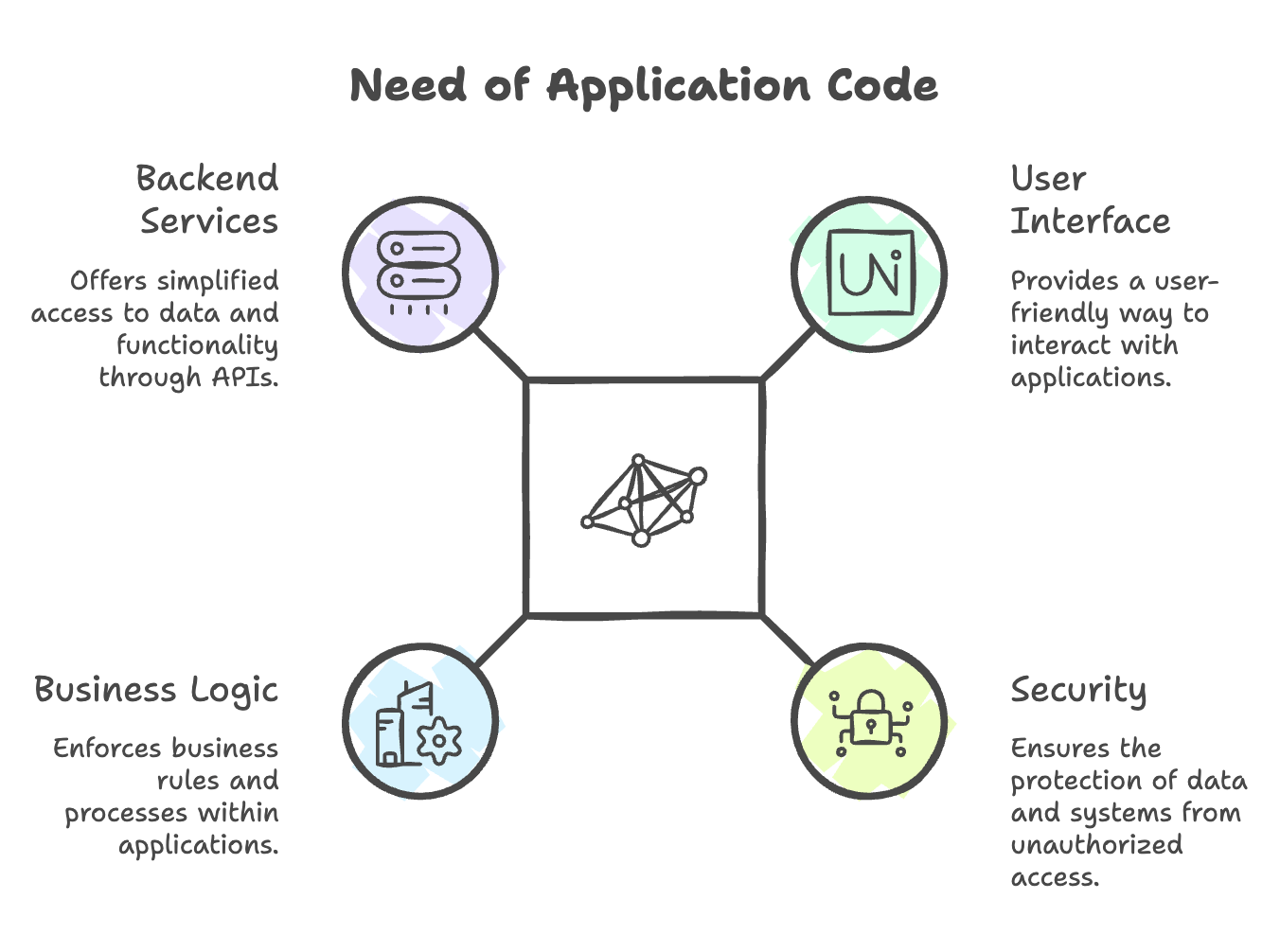
Application Code (Backend / Server)
The application code acts as a middle layer that hides the complexity of dealing with databases (tables, documents, queries) from the end user.
Key Responsibilities:
- Exposes endpoints (APIs) for users to interact with data
- Handles operations like Insert, Update, Retrieve, Delete
- Communicates with the database on behalf of the user
How it connects to the database:
- Through IP addresses
- Using protocols like TCP or HTTP
Users don't write complex database queries, they simply hit an API endpoint, and the application handles the rest.
APIs (Application Programming Interfaces)
APIs are endpoints through which clients communicate with the backend application.
| Operation | API Example |
|---|---|
| Get user data | /getUser |
| Upload video | /uploadVideo |
| Create order | /createOrder |
| Delete post | /deletePost |
Data Format - JSON:
- APIs send and receive data in JSON (JavaScript Object Notation) format.
- JSON provides a standardized, lightweight structure for data exchange between client and server.
Client Application (Frontend)
The client application is the user-facing interface through which end users interact with the system.
- Examples: Mobile apps, web browsers, desktop applications
- Connected to the application code (backend) via HTTP, TCP, or IP protocols
- Translates raw JSON data into a visual, user-friendly format
Responsibilities of Client Applications
- Display data to users
- Take user input
- Send requests to backend APIs
- Show responses from servers
Communication with Backend Client applications communicate with backend systems using:
- HTTP
- HTTPS
- TCP/IP
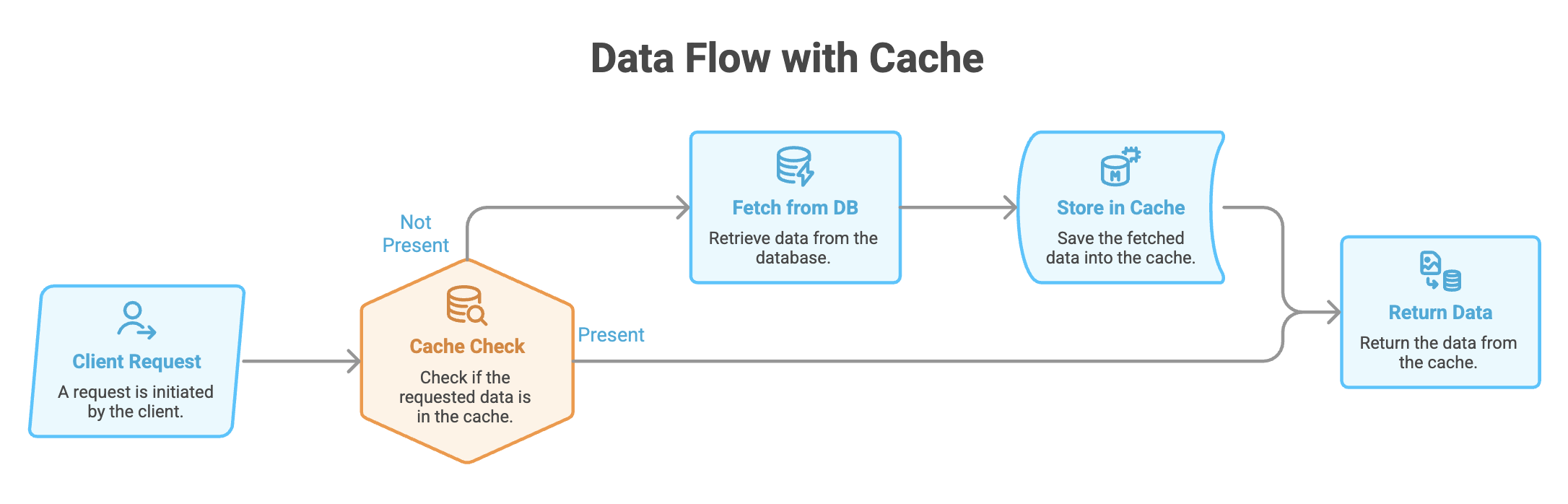
Cache
A cache stores frequently accessed data in a fast-access layer so that the system doesn't repeatedly query the database.
Purpose:
- Reduces database load
- Speeds up response time
- Stores temporary, frequently used data
Example: If thousands of users request the same homepage feed, the cache serves it directly without hitting the database every time.
Load Balancer
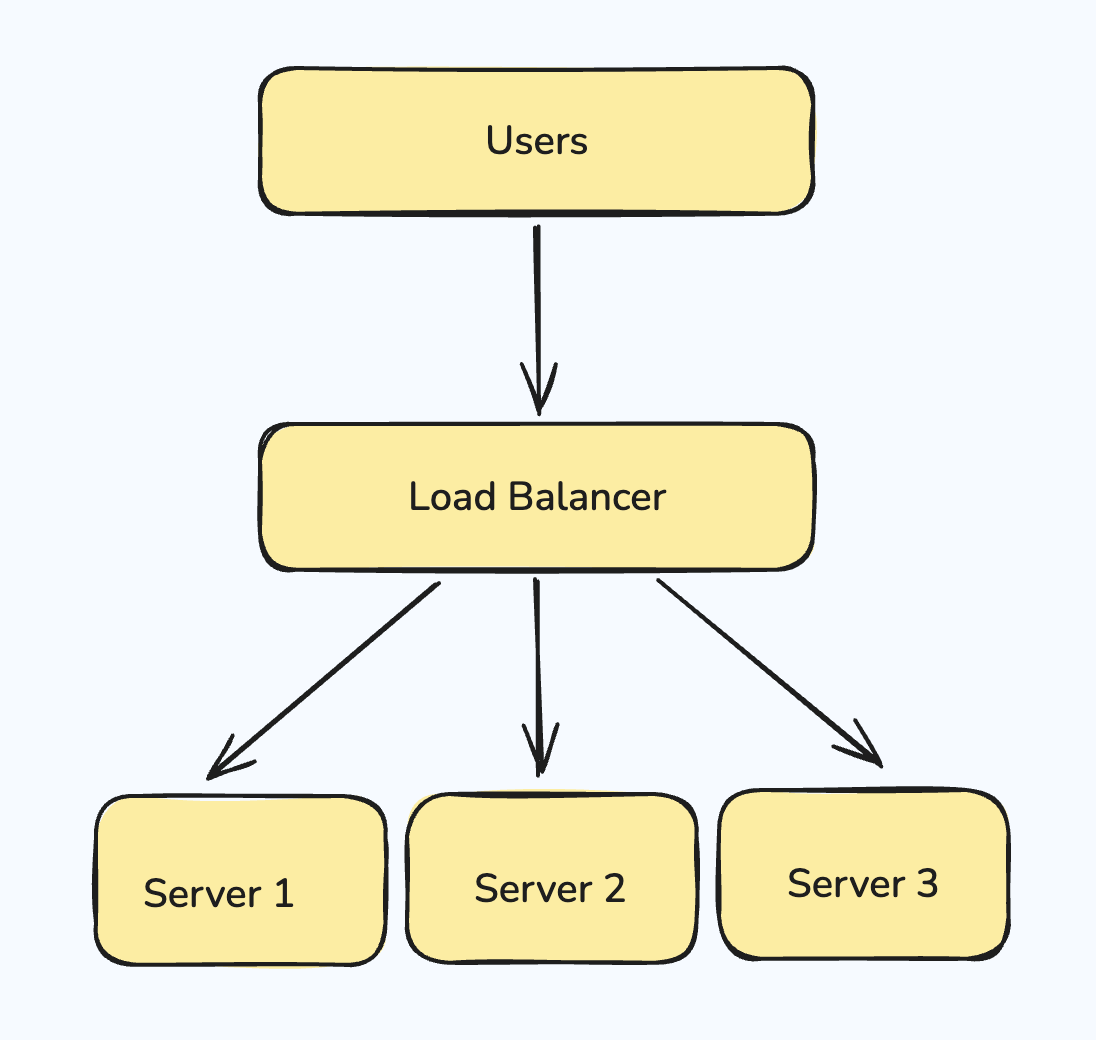
A load balancer distributes incoming requests evenly across multiple servers.
Key Responsibilities:
- Checks whether a server is healthy (active and responsive)
- Divides traffic equally among available servers
- Prevents any single server from becoming overwhelmed
Message Queue
A message queue is a broker that sits between services, enabling asynchronous communication.
Real-World Example - Order Service:
When an order is placed, multiple tasks follow:
- Inventory must be updated
- Delivery service must be notified
- Email/SMS confirmation must be sent
If all tasks happen immediately in sequence, the response becomes slow.
Synchronous vs Asynchronous Communication
| Type | Definition | Example |
|---|---|---|
| Synchronous | Caller waits for a response before proceeding | Payment confirmation before order completion |
| Asynchronous | Caller sends the request and moves on without waiting | Sending an SMS notification after order placement |
How Message Queues Work:
- The order service pushes requests into the message queue
- The message queue stores and manages these requests independently
- Connected services (SMS, Email) pick up and process requests one by one
- The queue handles retries if a request fails
- It may send a batch summary (fulfilled/unfulfilled requests) back to the order service at the end of the day
The order service is no longer responsible for tracking individual notifications, the message queue takes full ownership.
Monitoring and Logs
Monitoring ensures all system components are functioning correctly. Logs provide a detailed trail of events for debugging and analysis.
Why Monitoring is Critical:
- Verify that the load balancer is distributing traffic properly
- Detect errors in application code
- Access the complete stack trace of errors for debugging
- Reproduce issues in local environments for fixing
- Ensure new feature deployments don't break existing functionality
Key Activities:
- Health checks across all components
- Error detection and alerting
- Performance tracking
- Impact analysis when adding new features
Summary
-
Modern software systems are built around efficient data storage, processing, and delivery to ensure a smooth user experience.
-
Application code and APIs simplify communication between client applications and databases by encapsulating business logic and database operations.
-
Caching mechanisms improve system performance by storing frequently accessed data and reducing repeated database queries.
-
Load Balancers distribute incoming traffic across multiple servers, improving scalability, availability, and resource utilization.
-
Message Queues enable asynchronous communication between services, improving system reliability, scalability, and fault tolerance.
-
Monitoring and logging systems are essential for tracking application health, identifying errors, analyzing performance, and maintaining system stability as applications evolve.
Written By: Muskan Garg
How is this guide?
Last updated on