
What is DNS?
DNS stands for Domain Name System. It is the system responsible for translating human-readable domain names (like telusko.com) into machine-readable IP addresses (like 192.168.1.1) that computers use to communicate with each other.
DNS is often called the "phonebook of the internet."
Key Terminology
| Term | Meaning |
|---|---|
| Domain | A specific URL or web address (e.g., telusko.com) |
| Subdomain | A domain created under a parent domain (e.g., docs.telusko.com, courses.telusko.com) |
| IP Address | A numerical identifier assigned to every device/server on the internet |
Why Do We Need DNS?
There are more than 350 million domains registered on the internet. Storing all of them directly in the browser is impractical because:
- Storage Limitation - Browsers would need massive storage to maintain a mapping of all domains to IP addresses, degrading performance.
- Dynamic IP Changes - IP addresses for domains can change at any time, and updating every browser individually is not feasible.
DNS solves this by acting as a centralized lookup service that resolves domain names to their current IP addresses on demand.
How DNS Resolution Works
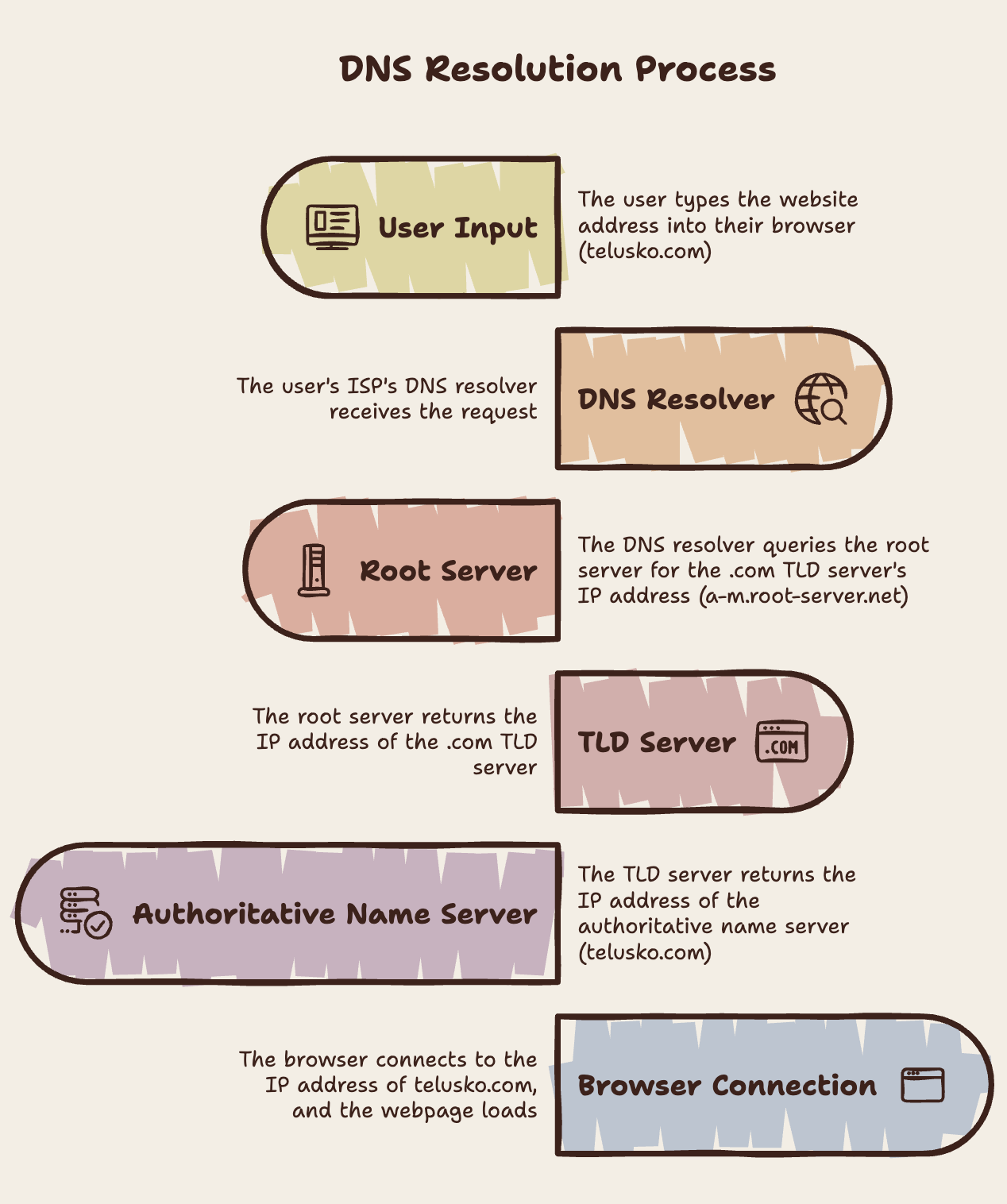
When you type a URL (e.g., telusko.com) into your browser, the following process occurs:

1. DNS Resolver (via ISP)
- Your machine connects to the internet through an Internet Service Provider (ISP).
- The ISP has a DNS Resolver , the component responsible for finding the correct IP address for any domain you request.
2. Root Server
- The DNS Resolver first contacts a Root Server.
- There are 13 root servers worldwide, named
a.root-server.netthroughm.root-server.net. - These 13 servers are owned and operated by various organizations.
- The root server does not know the final IP address - it directs the resolver to the appropriate TLD server.
3. TLD Server (Top-Level Domain)
- TLD servers handle domains grouped by their extension.
- Common TLDs:
| TLD | Category |
|---|---|
.com | Commercial |
.net | Network |
.gov | Government |
.edu | Education |
.in | India (country-specific) |
- The TLD server responds with the IP address of the Authoritative Name Server that manages the specific domain.
4. Authoritative Name Server
- This server holds the actual DNS records for the domain.
- It contains zones , each zone manages a specific domain and all its subdomains.
- Returns the final IP address of the requested domain to the DNS Resolver.
5. Browser Receives the IP
- The DNS Resolver returns the IP address to the browser.
- The browser makes a direct call to that IP address and loads the webpage.
DNS Caching
The entire DNS resolution process happens only once for a given domain. On subsequent visits, the IP address is fetched from cache.
Cache Levels (checked in order)
| Level | Location | Description |
|---|---|---|
| 1 | Browser Cache | Browser stores recently resolved domains locally |
| 2 | OS Cache | Operating system maintains its own DNS cache |
| 3 | DNS Resolver Cache | The ISP's resolver caches results for all users |
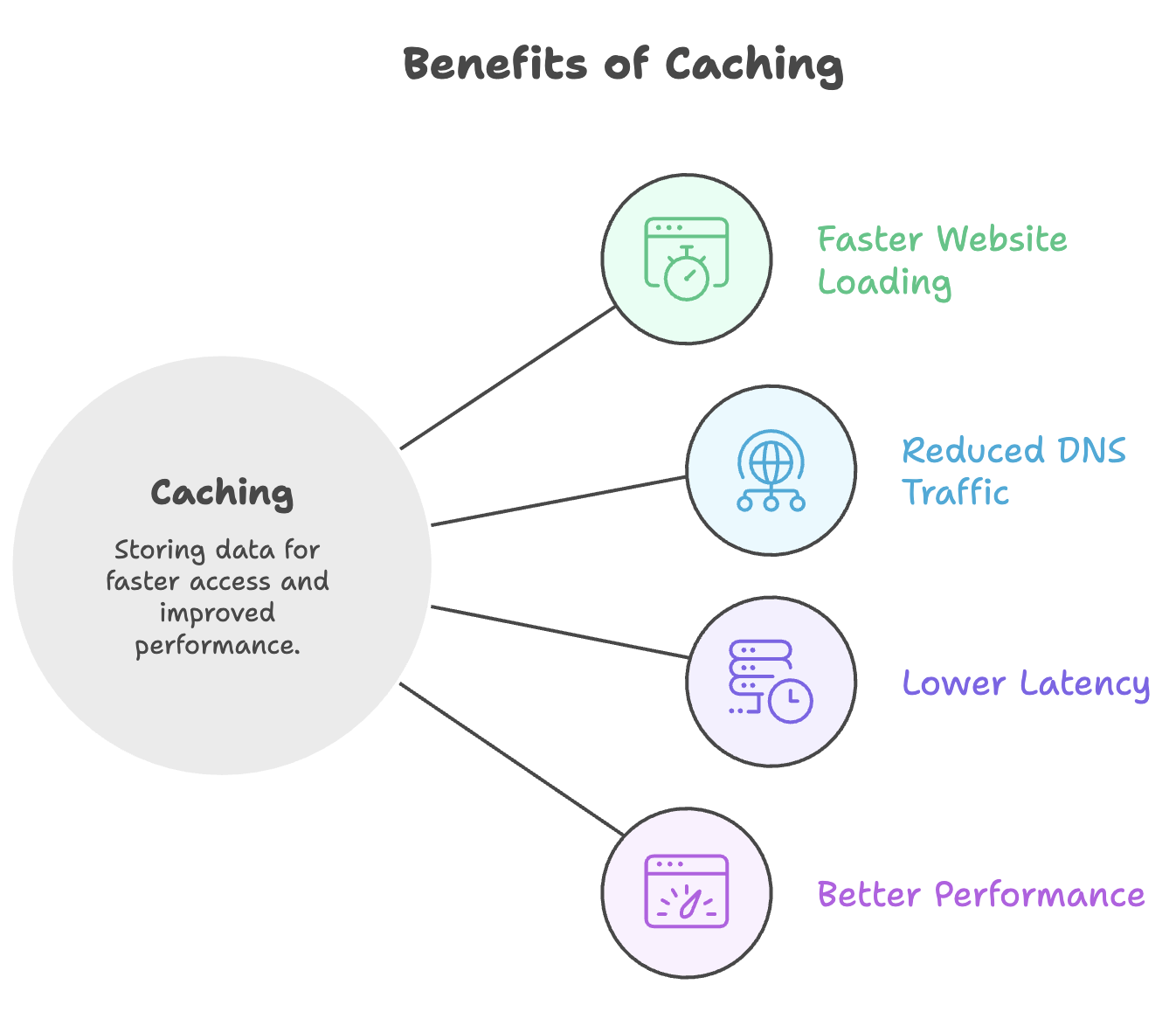
Caching significantly reduces latency and load on DNS infrastructure by avoiding repeated lookups for the same domain.
Zones and Subdomains
- An Authoritative Name Server can have multiple zones attached to it.
- Each zone is dedicated to a specific domain.
- A zone contains records for the main domain and all its subdomains.
Example - Zone for telusko.com:
telusko.com        →  93.184.216.34
docs.telusko.com   →  93.184.216.35
courses.telusko.com →  93.184.216.36
Key Takeways of DNS Components
| Component | Role |
|---|---|
| DNS Resolver | Initiates the lookup process and returns the final IP to the browser |
| Root Server | First point of contact; directs to the correct TLD server (13 globally) |
| TLD Server | Manages top-level domains (.com, .net, etc.); points to authoritative server |
| Authoritative Name Server | Holds actual domain-to-IP mappings in zones |
| Cache | Stores resolved IPs at browser, OS, and resolver level to avoid repeat lookups |
Summary
- DNS translates domain names into IP addresses so browsers can locate servers on the internet.
- The resolution follows a hierarchy: Root Server → TLD Server → Authoritative Name Server.
- There are 13 root servers (A through M) managed by different organizations worldwide.
- DNS results are cached at multiple levels (browser, OS, resolver) to improve performance.
- Each authoritative server manages zones, where each zone holds a domain and all its subdomains.
- This entire lookup happens only on the first visit - subsequent requests are served from cache.
Written By: Muskan Garg
How is this guide?
Last updated on