
Working with OpenAI ChatModel
The OpenAI ChatModel provides a programmatic interface to interact with OpenAI's large language models (GPT-3.5, GPT-4, etc.) through a simple and intuitive API.
What is OpenAI ChatModel?
OpenAI ChatModel is a Spring AI abstraction that:
- Provides a standardized interface to communicate with OpenAI's language models
- Handles API authentication and connection management automatically
- Enables AI capabilities in Spring applications through dependency injection
- Manages the lifecycle of AI model connections through Spring's IoC container
AI Models as a Service
OpenAI operates as an AI Model-as-a-Service provider:
| Aspect | Description |
|---|---|
| Infrastructure | Large-scale servers managed by OpenAI |
| Pricing Model | Pay-per-use based on tokens consumed |
| Maintenance | Provider handles updates, scaling, and optimization |
| Accessibility | Available via API without local installation |
| Benefits | No hardware requirements, instant scalability |
Spring AI Architecture
Abstraction Layer
Spring AI provides unified abstractions for different AI model providers:
Application Layer
       ↓
Spring AI Abstraction
       ↓
    ┌──────┼──────┐
    ↓      ↓      ↓
OpenAI  Anthropic  Ollama
(Cloud) (Cloud)   (Local)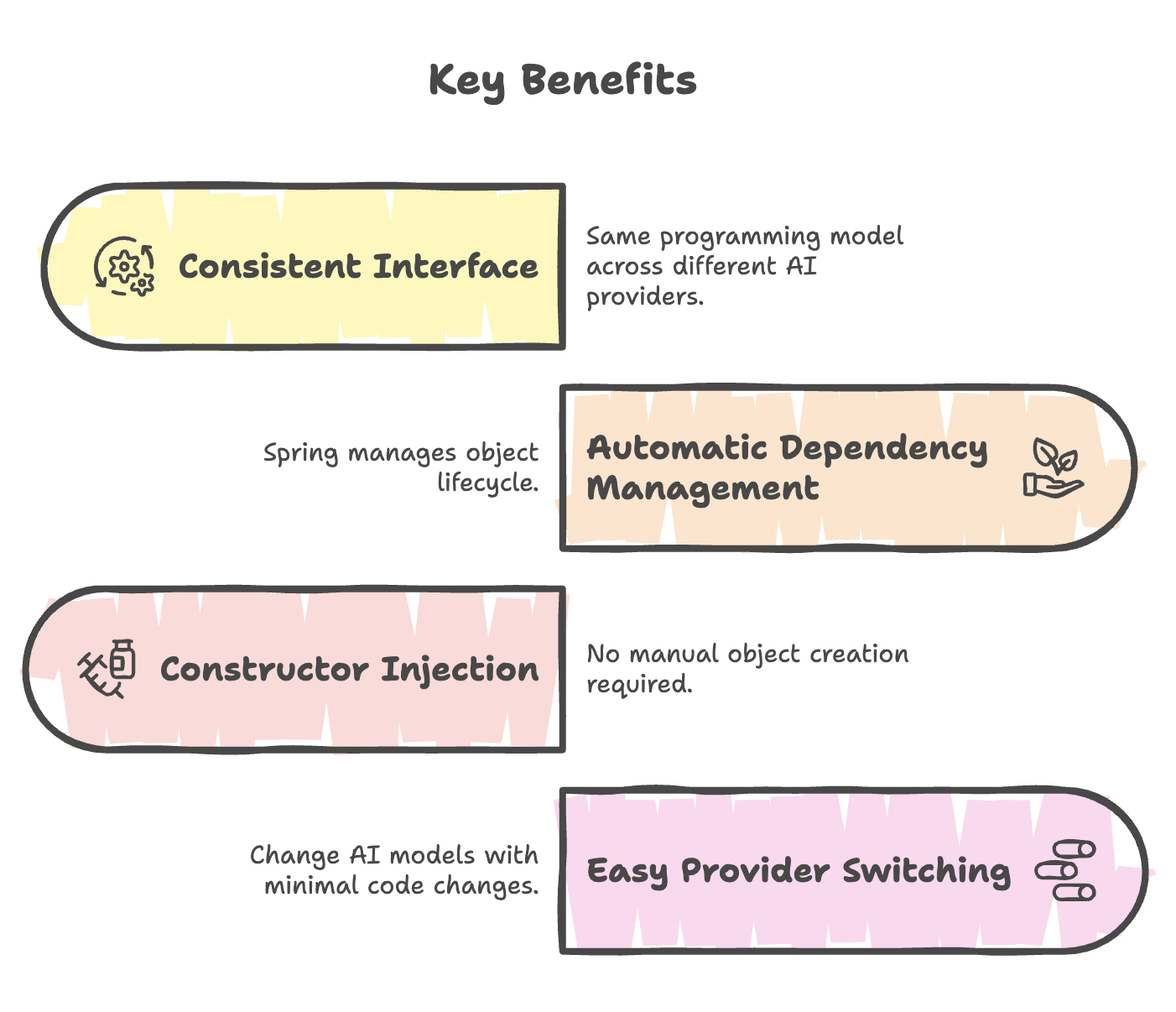
Implementation Guide
Step 1: Create REST Controller
Create a new Java class in your project:
File: OpenAIController.java
package com.telusko.SpringAIDemo;

import org.springframework.ai.openai.OpenAiChatModel;
import org.springframework.http.ResponseEntity;
import org.springframework.web.bind.annotation.*;

@RestController
@RequestMapping("/api/openai")
@CrossOrigin("*")
public class OpenAIController {

    @GetMapping("/{message}")
    public ResponseEntity<String> getAnswer(){
        return ResponseEntity.ok("Hello World");
    }
}Explanation:
@RestController: Marks class as a REST API controller@RequestMapping("/api/openai"): Base URL path for all endpoints in this controller@CrossOrigin("*"): Allows requests from any origin (needed for frontend-backend communication)@GetMapping("/{message}"): Maps GET requests with path variableResponseEntity.ok(): Returns HTTP 200 status with response body
Current Behavior: Returns "Hello World" for every request, regardless of the prompt.
Step 2: Integrate OpenAI ChatModel
package com.telusko.SpringAIDemo;

import org.springframework.ai.openai.OpenAiChatModel;
import org.springframework.http.ResponseEntity;
import org.springframework.web.bind.annotation.*;

@RestController
@RequestMapping("/api/openai")
@CrossOrigin("*")
public class OpenAIController {

    private OpenAiChatModel chatModel;

    // Constructor Injection
    public OpenAIController(OpenAiChatModel chatModel){
        this.chatModel = chatModel;
    }

    @GetMapping("/{message}")
    public ResponseEntity<String> getAnswer(@PathVariable String message){
        // Send prompt to OpenAI and get response
        String response = chatModel.call(message);

        return ResponseEntity.ok(response);
    }
}
Key Components Explained
1. Constructor Injection
private OpenAiChatModel chatModel;

public OpenAIController(OpenAiChatModel chatModel){
    this.chatModel = chatModel;
}
What happens here:
- Spring automatically creates an
OpenAiChatModelobject - Injects it into the controller through constructor
- Manages the object lifecycle (creation, configuration, destruction)
- Uses API key from
application.propertiesautomatically
Benefits:
- No manual object creation (
new OpenAiChatModel()) - Testable code (can inject mock objects for testing)
- Follows dependency inversion principle
- Immutable dependencies (final field possible)
2. Path Variable
@GetMapping("/{message}")
public ResponseEntity<String> getAnswer(@PathVariable String message)Purpose:
- Captures user prompt from URL path
- Example:
/api/openai/What is Spring Boot? messagevariable contains: "What is Spring Boot?"
URL Structure:
http://localhost:8080/api/openai/What is Spring AI?
                      └─────┬─────┘ └──────┬──────┘
                     Base Mapping   Path Variable
3. ChatModel.call() Method
String response = chatModel.call(message);Functionality:
- Sends the prompt to OpenAI's API
- Waits for the model to generate a response
- Returns the generated text as a String
- Handles API communication internally
Behind the Scenes:
- Retrieves API key from application properties
- Formats the request according to OpenAI API specifications
- Sends HTTP request to OpenAI servers
- Receives and parses the response
- Extracts the generated text
- Returns it to your application
4. ResponseEntity
return ResponseEntity.ok(response);Purpose:
- Wraps the response with HTTP status code
ok()returns HTTP 200 (Success)- Enables proper error handling and status communication
Alternative status codes:
ResponseEntity.ok(response)              // 200 OK
ResponseEntity.badRequest().body(error)  // 400 Bad Request
ResponseEntity.notFound().build()        // 404 Not Found
ResponseEntity.status(500).body(error)   // 500 Internal Server Error
Configuration Requirements
application.properties
# OpenAI API Key (Required)
spring.ai.openai.api-key=sk-proj-abc123xyz...

# Optional: Specify model
spring.ai.openai.chat.options.model=gpt-4

# Optional: Server port
server.port=8080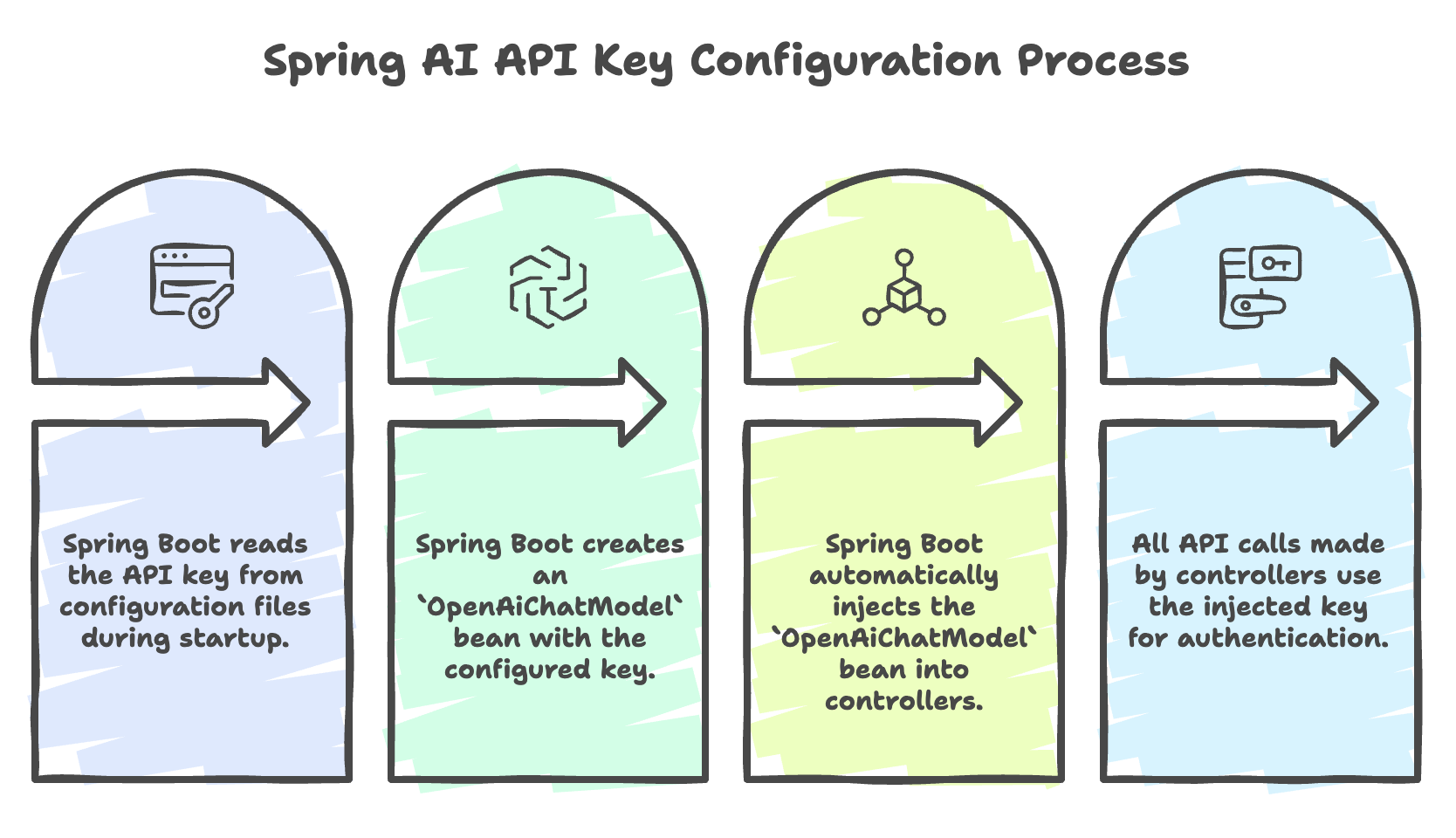
How Spring AI Uses This:
- Spring Boot reads the API key during application startup
- Creates an
OpenAiChatModelbean with the configured key - Injects this bean into controllers automatically
- All API calls use this key for authentication
Summary
-
OpenAiChatModelprovides a simple interface to interact with OpenAI models, allowing prompts to be sent and responses received using thecall()method. -
Spring’s constructor injection automatically manages the ChatModel instance, eliminating the need for manual object creation and simplifying integration.
-
A REST controller is used to handle user prompts, where
@PathVariablecaptures input andResponseEntityreturns AI-generated responses. -
Spring AI abstracts API communication and authentication, using the API key configured in
application.propertieswithout exposing low-level implementation details. -
This setup enables dynamic, AI-driven responses, replacing static outputs and forming the foundation for scalable AI-powered applications.
Written By: Muskan Garg
How is this guide?
Last updated on