
Working with Anthropic and ChatClient
This guide explores the ChatClient API in Spring AI and demonstrates how to integrate Anthropic's Claude models into your Spring Boot application. The ChatClient provides a more powerful, fluent API compared to direct ChatModel usage, offering enhanced flexibility and cleaner code structure.
Understanding the Architecture
ChatModel vs ChatClient
         ChatClient (High-Level API)
                ↓
         ChatModel Interface
                ↓
    ┌───────────┼───────────┐
    ↓           ↓           ↓
OpenAI Anthropic Ollama| Aspect | ChatModel | ChatClient |
|---|---|---|
| Level | Low-level interface | High-level abstraction |
| API Style | Direct method calls | Fluent, chainable API |
| Complexity | Simple, basic | Advanced, feature-rich |
| Usage | Direct model interaction | Structured prompt building |
| Flexibility | Limited | Extensive |
| Metadata Access | Basic | Advanced |
Key Relationship
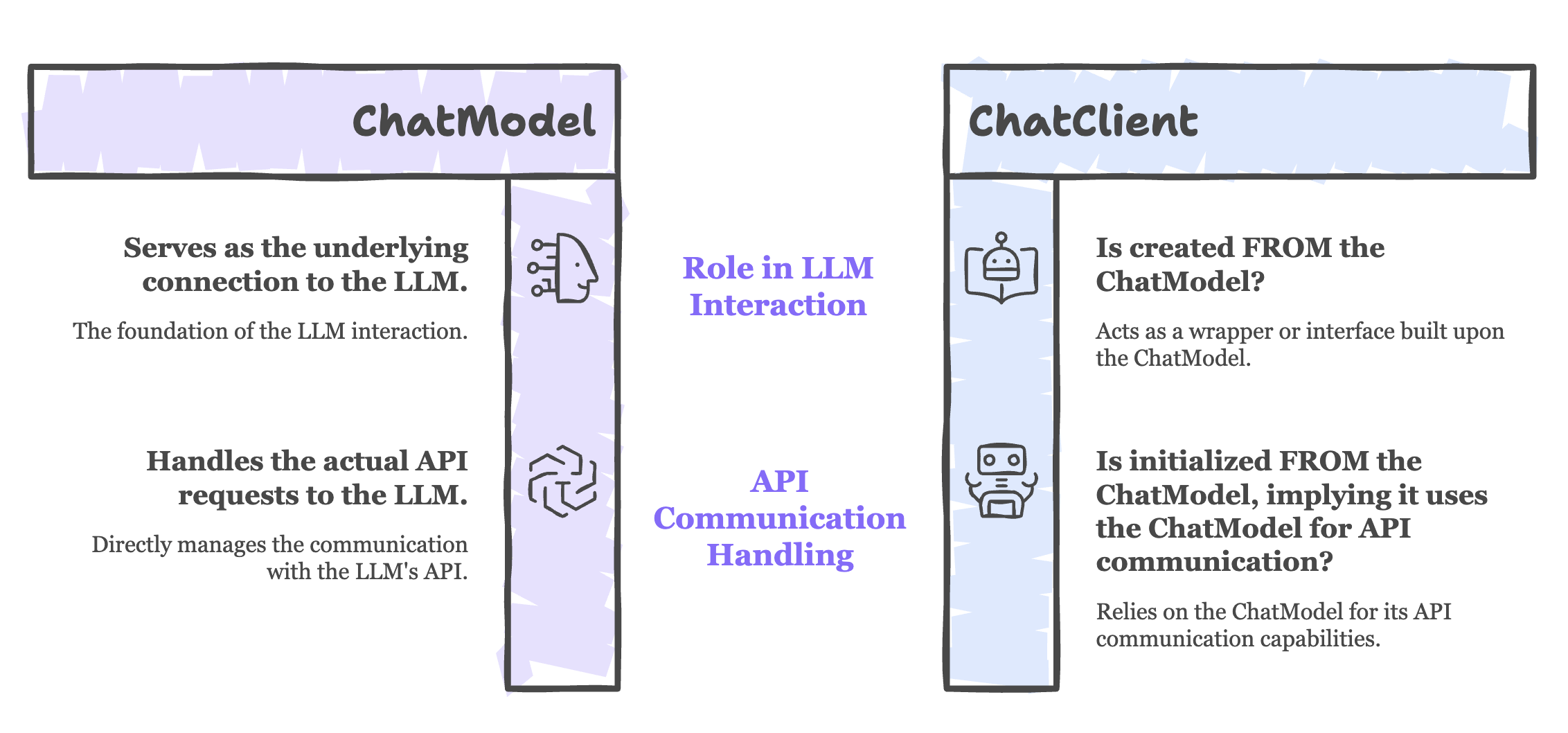
- ChatClient is built on top of ChatModel
- ChatModel provides the foundational connection to the LLM
- ChatClient adds abstraction and convenience methods
- Both work together - ChatClient cannot function without ChatModel
Implementation Guide
Create Anthropic Controller
File: AnthropicController.java
package com.telusko.SpringAIDemo;

import org.springframework.ai.anthropic.AnthropicChatModel;
import org.springframework.ai.chat.client.ChatClient;
import org.springframework.http.ResponseEntity;
import org.springframework.web.bind.annotation.*;

@RestController
@RequestMapping("/api/anthropic")
@CrossOrigin("*")
public class AnthropicController {

    private ChatClient chatClient;

    // Constructor Injection with AnthropicChatModel
    public AnthropicController(AnthropicChatModel chatModel){
        this.chatClient = ChatClient.create(chatModel);
    }

    @GetMapping("/{message}")
    public ResponseEntity<String> getAnswer(@PathVariable String message){

        String response = chatClient
                .prompt(message)
                .call()
                .content();

        return ResponseEntity.ok(response);
    }
}
Code Breakdown
1. Constructor Injection with ChatClient Creation
private ChatClient chatClient;

public AnthropicController(AnthropicChatModel chatModel){
    this.chatClient = ChatClient.create(chatModel);
}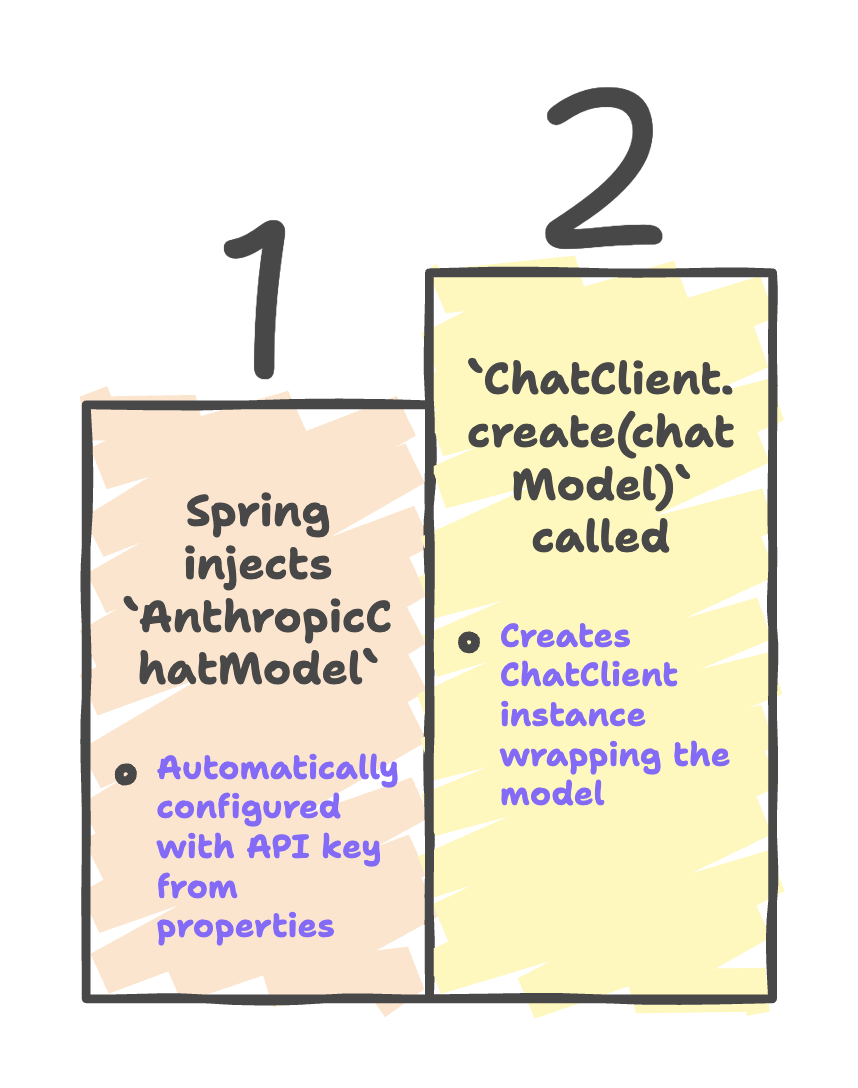
Key Points:
AnthropicChatModelis injected by Spring (dependency injection)- ChatClient is created from the ChatModel
- ChatModel remains the foundation; ChatClient adds convenience layer
2. Fluent API Method Chaining
String response = chatClient
        .prompt(message)      // Step 1: Set the prompt
        .call()               // Step 2: Execute the API call
.content(); // Step 3: Extract response content| Method | Purpose | Returns | Details |
|---|---|---|---|
.prompt(message) | Sets user input | ChatClient.CallPromptSpec | Prepares the prompt to send |
.call() | Executes request | ChatClient.CallResult | Sends request to Anthropic API |
.content() | Extracts text | String | Returns generated response |
3. Fluent API vs Direct Call Comparison
Using ChatModel (Direct Approach)
// OpenAI example from previous chapter
String response = chatModel.call(message);Characteristics:
- Single method call
- Simple but limited
- No intermediate customization
- Direct string return
Using ChatClient (Fluent Approach)
// Anthropic example with ChatClient
String response = chatClient
        .prompt(message)
        .call()
.content();Characteristics:
- Multiple chainable methods
- Highly customizable
- Access to metadata and advanced features
- Clear, readable flow
Why Use ChatClient?
1. Fluent API Design
Benefit: Cleaner, more readable code through method chaining.
Example:
// Without formatting (hard to read)
String response = chatClient.prompt(message).call().content();

// With formatting (clear flow)
String response = chatClient
        .prompt(message)
        .call()
.content();Advantages:
- Visual hierarchy of operations
- Easy to understand sequence
- Simple to modify or extend
- Reduced cognitive load
2. Enhanced Abstraction
Benefit: Code becomes model-agnostic.
// Works with ANY ChatModel implementation
public MyController(ChatModel chatModel) {  // Generic interface
    this.chatClient = ChatClient.create(chatModel);
}

// Can be: OpenAiChatModel, AnthropicChatModel, OllamaChatModel, etc.Advantages:
- Easy to switch between AI providers
- Write once, use with multiple models
- Future-proof code
- Reduced vendor lock-in
3. Advanced Features
ChatClient provides access to features not easily available with direct ChatModel usage:
a) System Messages
String response = chatClient
        .prompt()
        .system("You are a helpful Java programming assistant")
        .user(message)
        .call()
        .content();
b) Metadata Access
var result = chatClient
        .prompt(message)
        .call()
        .chatResponse();

// Access metadata
String content = result.getResult().getOutput().getContent();
Map<String, Object> metadata = result.getMetadata();
int tokensUsed = (int) metadata.get("usage").get("total_tokens");
c) Structured Prompts
String response = chatClient
        .prompt()
        .user(u -> u.text("Explain {topic} in simple terms")
                    .param("topic", "Spring AI"))
        .call()
        .content();
d) Multiple Response Options
// Get all response candidates
List<Generation> generations = chatClient
        .prompt(message)
        .call()
        .chatResponse()
        .getResults();
Configuration Requirements
application.properties
# Anthropic API Key (Required)
spring.ai.anthropic.api-key=sk-ant-abc123xyz...

# Optional: Specify Claude model
spring.ai.anthropic.chat.options.model=claude-3-sonnet-20240229

# Optional: Configure temperature
spring.ai.anthropic.chat.options.temperature=0.7

# Optional: Max tokens
spring.ai.anthropic.chat.options.max-tokens=1000
Is ChatModel Still Necessary?
// ChatClient REQUIRES ChatModel to function
public AnthropicController(AnthropicChatModel chatModel) {
    // Cannot create ChatClient without ChatModel
    this.chatClient = ChatClient.create(chatModel);
}
Analogy
Think of it like a car:
- ChatModel = Engine (essential, provides power)
- ChatClient = Advanced Dashboard (optional, provides better control)
You can't have a functioning car without an engine, but the advanced dashboard makes it easier to drive.
Advanced ChatClient Features
1. Custom Prompt Templates
String response = chatClient
        .prompt()
        .user(u -> u.text("""
                Analyze this code:
                {code}

                Focus on: {focus}
                """)
                .param("code", userCode)
                .param("focus", "performance"))
        .call()
        .content();
2. Conversation History
List<Message> history = new ArrayList<>();
history.add(new UserMessage("What is Spring Boot?"));
history.add(new AssistantMessage("Spring Boot is..."));

String response = chatClient
        .prompt()
        .messages(history)
        .user("Tell me more about auto-configuration")
        .call()
        .content();
3. Streaming Responses
Flux<String> stream = chatClient
        .prompt(message)
        .stream()
        .content();

// Process streaming response
stream.subscribe(chunk -> System.out.print(chunk));
4. Response Options
ChatResponse response = chatClient
        .prompt(message)
        .options(ChatOptions.builder()
                .temperature(0.8)
                .maxTokens(500)
                .build())
        .call()
        .chatResponse();
Summary
-
ChatClient provides a higher-level, fluent API over
ChatModel, enabling cleaner and more structured interaction with Anthropic models like Claude. -
It is created using
ChatClient.create(chatModel), whereAnthropicChatModelacts as the underlying connection to the AI provider. -
The fluent method chaining (
.prompt() → .call() → .content()) improves readability and maintainability, making request-response handling more intuitive. -
ChatClient offers advanced capabilities such as structured prompts, metadata access, and better prompt management, which go beyond basic
ChatModelusage. -
It enables flexible and scalable design, allowing easy switching between AI providers while keeping the core business logic clean and modular.
Written By: Muskan Garg
How is this guide?
Last updated on