
While Loop
In programming, loops are used to execute a block of code multiple times until a certain condition is met.
Loops reduce redundancy by allowing repetition of statements without writing them multiple times.
Python provides two types of loops:
forloopwhileloop
Understanding the while Loop
A while loop repeatedly executes a block of code as long as a given condition remains True.
It is ideal when:
- The number of iterations is not fixed.
- Repetition depends on a condition that changes over time.
- You want to loop until a certain state is reached.
Structure of a While Loop
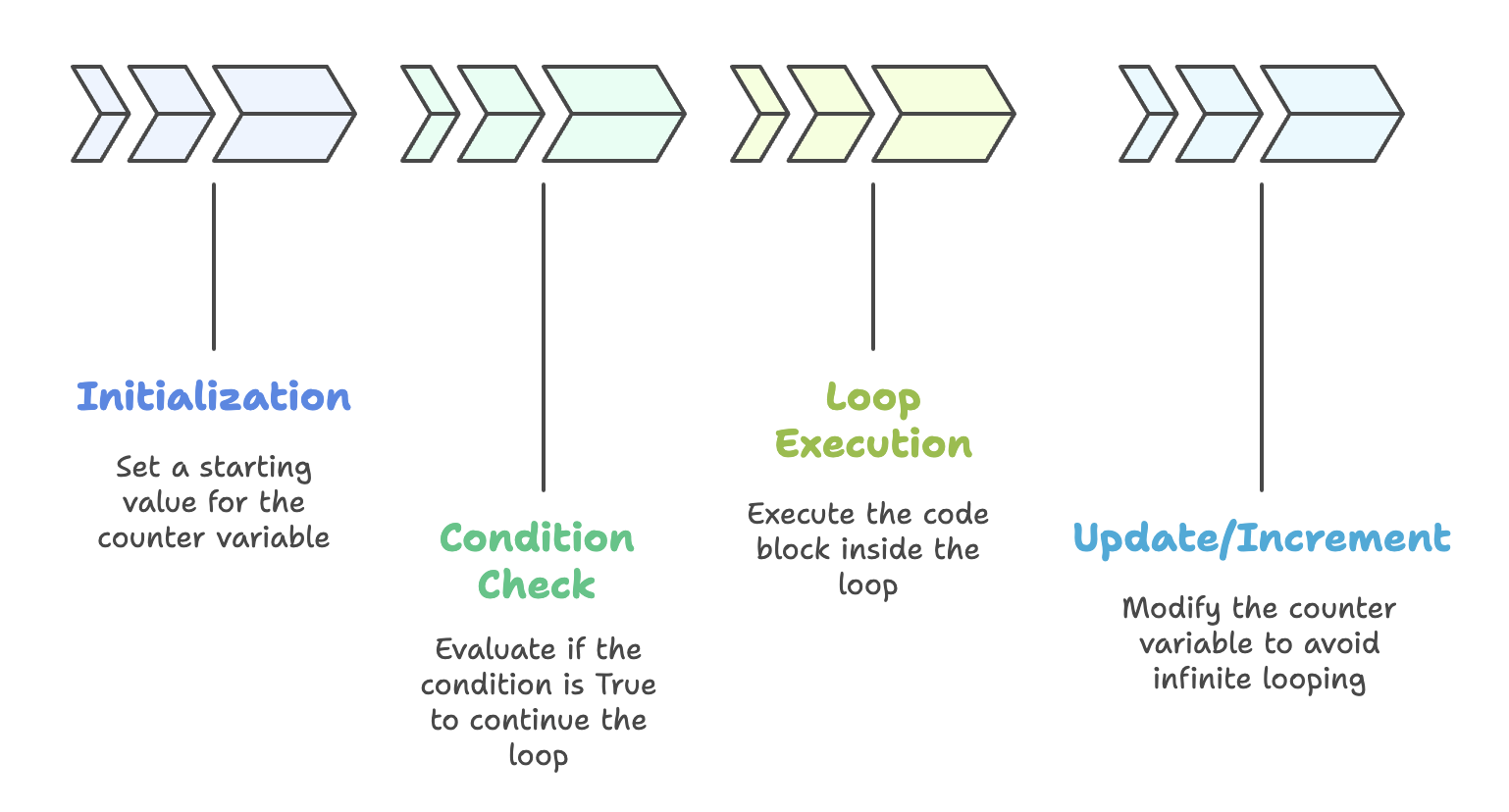
A proper while loop requires three parts:
| Step | Explanation |
|---|---|
| Initialization | Set a starting value (e.g., i = 1) |
| Condition | LOOP continues while the condition is True |
| Update / Increment | Modify the counter variable inside the loop to avoid infinite looping |
Syntax
i = starting_value   # Initialization

while condition:      # Condition
    statements
    i += 1            # Update
Examples of While Loops
Example 1 - Basic Loop
i = 1
while i <= 5:
    print("Hello World")
    i += 1
print(i)
Output:
Hello World
Hello World
Hello World
Hello World
Hello World
5
Example 2 - Decrementing Loop
i = 5
while i >= 1:
    print("Telusko")
    i = i - 1
Output:
Telusko
Telusko
Telusko
Telusko
Telusko
Example 3 - Printing Counter Values
i = 5
while i >= 1:
    print("Telusko", i)
    i = i - 1
Output:
Telusko 5
Telusko 4
Telusko 3
Telusko 2
Telusko 1
Infinite Loops
A while loop without an update or with a condition that is always True can cause your CPU usage to spike.
Example of an infinite loop:
while True:
    print("Hello")
This loop never ends because the condition is always True.
Using the end Parameter in print()
By default, print() ends with a newline (\n).
You can change this behaviour using end.
| Usage | Meaning |
|---|---|
end="\n" | Default - prints each output on a new line |
end=" " | Prints output in the same line with a space. |
end="" | Prints outputs continuously without any space. |
Syntax:
print(value, end=' ')Example
i = 1
while i <= 5:
    print("Telusko ", end="")
    print("Rocks!! Rocks!! ")
    i += 1
print(i)
Output (single line per loop):
Telusko Rocks!! Rocks!!
Telusko Rocks!! Rocks!!
Telusko Rocks!! Rocks!!
Telusko Rocks!! Rocks!!
Telusko Rocks!! Rocks!!
Nested While Loops
A nested while loop means having one loop inside another. The inner loop completely executes for every iteration of the outer loop.
- To make the nested loop work correctly for each iteration of the outer loop, we reset
jinside the outer loop:
Example
i = 1
while i <= 5:
    print("Telusko ", end="")
    j = 1
    while j <= 4:
        print("Rocks!! Rocks!! ", end="")
        j += 1
    i += 1
    print()
Output:
Telusko Rocks!! Rocks!! Rocks!! Rocks!!
Telusko Rocks!! Rocks!! Rocks!! Rocks!!
Telusko Rocks!! Rocks!! Rocks!! Rocks!!
Telusko Rocks!! Rocks!! Rocks!! Rocks!!
Telusko Rocks!! Rocks!! Rocks!! Rocks!!- Each
Teluskois now followed by 4Rockslines.
If you do not reset the inner loop variable (
j) inside the outer loop, the inner loop will run only once, not repeatedly.
When to Use a While Loop?
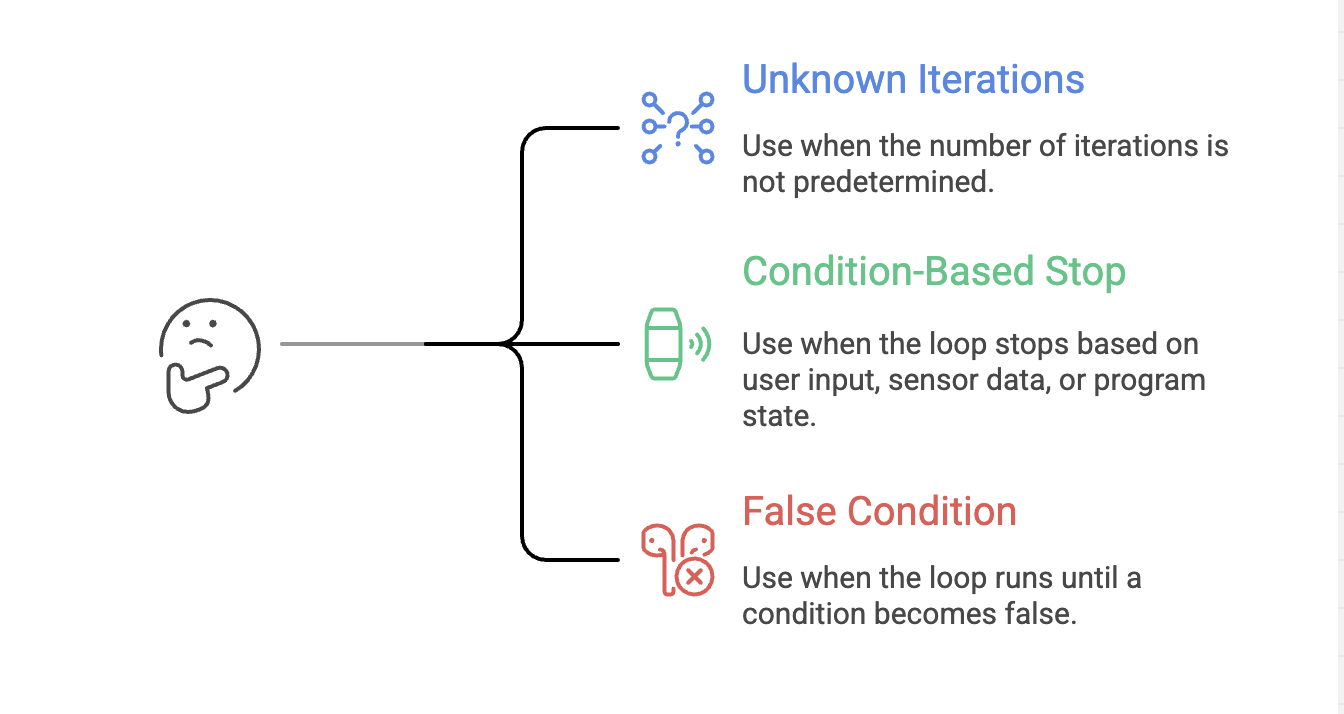
Examples:
- Continuously taking user input until they press ‘exit’
- Waiting for a file to be created
- Repeating tasks until a certain condition becomes False
Summary
- A while loop repeatedly executes a block of code as long as its condition evaluates to True.
- The loop variable must be initialized before the loop begins to ensure proper execution.
- The condition determines how long the loop continues and when it should stop.
- The loop variable must be updated (incremented or decremented) inside the loop to avoid infinite execution.
- Nested while loops involve an inner loop that runs completely for each iteration of the outer loop.
- The end parameter in print() controls output formatting by deciding whether to print on the same line, add spaces, or move to a new line.
Written By: Muskan Garg
How is this guide?
Last updated on