
For Loop
Python provides two primary looping constructs: while loops and for loops.
While a while loop is controlled by a condition, the for loop is designed specifically for iterating over sequences and iterable objects in a clean and efficient manner.
Understanding For Loops
A for loop in Python iterates over a sequence (like a list, tuple, string, or range) and executes a block of code once for each item in that sequence.
Syntax:
for variable in sequence:
    # statements
During each iteration, the variable stores the current element from the sequence.
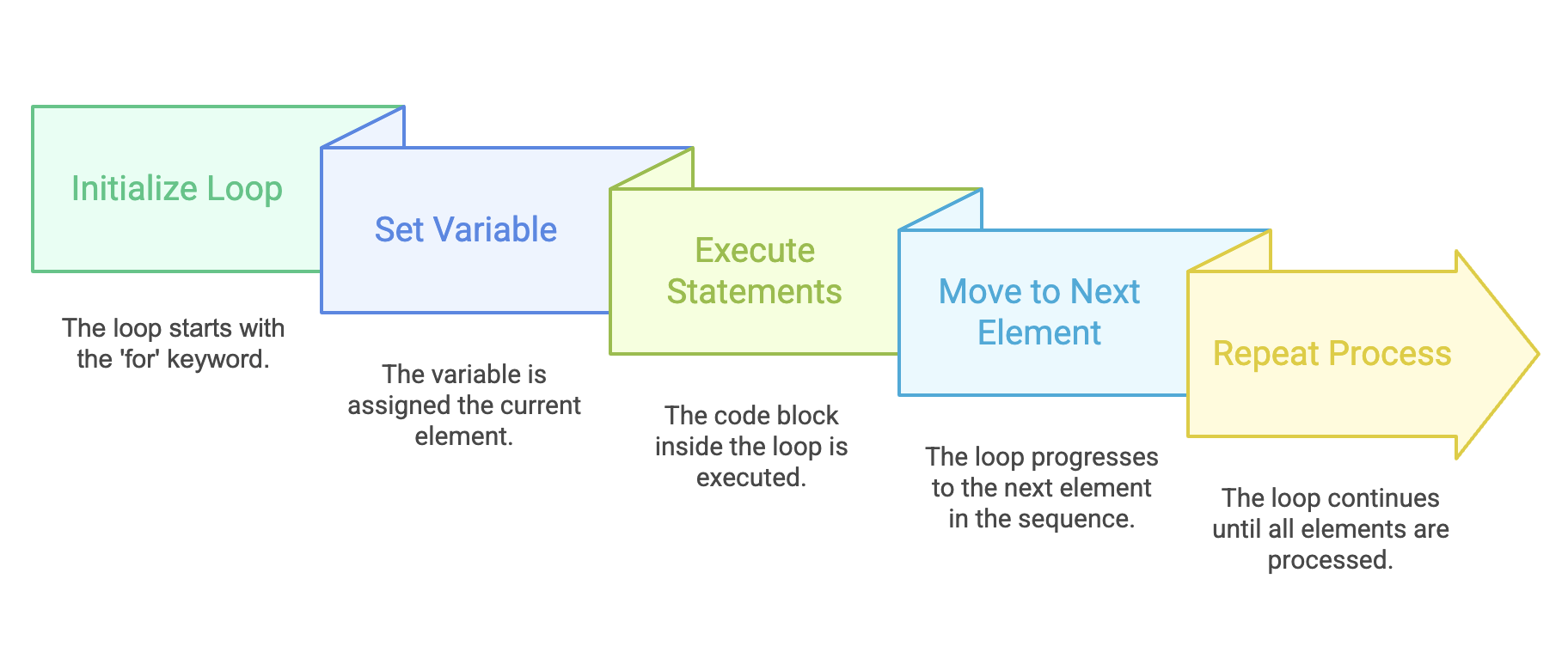
Difference Between While and For Loops
| Aspect | While Loop | For Loop |
|---|---|---|
| Control | Uses a condition | Uses an iterable (list, range, string, etc.) |
| Manual Steps | Must manually handle counter, increment, and condition | All handled automatically |
| Best For | Unknown number of iterations | Known sequences or ranges |
| Risk | Higher risk of infinite loops | No risk of infinite loops |
The for loop condenses initialization, condition checking, and incrementing into a single line, making it cleaner and less error-prone.
Iterating Over Collections
Python's for loop works seamlessly with any iterable.
Example: Looping Through a List
data = [2, "Navin", 4.5, 8, "Telusko", "Muskan"]

for value in data:
    print(value)
Output
2
Navin
4.5
8
Telusko
Muskan
Example: Looping Through a String
for ch in "PYTHON":
    print(ch)
Output:
P
Y
T
H
O
N
Example: Iterating Through a List Literal
for i in [2, 6, 'Muskan']:
    print(i)
Output:
2
6
Muskan
Using range() with For Loop
The range() function generates a sequence of numbers, which can be used with for loops.
Example: Default range (0 to 9)
for i in range(10):
    print(i)
Output:
0
1
2
3
4
5
6
7
8
9
Example: Range with Start, Stop, and Step
for i in range(11, 21, 1):
    print(i)
Output:
11
12
13
14
15
16
17
18
19
20
Example: Reverse range
You can reverse the range using a negative step value:
for i in range(20, 10, -1):
    print(i)
Output:
20
19
18
17
16
15
14
13
12
11
Example: No Output Case
for i in range(20, 11):
    print(i)
Since the default step is +1, and the start is greater than the stop value, no output will be produced.
Using Conditions Inside For Loops
You can add conditions inside the for loop to control which items are processed.
Example 1: Skip Numbers Divisible by 5
for i in range(1, 21):
    if i % 5 == 0:
        pass
    else:
        print(i)
Output:
1
2
3
4
6
7
8
9
11
12
13
14
16
17
18
19
Example 2: Print Only Numbers Not Divisible by 5
for i in range(1, 21):
    if i % 5 != 0:
        print(i)
Output:
1
2
3
4
6
7
8
9
11
12
13
14
16
17
18
19
When to Use a Foor Loop?
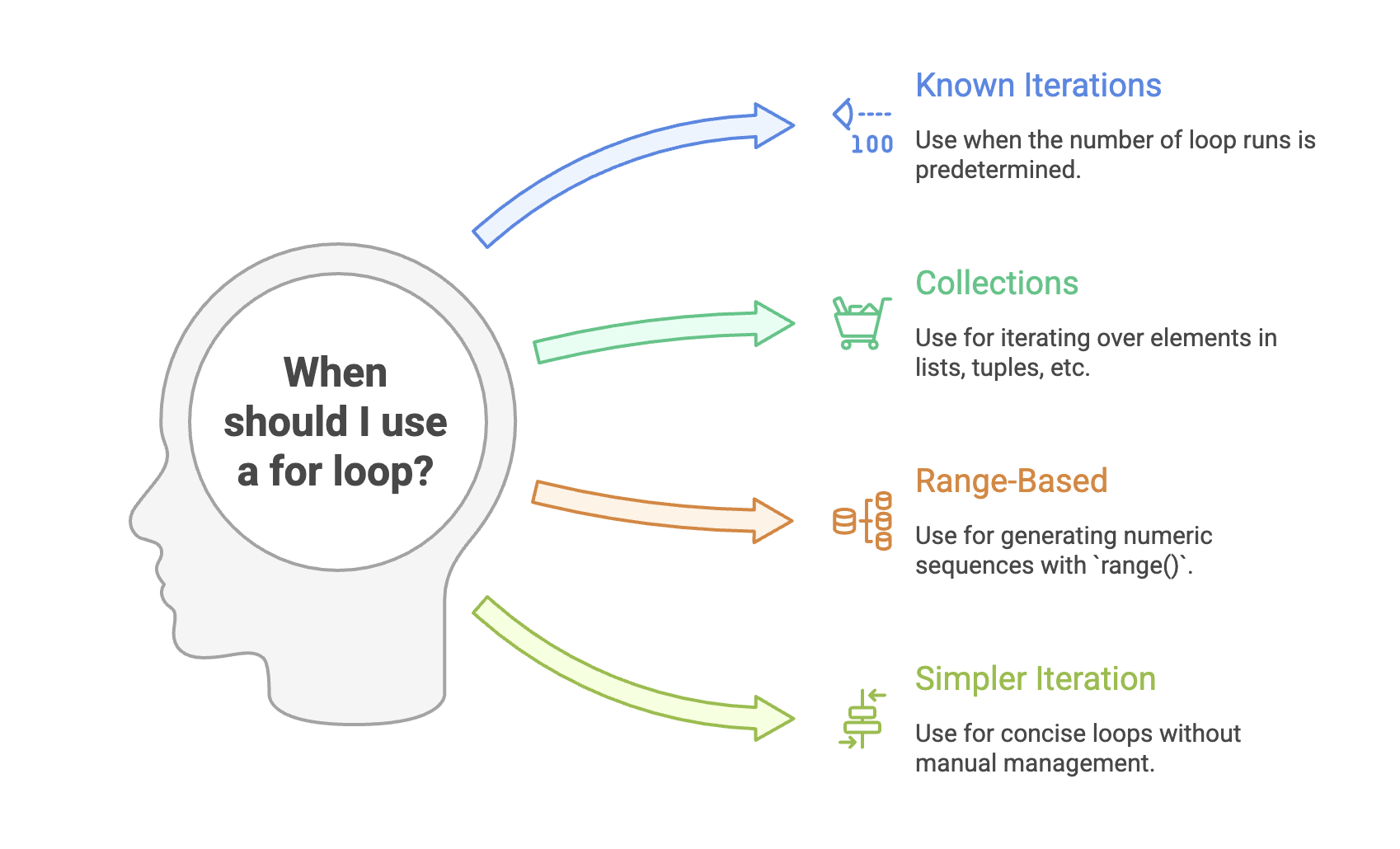
Examples:
- Processing a fixed number of records
- Looping through dictionary keys and values
- Generating even numbers from 2 to 20
- Looping through large datasets safely without infinite loop risks
Summary
- A
forloop iterates directly over sequences like lists, strings, tuples, sets, or ranges. - It automatically handles indexing, increments, and stopping-simpler than a while loop.
- Works best when the number of iterations is known or when working with collections.
- The
range()is commonly used to generate numeric sequences for iteration. - Conditions inside loops allow selective processing of elements.
- It avoids infinite loops because iteration ends automatically when the sequence ends.
Written By: Muskan Garg
How is this guide?
Last updated on