
PythonArrays
Search in Array
In this lecture, we will learn how to create an array dynamically from user input and how to search for elements within it.
Creating an Empty Array
In Python, you can create an empty array and later fill it with values entered by the user.
The array module allows you to define arrays of specific data types.
Example: Creating a Blank Array
from array import *

# Create an empty integer array
arr = array('i', [])
Here:
'i'→ Typecode for signed integers[]→ An empty list representing no elements initially
Taking Array Input from the User
Step-by-Step Process
- Ask the user for the desired length of the array.
- Convert that input (string) to an integer using
int(). - Run a loop from
0ton-1to take multiple inputs. - Use
append()to add each input value to the array.
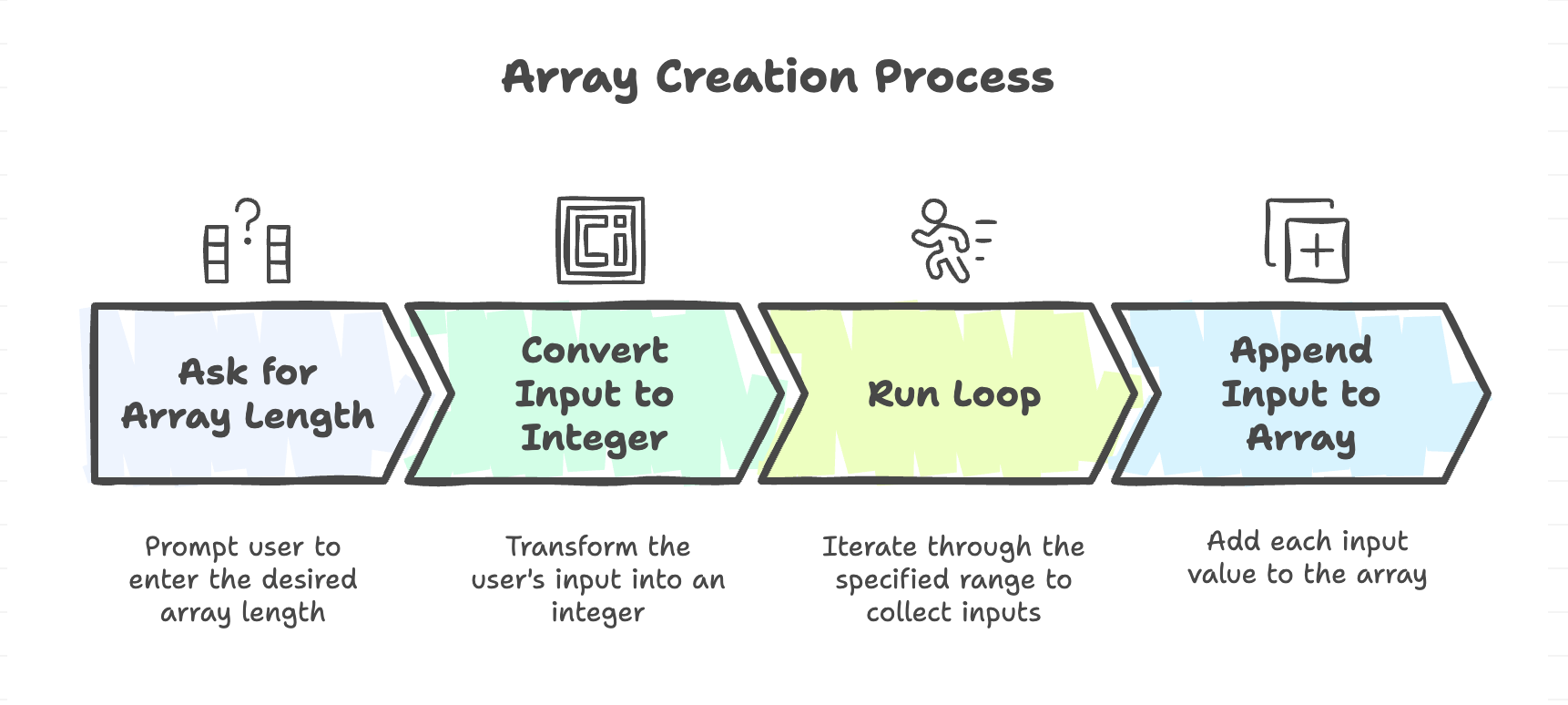
Example: Creating an Array with User Input
from array import *

# Create an empty array
arr = array('i', [])

# Take array length from user
n = int(input("Enter the length of the array: "))

# Take input values one by one
for i in range(n):
    x = int(input("Enter the next value: "))
    arr.append(x)

print("Array elements:", arr)
Sample Output
Enter the length of the array: 5
Enter the next value: 10
Enter the next value: 20
Enter the next value: 30
Enter the next value: 40
Enter the next value: 50
Array elements: array('i', [10, 20, 30, 40, 50])
Explanation
- The
input()function returns values as strings - we convert them to integers usingint(). - The
forloop runsntimes (equal to array length). - The
append()function adds new elements to the array.
Searching an Element in an Array
Manual Approach
Once the array is created, you may want to find the index of a specific element. This can be done manually by iterating through the array.
Example: Searching for a Value
val = int(input("Enter the value to search: "))

# Initialize index counter
k = 0

for e in arr:
    if e == val:
        print("Value found at index:", k)
        break
    k += 1
Sample Output
Enter the value to search: 30
Value found at index: 2
Explanation
- A variable
kis used to track the index manually. - During each iteration:
- The element
eis compared withval. - If they match → print the index and break the loop.
- The element
- The
breakensures the loop stops after finding the first match. - If the element is not found, nothing is printed (you can add an else block for that).
To display a message when the element is not found:
for e in arr:
    if e == val:
        print("Value found at index:", k)
        break
    k += 1
else:
    print("Value not found in the array.")
Searching Using Built-in index() Function
Python provides a built-in function index() that automatically finds and returns the index of a given element in an array.
Example: Using index()
print("Index of the value:", arr.index(val))Output
Index of the value: 2Key Notes
- The
index()function returns the first matching index of the given element. - If the value is not found, it raises a ValueError.
So, it’s safer to use it inside a try-except block:
try:
    print("Index of the value:", arr.index(val))
except ValueError:
    print("Value not found in the array.")
Full Program Example
from array import *

# Step 1: Create an empty array
arr = array('i', [])

# Step 2: Take length input
n = int(input("Enter the length of the array: "))

# Step 3: Take values from user
for i in range(n):
    x = int(input("Enter the next value: "))
    arr.append(x)

print("\nArray elements:", arr)

# Step 4: Search element manually
val = int(input("\nEnter the value to search: "))
k = 0
for e in arr:
    if e == val:
        print("Value found at index:", k)
        break
    k += 1
else:
    print("Value not found (manual search).")

# Step 5: Using index() method
try:
    print("Value found at index (using index()):", arr.index(val))
except ValueError:
    print("Value not found (using index()).")
Example Run
Enter the length of the array: 4
Enter the next value: 5
Enter the next value: 15
Enter the next value: 25
Enter the next value: 35

Array elements: array('i', [5, 15, 25, 35])

Enter the value to search: 25
Value found at index: 2
Value found at index (using index()): 2
Summary
- Arrays can be created dynamically by taking input from the user, allowing flexible and runtime-defined data storage.
- The append() method is used to add user-provided values to an array one by one.
- Elements in an array can be searched either manually using a loop or automatically using the built-in index() method.
- Manual searching provides more control, while index() offers a simpler approach but requires error handling when values are not found.
Written By: Muskan Garg
How is this guide?
Last updated on