
Basics Of Array
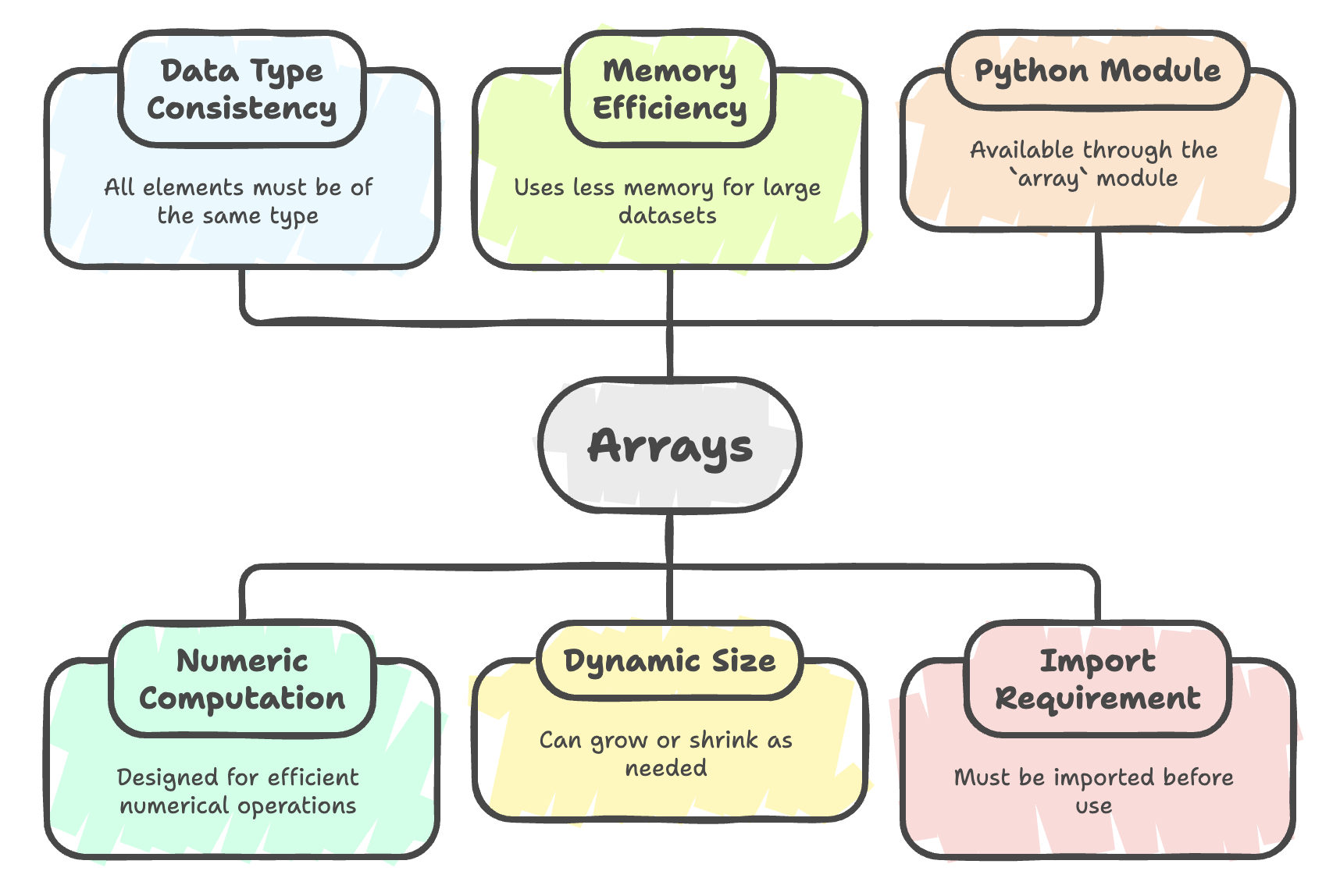
An array in Python is a data structure used to store multiple values of the same data type in a single, contiguous block of memory. Arrays are particularly useful when working with numeric data, where uniform data types and memory efficiency are important.
Unlike lists, arrays are designed for numeric computation, and thus they are more memory-efficient when dealing with large datasets of numbers.

Need of Arrays
Arrays address several practical programming needs:
- Efficiently store and manipulate large collections of numeric data
- Perform operations on data of the same type without repeated type checks
- Use less memory compared to lists when dealing with homogeneous data
- Interface easily with low-level languages (like C) and system-level APIs
For simple array operations, Python provides the built-in
arraymodule. For advanced numerical computations, libraries like NumPy are recommended.
Importing the Array Module
Before creating arrays, you must import the array module.
import array

# OR (alias)
import array as arr

# OR (import all functions)
from array import *
Creating an Array
Arrays are created using the array() constructor.
You must specify:
- Type code (defines the data type)
- Initial values (as a list or iterable)
Syntax
array(typecode, [values])Example
from array import *

vals = array('i', [5, 9, 8, 4, 2])
print(vals)
Explanation:
'i'→ Type code for signed integers[5, 9, 8, 4, 2]→ Initial values
All elements are stored sequentially in memory, making access and processing faster.
Type Codes in Python Arrays
Python arrays use type codes to enforce single-type storage.
| Type Code | C Type | Python Type | Size (bytes) | Description |
|---|---|---|---|---|
'b' | signed char | int | 1 | Signed integer |
'B' | unsigned char | int | 1 | Unsigned integer |
'i' | signed int | int | 2 or 4 | Default integer |
'I' | unsigned int | int | 2 or 4 | Non-negative integer |
'f' | float | float | 4 | Floating point |
'd' | double | float | 8 | Double precision float |
'u' | Py_UNICODE | char | 2 | Unicode character |
Signed vs Unsigned
- Signed integers can store both positive and negative numbers.
- Unsigned integers can store only non-negative values.
from array import *

# Signed integers (allows negative values)
vals = array('i', [5, 9, -8, 4, 2])

# Unsigned integers (error if negative value used)
vals_unsigned = array('I', [5, 9, 8, 4, 2])
print(vals)
Indexing and Accessing Elements
Array elements can be accessed using index numbers, starting from 0.
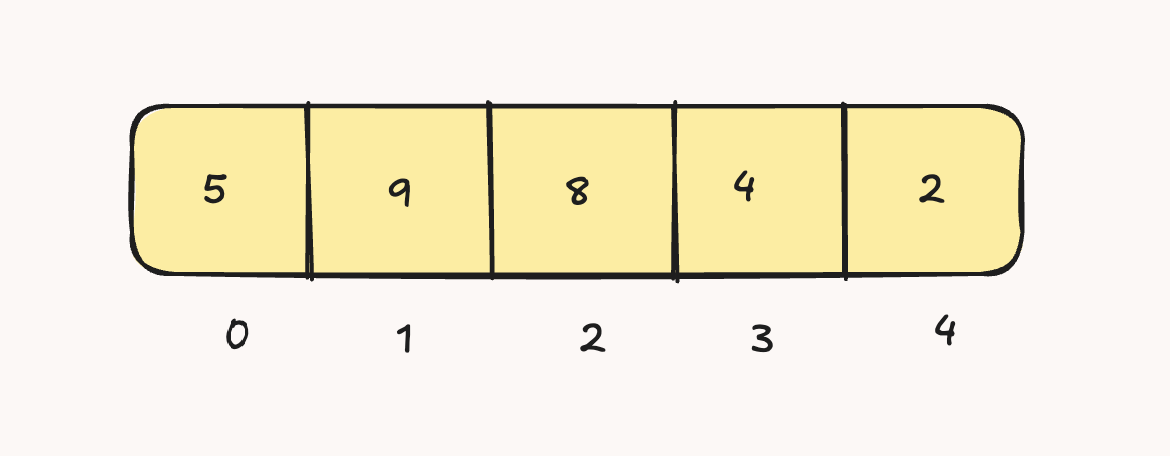
vals = array('i', [5, 9, 8, 4, 2])

print(vals[0])   # 5
print(vals[3])   # 4
Get Array Length
print(len(vals)) # Output → 5Array of Characters
vals = array('u', ['a', 'e', 'i', 'o', 'u'])
print(vals)
# Output → array('u', 'aeiou')
Traversing Arrays (Fetching Values)
There are multiple ways to fetch and display values from an array.
Using For Loop (unknown length)
for i in range(len(vals)):
    print(vals[i])
Using For Loop (with known length)
for i in range(5):
    print(vals[i])
Using Direct Iteration
for e in vals:
    print(e)
Using While Loop
i = 0
while i < len(vals):
    print(vals[i])
    i += 1
Summary
- Arrays are memory-efficient and ideal for handling numeric data.
- They provide better performance for numerical operations compared to lists.
- Arrays store only one data type, enforced through type codes.
- The array module must be explicitly imported before use.
- For advanced numerical and scientific computations, NumPy is generally the preferred option.
Written By: Muskan Garg
How is this guide?
Last updated on