
Unary Operators
1. Introduction
Unary operators are operators that operate on a single operand.
They are used frequently in Java for:
- Increasing or decreasing values
- Negating expressions
- Inverting boolean values
- Working with bits
- Evaluating expressions efficiently
Understanding unary operators is essential because they are widely used in loops, expressions, and conditions.
Java provides the following unary operators:
- Increment (
++) - Decrement (
--) - Unary plus (
+) - Unary minus (
-) - Logical NOT (
!) - Bitwise complement (
~)
This document explains each with examples and diagrams.
2. Types of Unary Operators
Overview Table
| Operator | Meaning | Example |
|---|---|---|
++ | Increment (prefix/postfix) | i++, ++i |
-- | Decrement (prefix/postfix) | i--, --i |
+ | Unary plus (indicates positive) | +a |
- | Unary minus (negation) | -a |
! | Logical NOT | !flag |
~ | Bitwise complement | ~n |
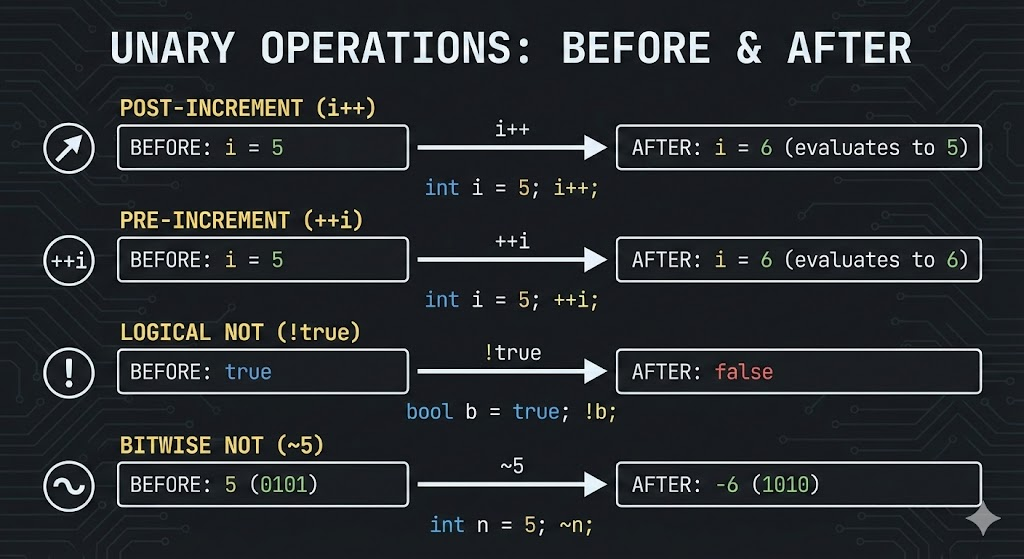
3. Increment Operator ( ++ )
The increment operator increases a value by 1.
It has two forms:
3.1 Post-increment (i++)
- Returns the original value
- Then increments the value
Example:
int i = 5;
int result = i++;
Now:
result = 5i = 6
3.2 Pre-increment (++i)
- Increments the value
- Then returns the new value
Example:
int i = 5;
int result = ++i;
Now:
result = 6i = 6
4. Decrement Operator ( -- )
Works exactly like increment, but decreases value by 1.
4.1 Post-decrement (i--)
int i = 10;
int x = i--;
x = 10i = 9
4.2 Pre-decrement (--i)
int i = 10;
int x = --i;
x = 9i = 9
5. Unary Plus (+)
Unary plus does not affect the value. It simply indicates positivity (rarely used).
int a = +10; // same as 106. Unary Minus (-)
Unary minus negates a value.
int a = 10;
int b = -a;   // b = -10
Another example:
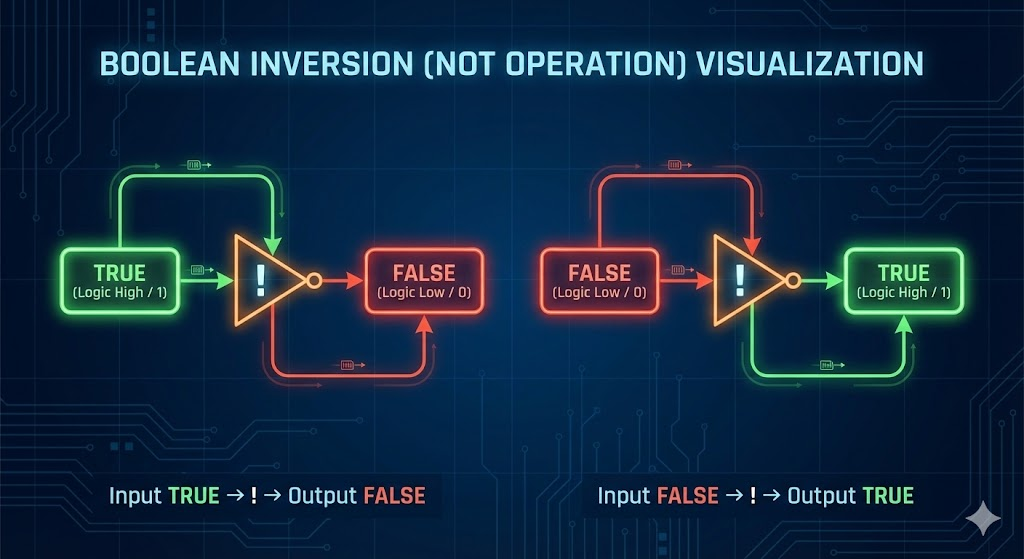
int x = -(-5); // x = 57. Logical NOT Operator (!)
Used with boolean values to invert the result.
boolean flag = true;
System.out.println(!flag); // false
Example in conditions:
if (!isLoggedIn) {
    System.out.println("Please login first");
}
8. Bitwise Complement Operator (~)
Used with integer types (byte, short, int, long).
It flips all bits:
- 0 → 1
- 1 → 0
Example:
int x = 5;
System.out.println(~x);
5 in binary:
0000 0101~x produces:
1111 1010Which equals -6 in decimal (2’s complement representation).
9. Complex Examples
Example 1
int a = 5;
int b = a++ + ++a;
Breakdown:
a++→ returns 5, then becomes 6++a→ increments to 7, returns 7
Thus:
b = 5 + 7 = 12
a = 7
Example 2
int x = 10;
int y = --x + x++ + ++x;
Step-by-step:
--x→ 9x++→ returns 9, then becomes 10++x→ becomes 11
So:
y = 9 + 9 + 11 = 29
x = 11
Example 3: Logical NOT
boolean rainy = false;
System.out.println(!rainy); // true
Example 4: Bitwise Complement
int n = 12;
System.out.println(~n);
12 binary:
0000 1100~n:
1111 0011Decimal = -13
10. Common Mistakes
- Confusing
i++and++i - Overusing unary operators inside complex expressions
- Using
!on non-boolean values (not allowed) - Misunderstanding
~(bitwise complement) - Assuming unary plus changes the value (it does nothing)
11. Summary
- Unary operators work on single operands.
++and--have two forms: prefix and postfix.- Unary plus does not alter values.
- Unary minus changes sign.
- Logical NOT inverts booleans.
- Bitwise complement flips bits.
How is this guide?
Last updated on