
Relational Operators
1. Introduction
Relational operators in Java are used to compare two values.
They always return a boolean result (true or false).
These operators are essential for:
- Decision-making (
if,else) - Loop conditions
- Validations
- Sorting and comparison logic
- Implementing business rules
Understanding relational operators is fundamental to writing correct conditional logic in Java.
2. List of Relational Operators
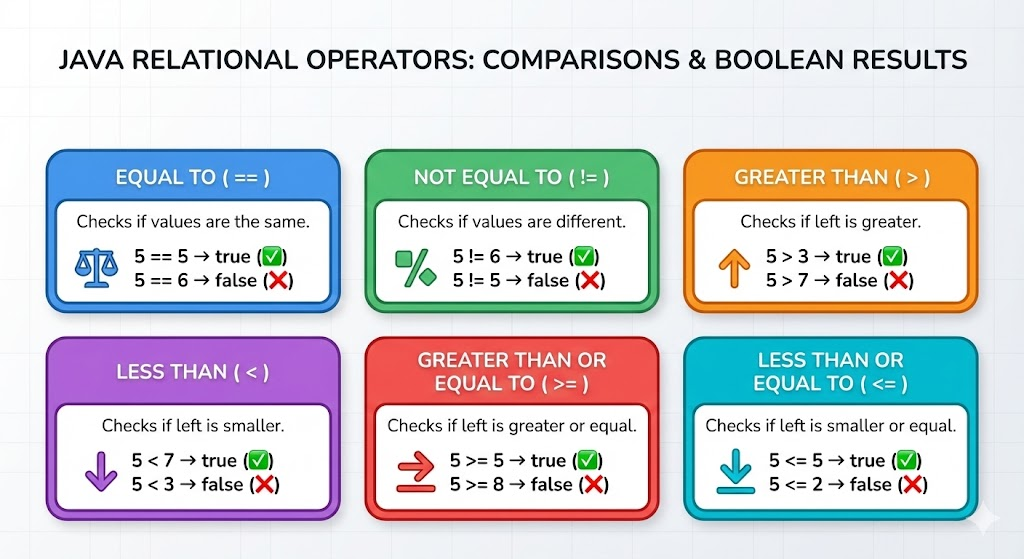
Java provides six relational operators:
| Operator | Meaning | Example |
|---|---|---|
== | Equal to | a == b |
!= | Not equal to | a != b |
> | Greater than | a > b |
< | Less than | a < b |
>= | Greater than or equal | a >= b |
<= | Less than or equal | a <= b |
All relational operators return a boolean value.
3. Relational Operators Explained
3.1 Equal To (==)
Checks if two values are equal.
int a = 10, b = 10;
System.out.println(a == b); // true
For objects, == compares references, not values.
Example:
String s1 = new String("Hi");
String s2 = new String("Hi");
System.out.println(s1 == s2); // false (different memory locations)
3.2 Not Equal To (!=)
Returns true if values are not equal.
int a = 10, b = 20;
System.out.println(a != b); // true
For objects, also compares references:
String s1 = "Hello";
String s2 = "World";
System.out.println(s1 != s2); // true
3.3 Greater Than (>)
int a = 15, b = 10;
System.out.println(a > b); // true
3.4 Less Than (<)
int a = 5, b = 12;
System.out.println(a < b); // true
3.5 Greater Than or Equal To (>=)
int marks = 75;
System.out.println(marks >= 60); // true (passing marks)
3.6 Less Than or Equal To (<=)
int age = 18;
System.out.println(age <= 18); // true
4. Relational Operators with Different Data Types
Java allows relational operations on:
- Numeric types (
int,double,float, etc.) - Characters (
char) - Booleans → NOT allowed, except comparison using
==and!= - Objects → only
==and!=allowed (reference comparison)
4.1 Character Comparison
char c1 = 'A';  // ASCII 65
char c2 = 'B';  // ASCII 66
System.out.println(c1 < c2); // true
Java compares the Unicode values of characters.
4.2 Numeric Comparisons
Mixing numeric types:
int a = 10;
double b = 10.0;
System.out.println(a == b); // true (numeric promotion)
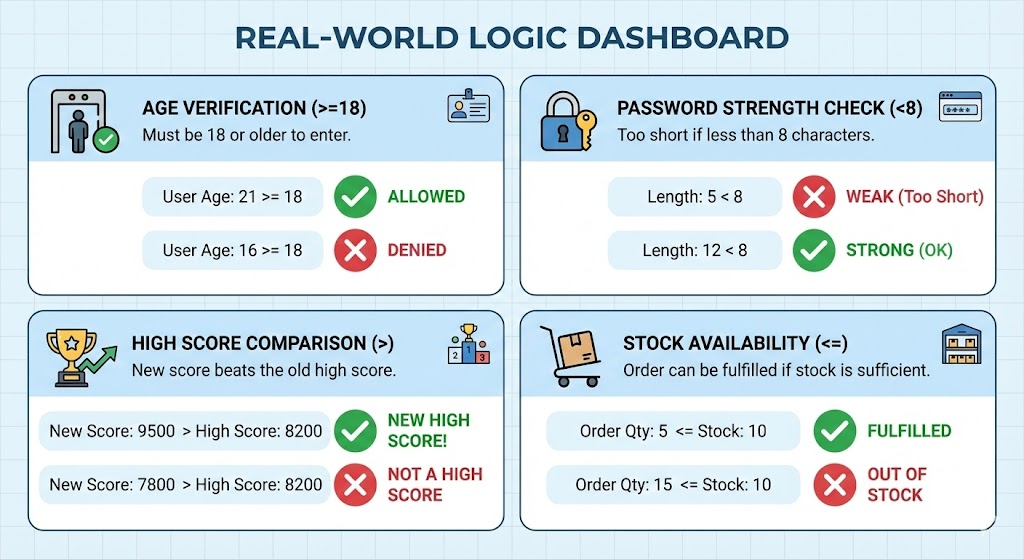
5. Relational Operators in Real Conditions
Example 1: Age Check
if (age >= 18) {
    System.out.println("Eligible to vote");
}
Example 2: Password Length Validation
if (password.length() < 8) {
    System.out.println("Password too short");
}
Example 3: Comparing Scores
if (score > highScore) {
    System.out.println("New high score!");
}
6. Object Comparison – Important Note
Using relational operators (>, <, >=, <=) on objects like String, Integer, or custom classes is not allowed in Java.
Example (INVALID):
String s1 = "Apple";
String s2 = "Banana";

// if (s1 > s2) {}  // ERROR
For object value comparison, use:
s1.equals(s2);Or for sorting comparisons:
s1.compareTo(s2);7. Common Mistakes to Avoid
- Using
==to compare strings - use.equals() - Expecting relational operators to work on objects
- Confusing
=(assignment) with==(comparison) - Assuming floating-point comparisons are always accurate
(precision issues with
double)
Example:
double x = 0.1 + 0.2;
System.out.println(x == 0.3); // false (precision issue)
8. Summary
- Relational operators compare two values and return boolean results.
- They are used extensively in branching and looping conditions.
- Work on numbers, characters, and references (with limitations).
- For object value comparison, always use
.equals()or.compareTo().
How is this guide?
Last updated on