
Merging and Rebasing
Branching lets developers work independently. At some point, those separate lines of development need to come back together.
Git provides two common ways to integrate branch changes:
- Merge - combines histories while preserving their original structure.
- Rebase - moves commits onto a new base to create a cleaner, linear history.
The choice between them mainly depends on how you want the project's history to look and whether the commits are already shared with others.
Git Merge
What is Merging?
Merging combines the changes from one branch into another branch.
The branch you are currently on is the target branch.
For example, if you are on main and run:
git merge feature1Git integrates the changes from feature1 into main.
Important:
git mergemerges the specified branch into the current branch.
How Merge Works
Suppose the history looks like this:
A --- B --- C        main
           \
            D --- E  feature
You switch to main:
git switch mainThen merge the feature:
git merge featureGit combines the two histories:
A --- B --- C -------- F    main
           \          /
            D --- E --
Here, F is a merge commit.
The original commits D and E remain unchanged.
Fast-Forward Merge
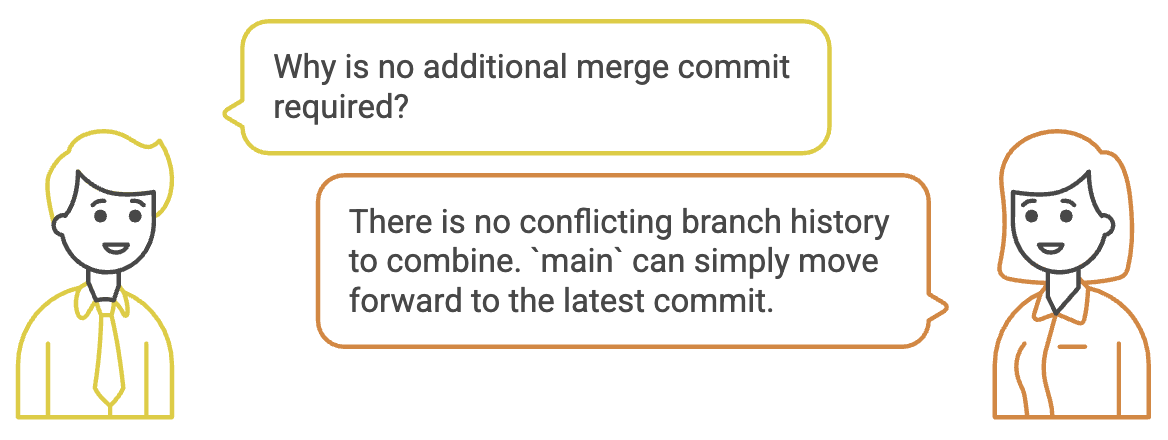
Not every merge creates a merge commit.
If the target branch has not moved forward since the feature branch was created:
A --- B --- C
             \
              D --- E
Git can simply move the main pointer forward:
A --- B --- C --- D --- EThis is called a fast-forward merge.
No additional merge commit is required.
Performing a Merge
A typical workflow is:
1. Switch to the target branch
git switch main2. Make sure it is up to date
git pull origin main3. Merge the feature branch
git merge feature14. Push the result
git push origin mainThe important sequence is:
Target Branch
     ↓
Update
     ↓
Merge Feature
     ↓
Push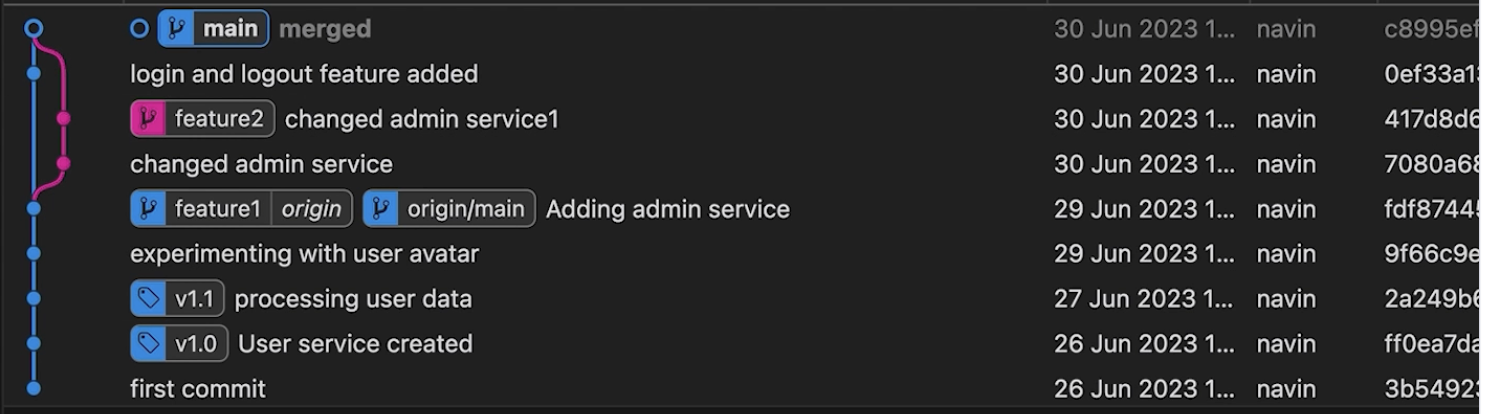
Merge Conflicts
A merge conflict occurs when Git cannot automatically determine which changes should be kept.
For example, suppose both branches modify the same part of a file:
main     → changes line 20
feature  → changes line 20 differently
Git cannot safely choose one version automatically.
The file may contain conflict markers such as:
<<<<<<< HEAD
in my database
=======
in harsh's database
>>>>>>> feature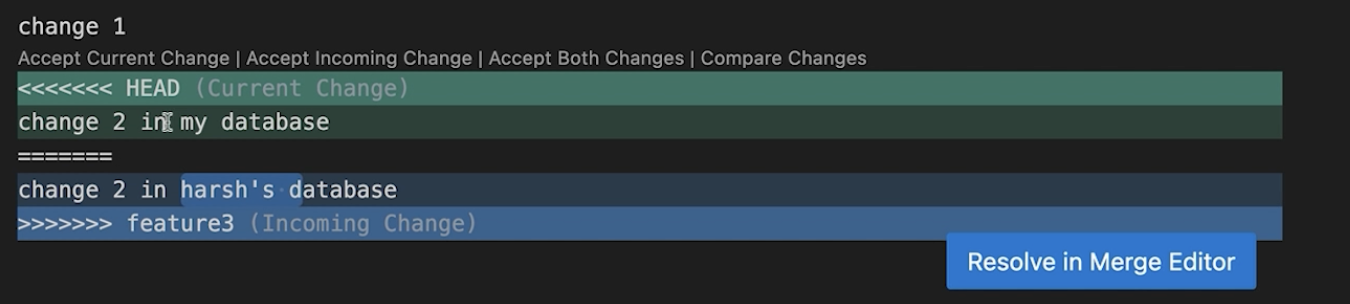
You must manually decide what the final code should look like.
After resolving the conflict:
git add <file>
git commit
Git then completes the merge.
Abort a Merge
If you want to cancel an in-progress merge:
git merge --abortThis returns the working tree to the state it was in before the merge started, when possible.
Git Rebase
What is Rebasing?
Rebase moves your branch's commits and replays them on top of another branch.
For example:
Before:

A --- B --- C        main
           \
            D --- E  feature
If you are on feature and run:
git rebase mainGit takes D and E and replays them after C:
A --- B --- C --- D' --- E'
                      ↑
                    feature
The commits appear as D' and E' because they are new commits with new commit IDs.
Why Rebase?
The main benefit of rebasing is a linear commit history.
Instead of:
A --- B --- C -------- F
           \          /
            D --- E --
you get:
A --- B --- C --- D' --- E'This can make the project history easier to read and understand.
Rebase does not move the original commits. It creates new commits by replaying their changes on a new base.
Rebase Workflow
Suppose you are working on:
feature-loginand main has received new changes.
You can update your feature branch:
git switch main
git pull origin main

git switch feature-login
git rebase main
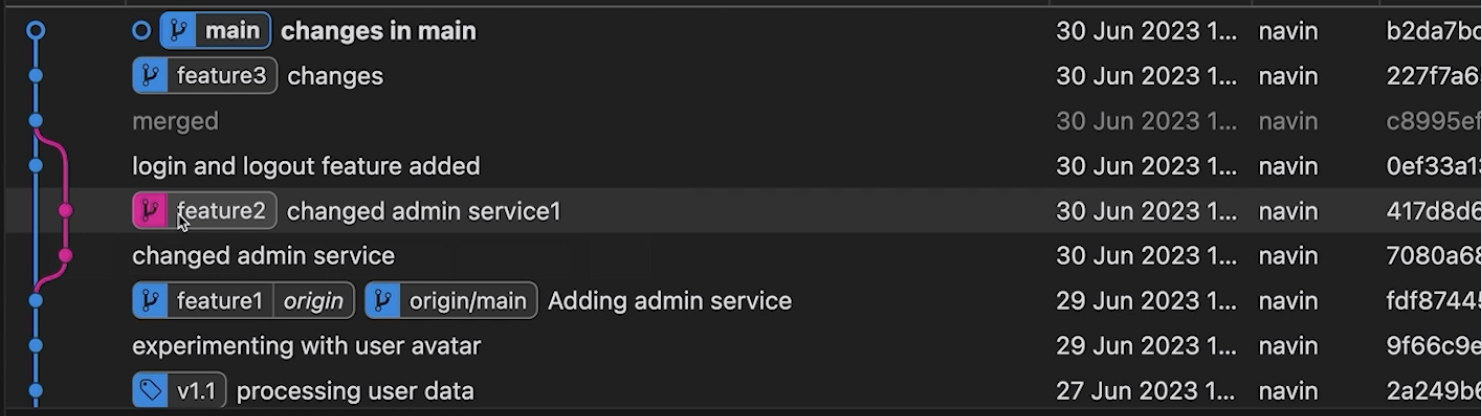
Now your feature commits are based on the latest main.
You can then continue working or push the updated branch.
Rebase Conflicts
Rebase can also produce conflicts.
When Git encounters a conflict, resolve the affected files and stage them:
git add <file>Then continue:
git rebase --continueIf you decide that the rebase should be cancelled:
git rebase --abortThis is an important difference in workflow:
| Operation | Continue After Conflict |
|---|---|
| Merge | git commit |
| Rebase | git rebase --continue |
The Golden Rule of Rebasing
The most important rule to remember is:
Avoid rebasing commits that other developers are already depending on.
Why?
Rebase creates new commits.
Suppose you have already pushed:
A --- B --- C
           \
            D --- E
Other developers may have based their work on D and E.
If you rebase and replace them with:
A --- B --- C --- D' --- E'the original commits D and E no longer represent the same history.
This can cause unnecessary synchronization problems for everyone who already pulled the original commits.
Pull with Merge vs Rebase
git pull involves two operations:
git pull
   ↓
Fetch remote changes
   ↓
Integrate them
The integration can be performed using either merge or rebase.
Pull Using Merge
git config pull.rebase falseThis tells Git to use merge when integrating fetched changes.
Pull Using Rebase
git config pull.rebase trueThis tells Git to rebase your local commits on top of the fetched remote changes.
You can also choose the strategy for an individual pull:
git pull --rebaseor:
git pull --no-rebaseThe important distinction is that fetching downloads the changes, merge or rebase determines how those changes are integrated into your local history.
Common Commands
| Command | Purpose |
|---|---|
git merge <branch> | Merge a branch into the current branch |
git merge --abort | Cancel an in-progress merge |
git rebase <branch> | Rebase the current branch onto another branch |
git rebase --continue | Continue a rebase after resolving conflicts |
git rebase --abort | Cancel an in-progress rebase |
git pull --rebase | Pull and rebase local commits |
git pull --no-rebase | Pull and merge changes |
Summary
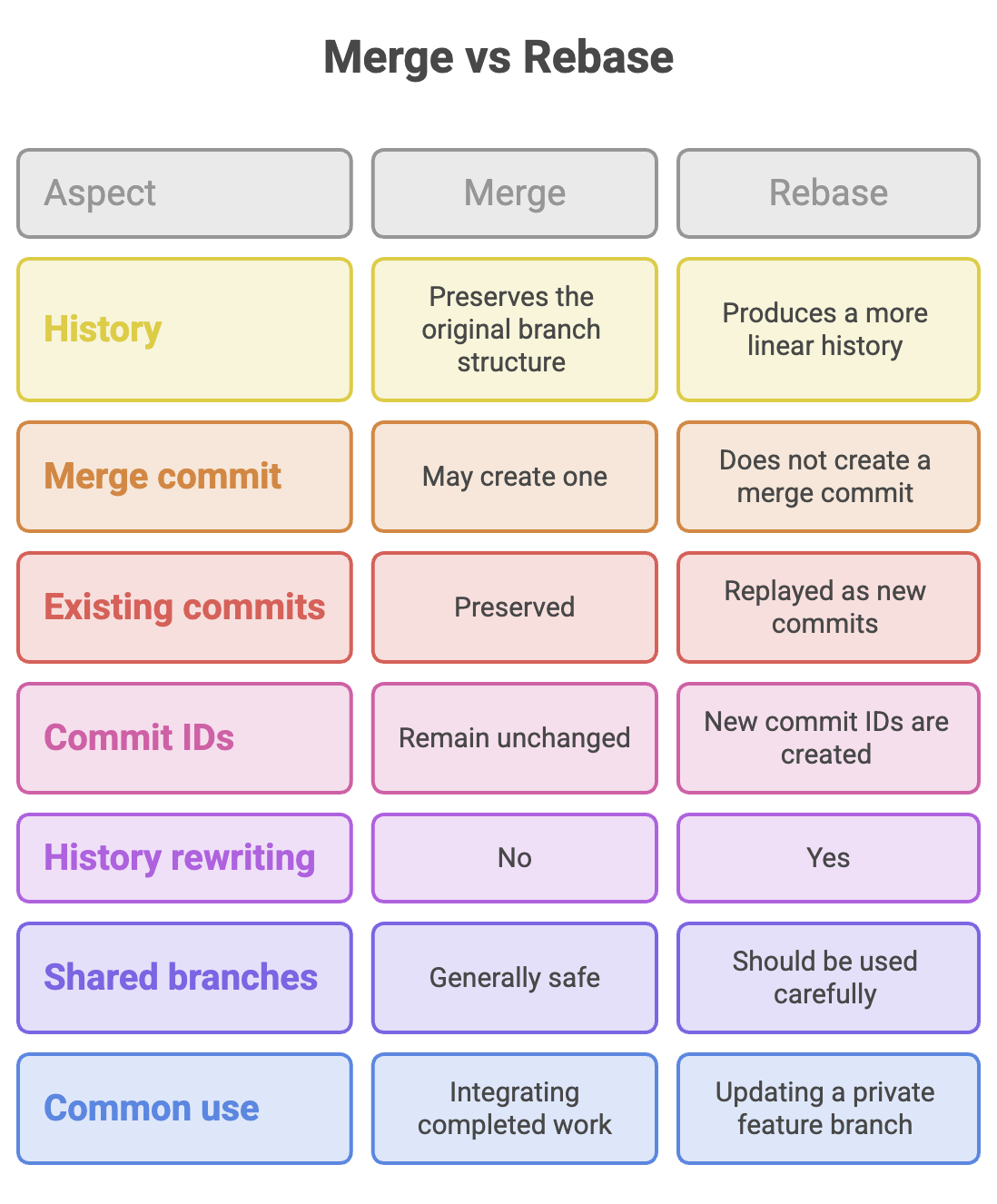
- Merge combines branch histories without rewriting existing commits.
- A merge may create a merge commit, unless Git can perform a fast-forward merge.
- Rebase replays your commits on top of another base. Rebasing creates new commit IDs for the replayed commits.
- Merge is generally safer for shared branches. Rebase is particularly useful for keeping a private feature branch up to date and maintaining a linear history.
- Both merge and rebase can produce conflicts that must be resolved manually.
- Never choose rebase simply because the history looks cleaner, consider whether the commits have already been shared.
Written By: Muskan Garg
How is this guide?
Last updated on