
Message Queues
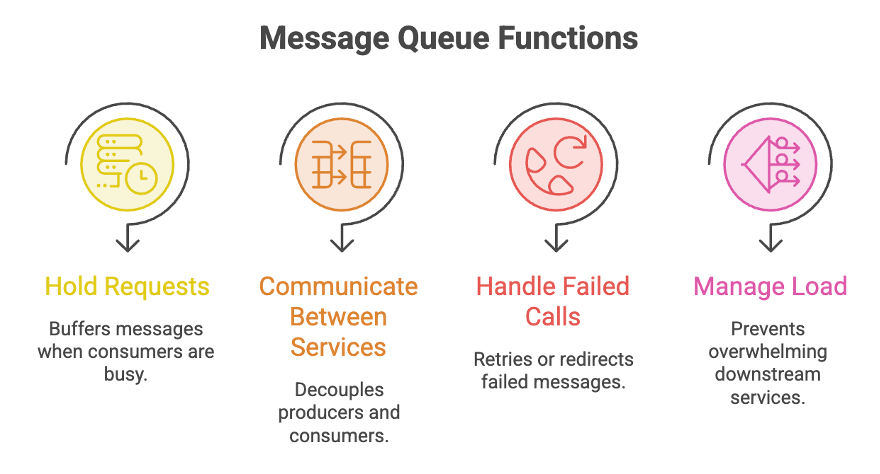
A Message Queue (MQ) is a communication mechanism that enables asynchronous communication between applications or services. It acts as an intermediary (buffer) that temporarily stores messages sent by one service until another service is ready to process them. Instead of requiring two services to communicate directly, the producer sends messages to the queue, and the consumer retrieves and processes them independently.
Message queues improve scalability, reliability, fault tolerance, and service decoupling in distributed systems.
Why are Message Queues Needed?
In modern distributed systems, services often need to communicate with one another. Direct communication can create several problems:
- Tight coupling between services
- Slow response times
- Service failures propagating across the system
- Difficulty handling sudden traffic spikes
A message queue solves these problems by acting as a buffer between services, allowing them to operate independently.
How a Message Queue Works
Producer
    │
    ▼
Message Queue
    │
    ▼
Consumer
Flow:
Producer → Message Queue → ConsumerThe producer places messages into the queue, and the consumer retrieves and processes them whenever it is ready.
Example
Consider an e-commerce application where a customer places an order.
Instead of directly sending an email:
Customer Places Order
          │
          ▼
   Order Service
          │
          ▼
    Message Queue
          │
          ▼
    Email Service
The queue temporarily stores the email request and delivers it to the email service when it is available.
Even if the email service is temporarily unavailable, the order placement succeeds because the message remains safely stored in the queue.
Key Terminology
| Term | Also Called | Role |
|---|---|---|
| Producer | Publisher | Service that creates and sends messages to the queue. |
| Consumer | Subscriber | Service that retrieves and processes messages from the queue. |
Synchronous vs Asynchronous Processing
| Type | Description | Example |
|---|---|---|
| Synchronous | Request requires an immediate response before execution continues. | Updating inventory after a purchase |
| Asynchronous | Request is queued and processed later without blocking the sender. | Sending confirmation emails or triggering delivery |
When to Use Synchronous Processing
- Financial applications
- Security-critical operations
- Database transactions
- Operations with strict dependencies
When to Use Asynchronous Processing
- Background processing
- Notification systems
- Analytics pipelines
- Event-driven architectures
- Broadcast messaging
Processing Approaches (FIFO-Based)
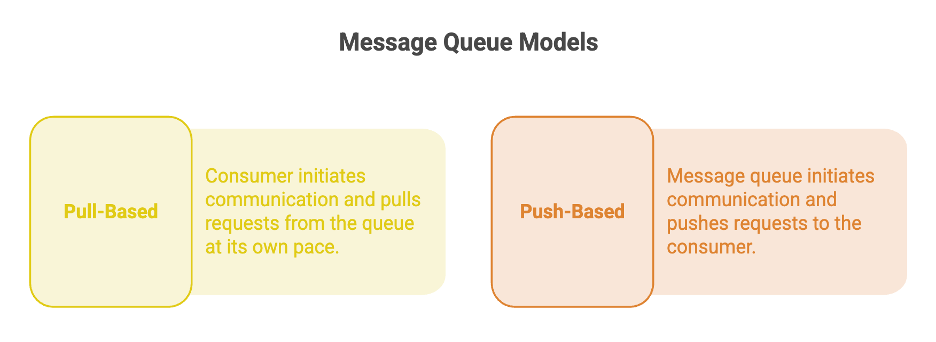
Message queues follow the FIFO (First In First Out) principle by default, with the following variations:
| Approach | Behavior |
|---|---|
| Strict Order | If a request fails, the queue halts and does not process subsequent requests until the failed request is successfully resolved. |
| Unordered Queue | If a request fails, the queue skips it and continues processing the next request. |
| Priority Queue | Each request is assigned a priority, and higher-priority requests are processed before lower-priority requests. |
Publisher-Subscriber (Pub-Sub) Model
The Publisher-Subscriber (Pub-Sub) model allows multiple publishers to send messages and multiple subscribers to consume them independently.
The publisher and subscriber do not communicate directly.
Architecture
           Publisher 1
                │
           Publisher 2
                │
                ▼
          Message Queue
         /      │      \
        ▼       ▼       ▼
Subscriber 1 Subscriber 2 Subscriber 3
How It Works
- Publishers send messages to the queue.
- The queue stores the messages.
- Subscribers consume the messages independently.
- The queue monitors subscriber health.
- Failed deliveries are retried automatically.
Key Factors in Pub-Sub
| Factor | Description |
|---|---|
| Message Order | Can be maintained using FIFO or Priority Queues depending on the implementation. |
| Message Consumption | Subscribers consume messages independently, and processing order may vary. |
| Poison Message | A message that repeatedly fails processing due to invalid data, bad requests, or consumer issues. |
| Duplicacy | Successfully processed messages must be removed from the queue to prevent duplicate processing. |
Dead Letter Queue (DLQ)
A Dead Letter Queue (DLQ) is a secondary queue used to store messages that fail processing after multiple retry attempts.
Instead of repeatedly retrying failed messages, they are moved to the DLQ for later investigation.
Workflow
Producer
↓
Main Queue
↓
Consumer
↓
Processing Failed
↓
Retry
↓
Retry
↓
Dead Letter Queue
Purpose of a DLQ
- Stores permanently failed messages.
- Prevents poison messages from blocking the main queue.
- Supports debugging and troubleshooting.
- Enables manual inspection and retry.
Use Cases
- Asynchronous operations (emails, notifications, reports)
- Decoupling services (analytics pipelines)
- Load balancing between services
- Deferred systems (scheduled processes, periodic report generation)
Summary
-
Message Queues enable asynchronous communication between services by acting as a buffer that stores and delivers messages, improving scalability, reliability, and system decoupling.
-
The core components of a message queue are the Producer (Publisher), which sends messages, and the Consumer (Subscriber), which processes them independently.
-
Message queues help manage traffic spikes, handle failures through retries, distribute workloads efficiently, and prevent downstream services from being overwhelmed.
-
Advanced messaging patterns such as Pub-Sub, Priority Queues, and Dead Letter Queues (DLQ) support scalable event-driven architectures, message prioritization, and failed message handling.
-
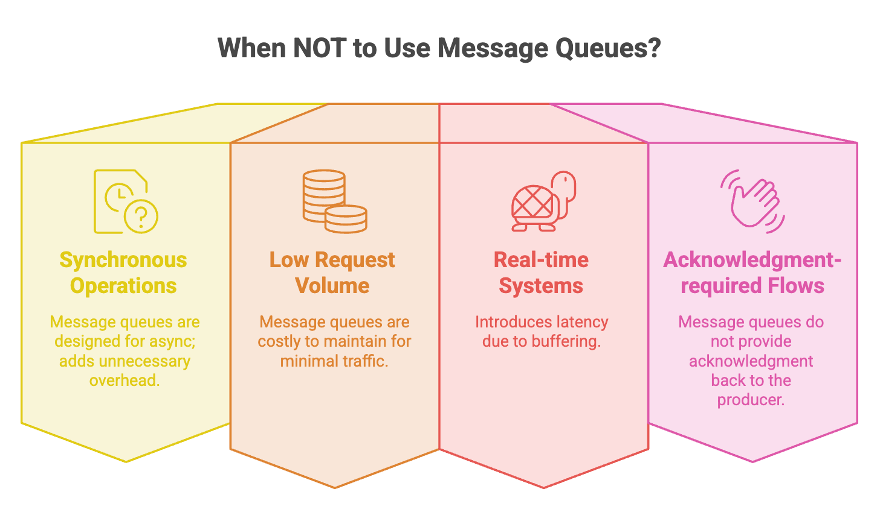
Message queues are ideal for asynchronous tasks such as notifications, emails, analytics, and background processing but are generally unsuitable for synchronous, low-latency, or acknowledgment-dependent workflows.
Written By: Muskan Garg
How is this guide?
Last updated on