
Prompt Template
PromptTemplate is one of the most powerful features in Spring AI for building dynamic and structured prompts. It enables developers to create flexible, intelligent AI-powered systems by moving beyond static inputs to variable-based prompt construction.
The Importance of Prompt Quality
Principle: Quality In = Quality Out
The quality of your AI response directly depends on the quality of your prompt. The framing of a question matters more than the question itself.
Poor Prompt Example
"Suggest a movie"Result: Generic, vague response without context
Well-Crafted Prompt Example
"I want to watch a horror movie tonight with good rating,
looking for movies around 2010. The language I'm looking for is English.
Suggest one specific movie with:
1. Movie Name
2. Basic plot
3. Cast
4. Length
5. IMDB rating"
Result: Specific, structured, actionable response
Understanding Prompt Structure
Two Components of a Prompt
1. System Prompt
Purpose: Provides context, role, and instructions to the AI model
Examples:
- "You are a movie recommendation expert"
- "You are a helpful Java programming assistant"
- "You are a technical documentation specialist"
Characteristics:
- Sets the AI's behavior and expertise
- Defines the response style
- Establishes boundaries
2. User Prompt
Purpose: Contains the actual query or request from the user
Examples:
- "Suggest a horror movie from 2010 in English"
- "Explain dependency injection in Spring"
- "Debug this code snippet"
Characteristics:
- Dynamic and changes per request
- Contains specific parameters
- Represents user intent
Complete Prompt Structure
[System Prompt]: "You are a movie recommendation expert"
[User Prompt]: "I want a horror movie from 2010 in English with good ratings"
Best Practice: Always pass both system and user prompts together for superior AI responses.
The Problem: Dynamic Prompt Construction
Scenario: Movie Recommendation System
You need to build an API that suggests movies based on user preferences:
- Movie type (horror, comedy, action)
- Release year (2010, 2020, 2024)
- Language (English, Hindi, Spanish)
Challenge
How do you create dynamic prompts that change based on user input without:
- Hardcoding values
- Duplicating code
- Making maintenance difficult
- Reducing readability
Solution 1: PromptTemplate with Builder Pattern
Implementation
@RestController
public class AIController {

    private ChatClient chatClient;

    @GetMapping("/api/recommend")
    public String getRecommendations(
            @RequestParam String type,
            @RequestParam String year,
            @RequestParam String lang) {

        // Step 1: Define template with placeholders
        String template = """
                I want to watch a {type} movie tonight with good rating,
                looking for movies around this year {year}.
                The language I'm looking for is {lang}.
                Suggest one specific movie and tell me the cast and length of the movie.
                Response format should be:
                1. Movie Name
                2. Basic plot
                3. Cast
                4. Length
                5. IMDB rating
                """;

        // Step 2: Create PromptTemplate with variables
        PromptTemplate promptTemplate = PromptTemplate.builder()
                .template(template)
                .variables(Map.of("type", type, "year", year, "lang", lang))
                .build();

        // Step 3: Create Prompt object
        Prompt prompt = promptTemplate.create();

        // Step 4: Call AI model
        ChatResponse response = chatClient
                .prompt(prompt)
                .call()
                .chatResponse();

        // Step 5: Extract and return response
        String answer = response.getResult().getOutput().getText();
        return answer;
    }
}
How It Works
- Define Template: Use placeholders
{type},{year},{lang} - Build PromptTemplate: Pass template and variable map
- Create Prompt: Generate final prompt with replaced values
- Execute: Send to AI model
Example Request
GET http://localhost:8080/api/recommend?type=horror&year=2010&lang=englishGenerated Prompt
I want to watch a horror movie tonight with good rating,
looking for movies around this year 2010.
The language I'm looking for is english.
Suggest one specific movie and tell me the cast and length of the movie.
Response format should be:
1. Movie Name
2. Basic plot
3. Cast
4. Length
5. IMDB rating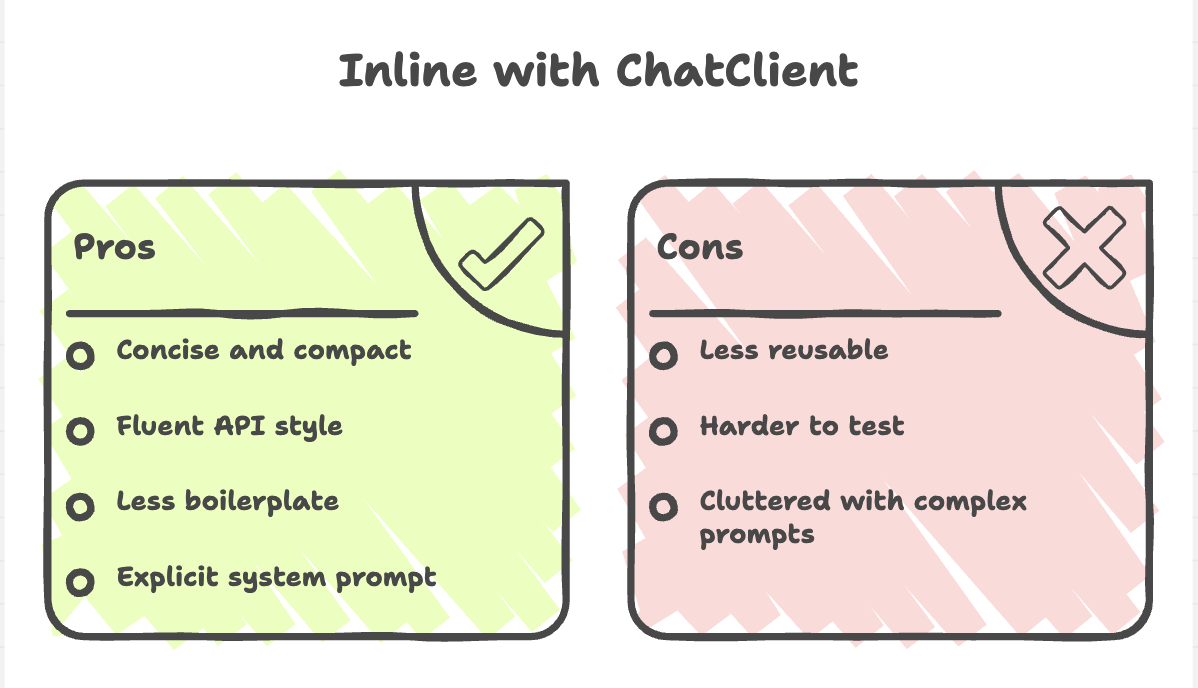
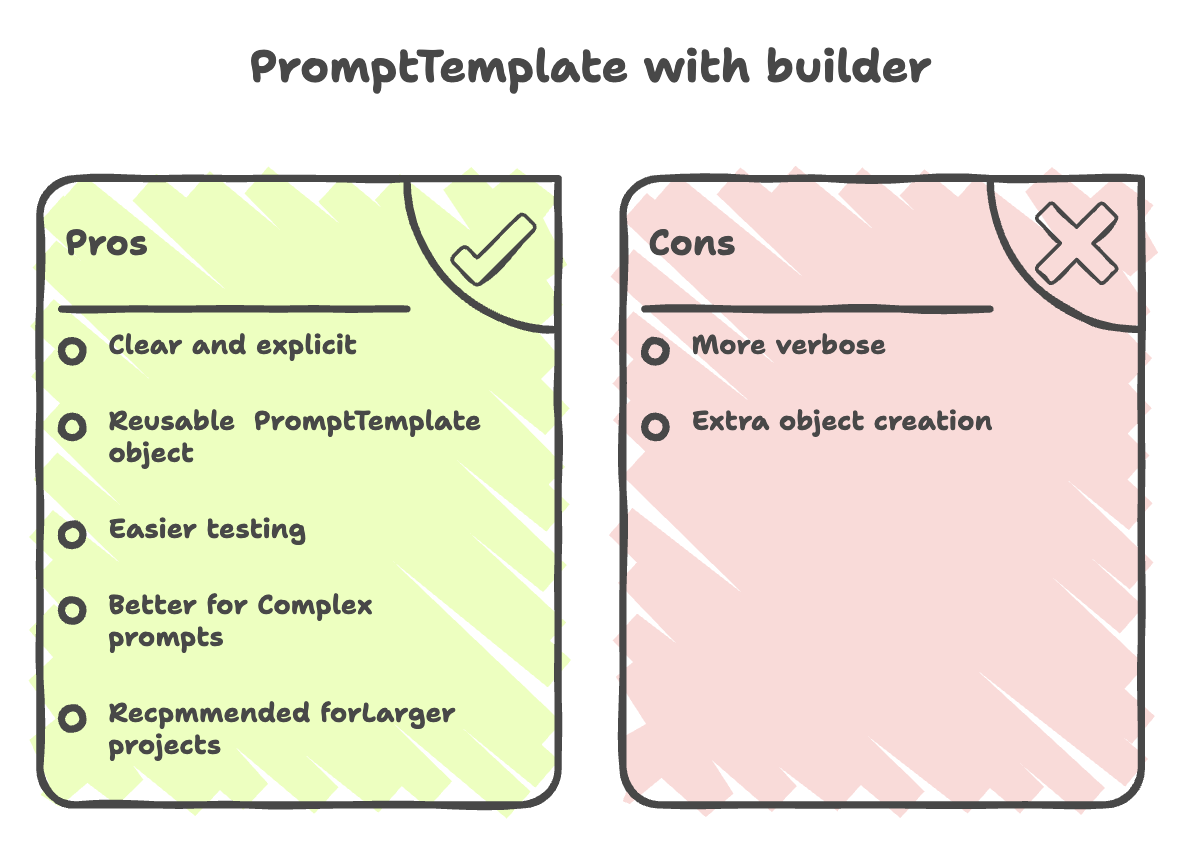
Use When:
- Building large-scale applications
- Reusing templates across multiple methods
- Need to unit test prompt construction
- Complex variable replacement logic
Solution 2: Inline Template without PromptTemplate
Implementation
@RestController
public class AIController {

    private ChatClient chatClient;

    @GetMapping("/api/recommend")
    public String getRecommendations(
            @RequestParam String type,
            @RequestParam String year,
            @RequestParam String lang) {

        String template = """
                I want to watch a {type} movie tonight with good rating,
                looking for movies around this year {year}.
                The language I'm looking for is {lang}.
                Suggest one specific movie and tell me the cast and length of the movie.
                Response format should be:
                1. Movie Name
                2. Basic plot
                3. Cast
                4. Length
                5. IMDB rating
                """;

        ChatResponse response = chatClient
                .prompt()
                .system("You are a movie recommendation expert")
                .user(u -> u.text(template).params(Map.of("type", type, "year", year, "lang", lang)))
                .call()
                .chatResponse();

        String answer = response.getResult().getOutput().getText();
        return answer;
    }
}
How It Works
- Define Template: Same placeholder format
- System Prompt: Explicitly set with
.system() - User Prompt: Pass template and params directly with
.user() - Inline Processing: No separate PromptTemplate object
Use When:
- Simple, one-off prompts
- Rapid prototyping
- Small projects
- When system prompt needs to be explicit
Key Concepts
1. Placeholder Syntax
Use curly braces {} for variable placeholders:
String template = "I want a {type} movie from {year} in {lang}";2. Variable Replacement
Pass a Map<String, Object> with matching keys:
Map.of("type", "horror", "year", "2010", "lang", "English")3. Prompt Object
The Prompt class represents the final, processed prompt ready for the AI model:
Prompt prompt = promptTemplate.create();4. System vs User Context
With PromptTemplate:
// System prompt is often embedded or configured separately
Prompt prompt = promptTemplate.create();
With Inline:
// Explicit system and user separation
.system("You are an expert")
.user(u -> u.text(template).params(params))
Testing Your API
Using Browser
http://localhost:8080/api/recommend?type=comedy&year=2020&lang=SpanishUsing Insomnia/Postman
Method: GET
URL: http://localhost:8080/api/recommend
Query Parameters:
type: horroryear: 2010lang: english
Using cURL
curl "http://localhost:8080/api/recommend?type=action&year=2024&lang=english"Expected Response
1. Movie Name: The Conjuring
2. Basic plot: Paranormal investigators work to help a family terrorized by a dark presence
3. Cast: Patrick Wilson, Vera Farmiga, Lili Taylor
4. Length: 112 minutes
5. IMDB rating: 7.5/10
Advanced PromptTemplate Features
1. Multiple Templates
String movieTemplate = "Suggest a {type} movie from {year}";
String bookTemplate = "Recommend a {genre} book by {author}";

PromptTemplate moviePrompt = PromptTemplate.builder()
        .template(movieTemplate)
        .variables(movieParams)
        .build();

PromptTemplate bookPrompt = PromptTemplate.builder()
        .template(bookTemplate)
        .variables(bookParams)
        .build();
2. Nested Variables
String template = """
        User preferences:
        - Type: {preferences.type}
        - Year: {preferences.year}
        - Language: {preferences.language}
        """;

Map<String, Object> params = Map.of(
    "preferences", Map.of(
        "type", "horror",
        "year", 2010,
        "language", "English"
    )
);
3. Conditional Prompts
String template = """
        Suggest a {type} movie
        {#if year}from around {year}{/if}
        {#if lang}in {lang}{/if}
        """;
Best Practices
1. Specify Response Format
Always tell the AI how to structure its response:
String template = """
        [Your query]

        Response format should be:
        1. Field 1
        2. Field 2
        3. Field 3
        """;
2. Use Descriptive Placeholders
// Good
{movieType}, {releaseYear}, {preferredLanguage}

// Avoid
{x}, {y}, {z}
3. Validate Parameters
@GetMapping("/api/recommend")
public String getRecommendations(
        @RequestParam @NotBlank String type,
        @RequestParam @Pattern(regexp="\\d{4}") String year,
        @RequestParam @NotBlank String lang) {
    // Implementation
}
4. Externalize Templates
For production applications:
@Value("${prompts.movie-recommendation}")
private String movieTemplate;
application.properties:
prompts.movie-recommendation=I want a {type} movie from {year}...5. Reuse Templates
@Service
public class PromptService {

    public Prompt createMoviePrompt(String type, String year, String lang) {
        return PromptTemplate.builder()
                .template(movieTemplate)
                .variables(Map.of("type", type, "year", year, "lang", lang))
                .build()
                .create();
    }
}
Real-World Use Cases
1. E-commerce Product Descriptions
String template = """
        Generate a product description for:
        - Product: {productName}
        - Category: {category}
        - Features: {features}
        - Target audience: {audience}
        """;
2. Code Documentation
String template = """
        Document this {language} code:

        {code}

        Include: purpose, parameters, return value, and examples.
        """;
3. Email Generation
String template = """
        Write a {tone} email to {recipient} about {subject}.
        Context: {context}
        """;
4. Content Summarization
String template = """
        Summarize this {contentType} in {length} words:
        {content}
        Focus on: {focusArea}
        """;
Common Pitfalls and Solutions
Pitfall 1: Missing Variable
Problem:
template = "Suggest a {type} movie from {year}";
variables = Map.of("type", "horror");  // Missing 'year'
Solution: Ensure all placeholders have corresponding variables
Pitfall 2: Vague Prompts
Problem:
template = "Tell me about {topic}";Solution: Be specific about format and requirements
template = """
        Explain {topic} in 3 paragraphs:
        1. Definition
        2. Use cases
        3. Best practices
        """;
Pitfall 3: Not Handling Empty Responses
Problem: AI returns null or empty string
Solution:
String answer = response.getResult().getOutput().getText();
return answer != null && !answer.isEmpty() ? answer : "No recommendation available";
Summary
-
Prompt quality directly impacts AI output, making well-structured prompts essential for accurate and meaningful responses.
-
Prompts consist of two key components-system prompts (instructions/context) and user prompts (input), which together guide the model’s behavior.
-
PromptTemplate enables dynamic prompt creation, allowing variable substitution and reuse through a builder-based approach.
-
Two implementation approaches exist:
PromptTemplatefor scalable, reusable designs and inline prompts for quick, simple use cases. -
PromptTemplate is ideal for production-grade applications, supporting maintainability, testing, and structured prompt management.
-
Using PromptTemplate improves flexibility and code quality, making AI integrations more robust, reusable, and easier to manage in large systems.
Written By: Muskan Garg
How is this guide?
Last updated on