
Modules
What Is a Module in Python?
A module is a file that contains a group of related functions, variables, and definitions, organized to perform a specific task. Think of a module as a toolbox, where each tool (function) helps you solve a particular problem.
Examples of module usage areas:
- Mathematical operations
- Logging
- File handling
- E-commerce processes (e.g., login, checkout)
- Data processing
Python itself provides many built-in modules, and the math module is one of the most commonly used.
Usage of Modules
- Reuse code instead of rewriting functions
- Keep code clean, organized, and modular
- Access powerful predefined functions
- Split large projects into smaller, manageable pieces
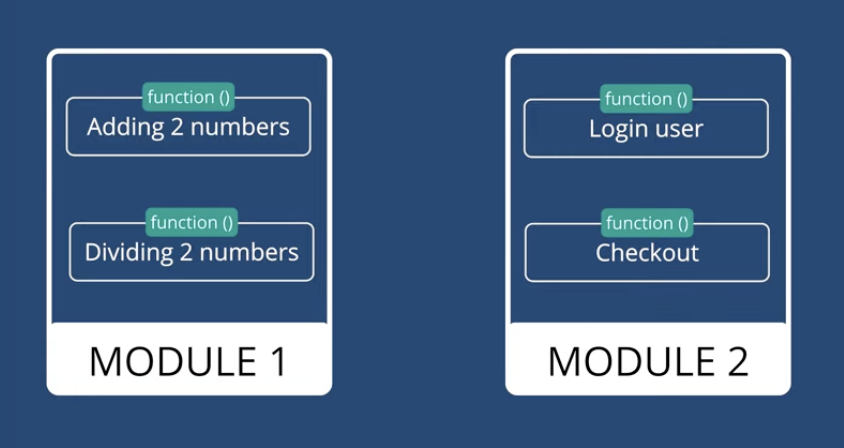
Example from real-world apps:
- Module 1: Calculations (add, divide)
- Module 2: Authentication & checkout
The Math Module in Python
- The
mathmodule in Python provides a wide range of mathematical functions and constants. - It is a built-in module, so no external installation is required.
- The
mathmodule is commonly used for:- Square root
- Power calculations
- Floor & Ceil functions
- Trigonometric functions
- Logarithmic and exponential functions
Importing the Math Module
You must import the module before using its functions:
import math

# Example
x = math.sqrt(25)
print(x)   # 5.0
Different Ways to Import
1. Import entire module
import math
print(math.sqrt(25))
2. Using alias
import math as m
print(m.sqrt(25))- Saves typing
- Makes long modules easier to use
- IDEs highlight unused imports for better code quality
3. Import specific functions
from math import sqrt, pow
print(sqrt(25))   # 5.0
print(pow(2, 3))  # 8.0
If you directly call sqrt(25) without importing it, you’ll get a NameError.
4. Importing Multiple Functions
from math import sqrt, ceil, powUseful when you only need selected functions - avoids typing math. every time.
Commonly Used Math Functions
| Function | Description | Example | Output |
|---|---|---|---|
math.sqrt(x) | Square root of x | math.sqrt(25) | 5.0 |
math.pow(x, y) | x raised to power y | math.pow(3, 2) | 9.0 |
math.ceil(x) | Smallest integer ≥ x | math.ceil(3.3) | 4 |
math.floor(x) | Largest integer ≤ x | math.floor(3.3) | 3 |
math.exp(x) | Exponential e^x | math.exp(2) | 7.389... |
math.log(x) | Natural logarithm (base e) | math.log(10) | 2.302... |
math.log(x, base) | Logarithm with custom base | math.log(8, 2) | 3.0 |
math.sin(x) | Sine of x (in radians) | math.sin(math.pi/2) | 1.0 |
math.cos(x) | Cosine of x | math.cos(0) | 1.0 |
math.tan(x) | Tangent of x | math.tan(math.pi/4) | 1.0 |
Math Constants
The math module provides useful constants:
| Constant | Description | Example | Output |
|---|---|---|---|
math.pi | Value of π | print(math.pi) | 3.141592653589793 |
math.e | Euler’s number | print(math.e) | 2.718281828459045 |
math.inf | Infinity | print(math.inf) | inf |
math.nan | Not a Number | print(math.nan) | nan |
Exploring the Math Module
List all functions
dir(math)Get detailed documentation
help(math)
help(math.ceil)
These commands help you understand available functions without needing external documentation.
Summary
- A module is a collection of related functions grouped together for organization and reuse.
- The
mathmodule allows us to perform advanced mathematical calculations. - We can import the entire module, use an alias, or import specific functions.
- It provides both functions (sqrt, pow, log, sin, cos, etc.) and constants (pi, e, inf, nan).
- Using
dir(math)andhelp(math)helps explore available functions and documentation.
Written By: Muskan Garg
How is this guide?
Last updated on