
Stream Terminal Operations
Terminal operations are the final stage of a Stream pipeline. They trigger the execution of all preceding intermediate operations and produce a concrete result or side effect. Once a terminal operation is executed, the stream is consumed and cannot be reused.
A typical Stream pipeline:
Source → Intermediate Operations (lazy) → Terminal Operation (eager)Core Characteristics
Terminal operations have the following essential properties:
- Trigger execution of the entire pipeline
- Eager evaluation (execute immediately)
- Return a non-stream result (value, collection, Optional, boolean, or void)
- Consume the stream (no reuse allowed)
- Some support short-circuiting (stop early when result is determined)
Example
List<String> result = list.stream()
    .filter(s -> s.length() > 1)   // Intermediate (lazy)
    .map(String::toUpperCase)      // Intermediate (lazy)
    .collect(Collectors.toList()); // Terminal (executes pipeline)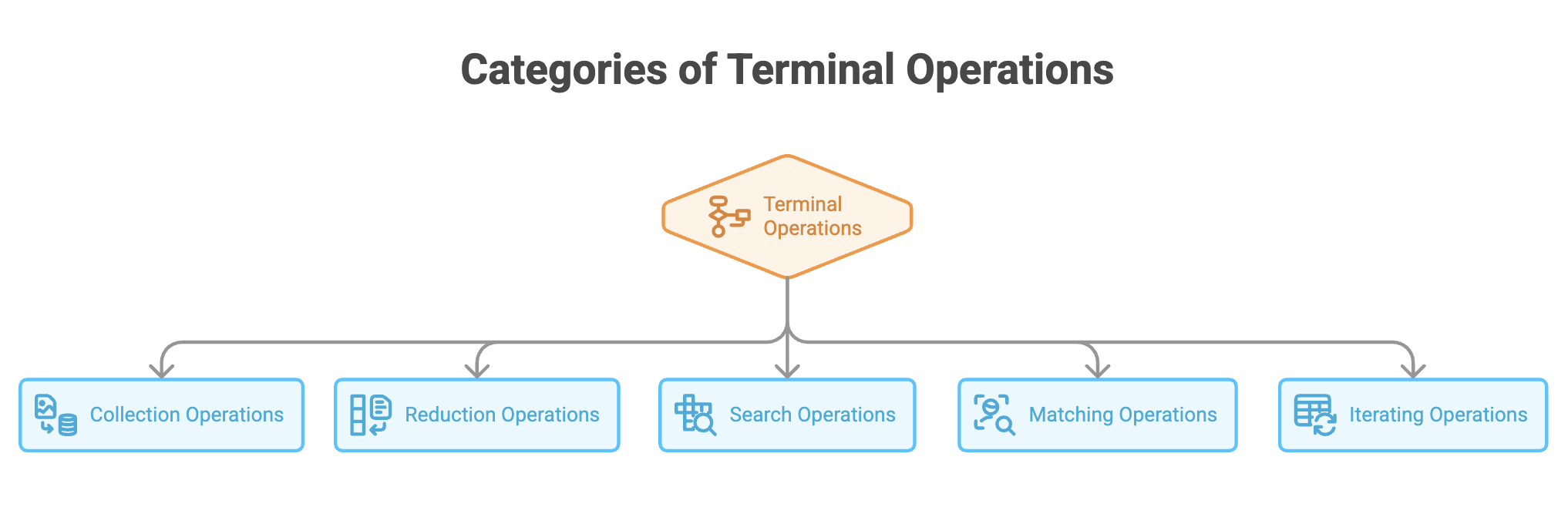
1. Collection Operations
These operations materialize stream elements into data structures.
a. collect()
The most powerful and commonly used terminal operation.
Purpose: Transform stream elements into collections, maps, strings, or custom results using a Collector.
Common Uses
Collect to List
List<String> result = names.stream()
    .map(String::toUpperCase)
    .collect(Collectors.toList());
Collect to Set (removes duplicates)
Set<Integer> unique = numbers.stream()
    .collect(Collectors.toSet());
Collect to Map
Map<String, Integer> map = people.stream()
    .collect(Collectors.toMap(Person::getName, Person::getAge));
Grouping
Map<String, List<Person>> byCity =
    people.stream().collect(Collectors.groupingBy(Person::getCity));
Partitioning (true/false split)
Map<Boolean, List<Integer>> evenOdd =
    numbers.stream().collect(Collectors.partitioningBy(n -> n % 2 == 0));
Joining Strings
String joined = words.stream()
    .collect(Collectors.joining(", "));
b. toArray()
Converts a stream into an array.
String[] array = names.stream().toArray(String[]::new);Supports both object arrays and primitive arrays (via primitive streams).
2. Reduction Operations
Reduction operations combine all elements into a single result.
a. reduce()
Applies an associative accumulation function.
int sum = numbers.stream()
    .reduce(0, Integer::sum);
Other examples:
- Product of numbers
- Maximum or minimum value
- String concatenation
- Aggregation of object properties
When no identity value is provided, the result is wrapped in Optional.
b. Specialized Reductions
Java provides optimized alternatives for common aggregations.
long count = stream.count();

Optional<Integer> min = stream.min(Integer::compareTo);
Optional<Integer> max = stream.max(Integer::compareTo);

int sum = stream.mapToInt(Integer::intValue).sum();

OptionalDouble avg = stream.mapToInt(Integer::intValue).average();
Summary Statistics
IntSummaryStatistics stats =
    numbers.stream().mapToInt(Integer::intValue).summaryStatistics();
Provides count, sum, min, max, and average in one pass.
3. Search Operations
Used to retrieve elements from the stream.
a. findFirst()
Returns the first element in encounter order.
Optional<Integer> first =
    numbers.stream().filter(n -> n > 5).findFirst();
Deterministic and order-sensitive.
b. findAny()
Returns any matching element (especially useful for parallel streams).
Optional<Integer> any =
numbers.parallelStream().filter(n -> n > 5).findAny();- May not respect order
- Potentially faster in parallel execution
4. Matching Operations
Evaluate predicates across stream elements and return boolean results.
a. anyMatch()
Returns true if any element satisfies the condition.
boolean hasEven =
    numbers.stream().anyMatch(n -> n % 2 == 0);
b. allMatch()
Returns true if all elements satisfy the condition.
boolean allPositive =
    numbers.stream().allMatch(n -> n > 0);
c. noneMatch()
Returns true if no elements satisfy the condition.
boolean noneNegative =
    numbers.stream().noneMatch(n -> n < 0);
5. Iteration Operations
Used for performing actions on each element.
forEach()
Applies an action to every element.
names.stream().forEach(System.out::println);Typically used for:
- Logging
- Printing
- External side effects
Not recommended for building collections.
forEachOrdered()
Maintains encounter order, especially important for parallel streams.
numbers.parallelStream()
    .forEachOrdered(System.out::println);
Best Practices
Recommended Practices
- Choose the terminal operation that best matches the intent
- Prefer
collect()for building collections - Use specialized reductions (
sum,count, etc.) for clarity and performance - Handle
Optionalresults safely - Use short-circuiting operations for searches
Practices to Avoid
- Do not reuse a stream after a terminal operation
- Do not ignore
Optionalreturn values - Avoid using
forEach()for accumulation - Avoid using
reduce()when simpler alternatives exist
Summary
- Terminal operations execute the Stream pipeline and produce final results
- They consume the stream, making it unusable afterward
- Results may be values, collections, Optionals, booleans, or side effects
- Some operations support short-circuit evaluation for efficiency
- Selecting the appropriate terminal operation is crucial for readable, performant code
Written By: Muskan Garg
How is this guide?
Last updated on