
ForEach Method
Introduction
The forEach method, introduced in Java 8, is a terminal operation used to perform an action on each element of a collection or stream. It represents a shift from traditional external iteration to internal iteration, supporting a more functional programming style. By delegating iteration control to the framework, forEach enables cleaner code and allows potential optimizations such as parallel execution.
Basic Syntax
// Lambda expression
collection.forEach(element -> {
    // action on element
});

// Method reference
collection.forEach(System.out::println);

// Block body
collection.forEach(element -> {
    System.out.println("Processing: " + element);
    // multiple statements
});
External vs Internal Iteration
External Iteration (Traditional)
// Traditional for-loop - YOU control the iteration
List<String> names = Arrays.asList("Alice", "Bob", "Charlie");

// External iteration - explicit loop control
for (int i = 0; i < names.size(); i++) {
    System.out.println(names.get(i));
}

// Enhanced for-loop - still external iteration
for (String name : names) {
    System.out.println(name);
}
Characteristics:
- ❌ You control iteration (pull model)
- ❌ Sequential by design
- ❌ Cannot be easily parallelized
- ❌ Tightly coupled with collection structure
- ❌ Less opportunity for optimization
Internal Iteration (forEach)
// Internal iteration - FRAMEWORK controls the iteration
List<String> names = Arrays.asList("Alice", "Bob", "Charlie");

// Using forEach with lambda
names.forEach(name -> System.out.println(name));

// Using forEach with method reference
names.forEach(System.out::println);
Characteristics:
- ✅ Framework controls iteration (push model)
- ✅ Can be parallelized easily
- ✅ Abstracted from collection structure
- ✅ More opportunity for optimization
- ✅ Functional programming style
forEach Method Variants
forEach on Collections
All classes implementing the Collection interface provide the forEach method.
List<String> list = Arrays.asList("A", "B", "C");
list.forEach(item -> System.out.println(item));
It can also be used with sets, queues, and other collection types.
For maps, a specialized version processes key–value pairs:
Map<String, Integer> map = Map.of("Alice", 25, "Bob", 30);

map.forEach((key, value) ->
    System.out.println(key + " is " + value + " years old")
);
forEach on Streams
When used on streams, forEach acts as a terminal operation that triggers execution of the entire stream pipeline.
names.stream()
    .filter(name -> name.length() > 3)
    .forEach(System.out::println);
Any intermediate operations such as filtering or mapping are evaluated only when forEach is invoked.
forEachOrdered in Parallel Streams
In parallel streams, the order of processing is not guaranteed with forEach. To preserve encounter order, the forEachOrdered method should be used.
List<Integer> numbers = Arrays.asList(1, 2, 3, 4, 5);

numbers.parallelStream()
    .forEachOrdered(System.out::println);
This ensures that elements are processed in the original sequence, even when executed concurrently.
Consumer Functional Interface
The forEach method accepts a Consumer<T> functional interface, which represents an operation that takes a single input argument and returns no result.
Consumer<String> printer = s -> System.out.println(s);
names.forEach(printer);
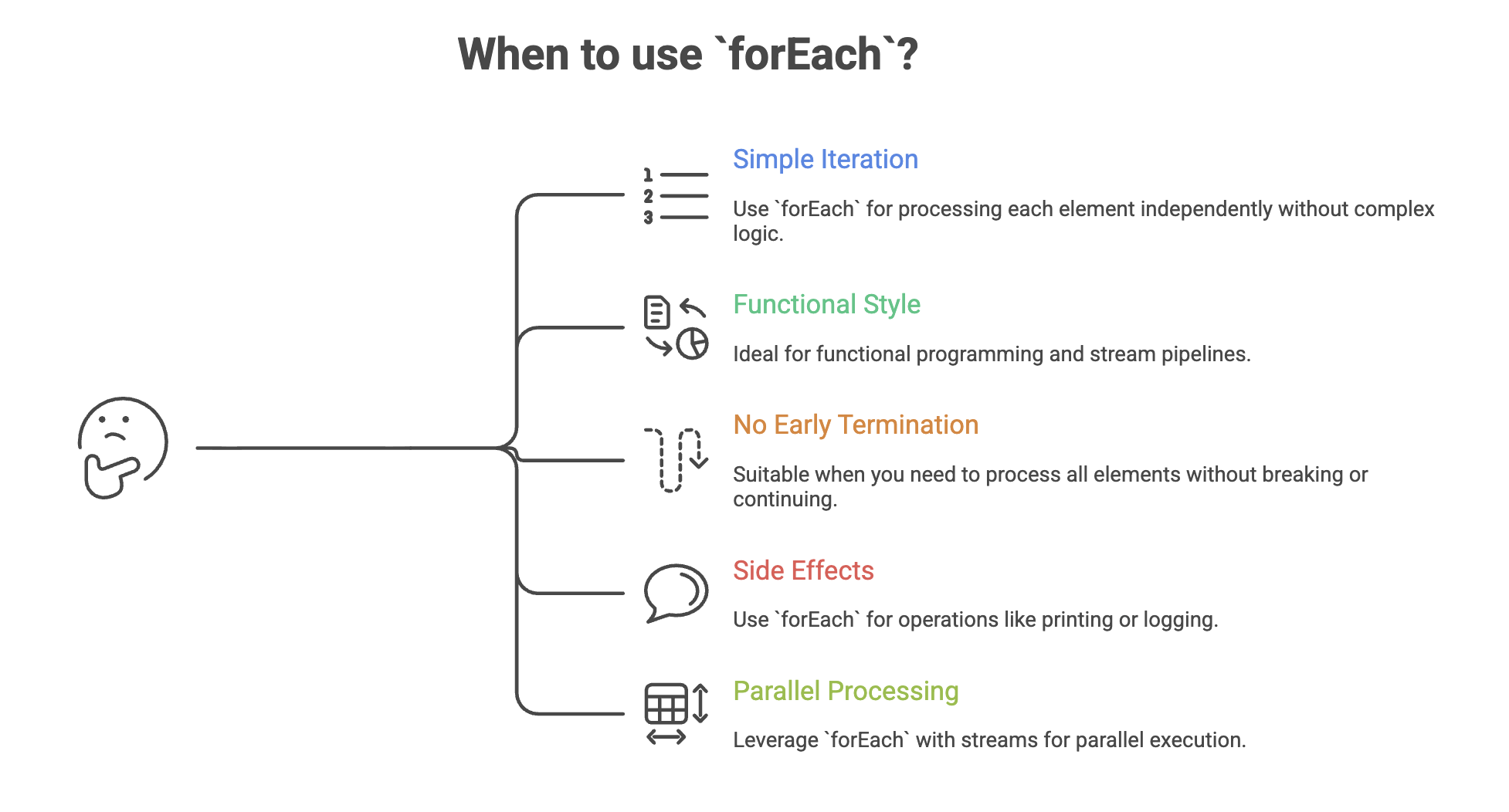
Because it does not return a value, forEach is primarily intended for performing actions with side effects such as printing, logging, or updating external systems.
Common Use Cases
- Printing elements:
fruits.forEach(System.out::println);- Processing elements after filtering:
numbers.stream()
    .filter(n -> n % 2 == 0)
.forEach(n -> System.out.println(n + " is even"));- Iterating over map entries:
scores.forEach((name, score) ->
    System.out.println(name + " scored " + score)
);- Performing actions on each element:
names.forEach(name -> process(name));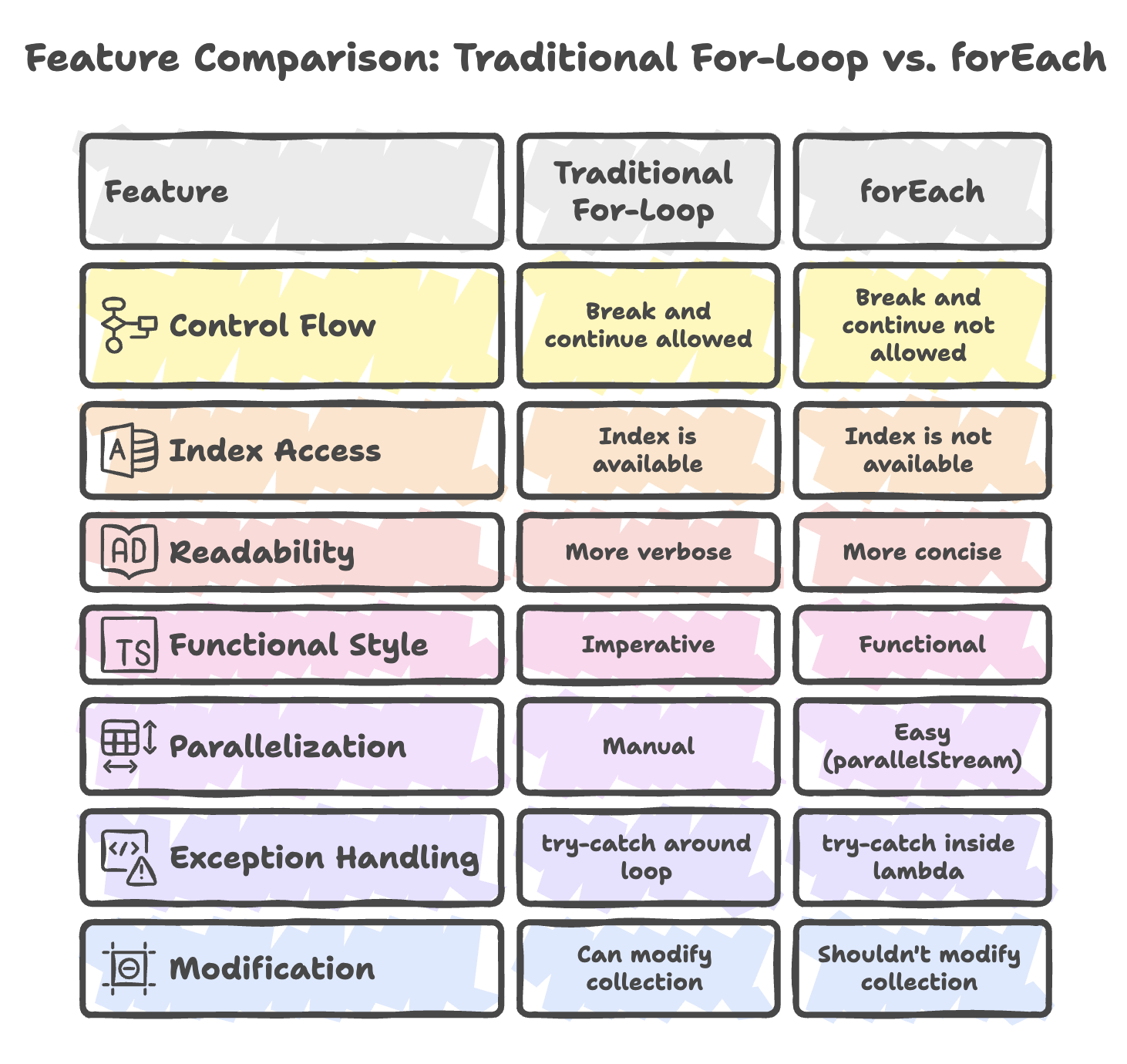
Limitations of forEach
The forEach method is not a direct replacement for traditional loops in all scenarios.
It does not support control flow statements such as break or continue. It does not provide index-based access to elements. It should not be used to modify the underlying collection during iteration, as this can lead to runtime exceptions. Handling checked exceptions inside lambdas can also be cumbersome.
When such requirements exist, traditional loops or iterators may be more appropriate.
Best Practices
- Prefer method references (for example,
System.out::println) for simple actions to improve readability. - Keep lambda expressions short, clear, and focused on a single task.
- Use
forEachprimarily for side-effect operations rather than data transformation. - Use
forEachOrderedwhen processing parallel streams where encounter order must be preserved. - Avoid modifying the underlying collection during iteration to prevent runtime exceptions.
Summary
- The forEach method is a Java 8 terminal operation used to perform an action on each element of a collection or stream.
- It uses internal iteration, where the framework controls traversal, enabling cleaner and more functional-style code.
- It accepts a Consumer functional interface and is mainly intended for operations with side effects such as printing or logging.
- It works seamlessly with stream pipelines and supports parallel processing, though order is not guaranteed unless forEachOrdered is used.
- It does not support early exit, index access, or safe structural modification during iteration.
Written By: Muskan Garg
How is this guide?
Last updated on