
Switch Expressions
Switch expressions, introduced as a preview feature in Java 12-13 and standardized in Java 14, represent a significant evolution of the traditional switch statement. They transform switch from a control flow statement into an expression that can return values, eliminating common pitfalls like fall-through bugs while making code more concise, readable, and type-safe.
Switch expressions are further enhanced in Java 17 and Java 21 with pattern matching support, making them even more powerful for modern Java development.
Understanding Traditional Switch Statements
Before diving into switch expressions, let's understand the traditional switch statement and its limitations.
Basic Switch Statement Syntax
int dayNumber = 3;

switch (dayNumber) {
    case 1:
        System.out.println("Monday");
        break;
    case 2:
        System.out.println("Tuesday");
        break;
    case 3:
        System.out.println("Wednesday");
        break;
    case 4:
        System.out.println("Thursday");
        break;
    case 5:
        System.out.println("Friday");
        break;
    case 6:
        System.out.println("Saturday");
        break;
    case 7:
        System.out.println("Sunday");
        break;
    default:
        System.out.println("Invalid day number");
}
Traditional Switch: What It Does
A switch statement is a multi-way branch statement that:
- Tests a variable against multiple values (called cases)
- Executes the corresponding code block when a match is found
- Provides an alternative to long if-else-if ladders
- Improves code readability for discrete, known values
Supported Data Types (Traditional Switch)
Traditional switch statements work with:
Primitive Types:
byteshortcharint
Reference Types:
String(since Java 7)- Enum types
- Wrapper classes:
Byte,Short,Character,Integer
The Problems with Traditional Switch
1. Fall-Through Behavior
The most notorious problem with traditional switch is fall-through: if you forget a break statement, execution continues into the next case.
int dayNumber = 2;

switch (dayNumber) {
    case 1:
        System.out.println("Monday");
        // Forgot break!
    case 2:
        System.out.println("Tuesday");
        // Forgot break!
    case 3:
        System.out.println("Wednesday");
        break;
    default:
        System.out.println("Other day");
}

// Output (BUG!):
// Tuesday
// Wednesday
Problem: Even though dayNumber is 2, it prints both "Tuesday" and "Wednesday" because of the missing break after case 2.
2. Cannot Return Values Directly
Traditional switch is a statement, not an expression, so it cannot return values:
// Verbose approach with traditional switch
String dayType;
int dayNumber = 3;

switch (dayNumber) {
    case 1:
    case 2:
    case 3:
    case 4:
    case 5:
        dayType = "Weekday";
        break;
    case 6:
    case 7:
        dayType = "Weekend";
        break;
    default:
        dayType = "Invalid";
        break;
}

System.out.println(dayType); // Requires separate variable
3. Verbose Syntax
Each case requires explicit break statements and verbose syntax:
// Repetitive and error-prone
switch (value) {
    case CASE1:
        doSomething();
        break;
    case CASE2:
        doSomethingElse();
        break;
    // ... more cases with breaks
}
4. No Exhaustiveness Checking
The compiler doesn't verify that all possible values are handled (except for enums in some contexts).
Switch Expressions: The Modern Solution
Switch expressions solve all these problems by:
- Returning values directly
- Eliminating fall-through with arrow syntax
- Enforcing exhaustiveness for completeness
- Reducing verbosity with concise syntax
Basic Syntax: Arrow Form (->)
String dayType = switch (dayNumber) {
    case 1, 2, 3, 4, 5 -> "Weekday";
    case 6, 7 -> "Weekend";
    default -> "Invalid";
};

System.out.println(dayType); // Direct assignment!
Key Differences:
- Uses
->(arrow) instead of: - No
breakneeded (no fall-through) - Returns a value directly
- Multiple cases can be combined with commas
Switch Expression Features
1. Arrow Syntax (->)
The arrow syntax naturally prevents fall-through:
int dayNumber = 2;

String day = switch (dayNumber) {
    case 1 -> "Monday";
    case 2 -> "Tuesday";
    case 3 -> "Wednesday";
    case 4 -> "Thursday";
    case 5 -> "Friday";
    case 6 -> "Saturday";
    case 7 -> "Sunday";
    default -> "Invalid day";
};

System.out.println(day); // Output: Tuesday
Benefits:
- Clean, concise syntax
- No accidental fall-through
- Single expression per case
- Direct value return
2. Multiple Case Labels
Combine multiple cases with commas:
String dayType = switch (dayNumber) {
    case 1, 2, 3, 4, 5 -> "Weekday";
    case 6, 7 -> "Weekend";
    default -> "Invalid";
};
3. Block Syntax with yield
For complex logic requiring multiple statements, use a block with yield:
int dayNumber = 4;

int numLetters = switch (dayNumber) {
    case 1, 5 -> {
        System.out.println("It's a weekday!");
        yield 6; // Returns 6
    }
    case 2, 4 -> {
        System.out.println("Another weekday.");
        yield 7; // Returns 7
    }
    case 3 -> {
        System.out.println("Wednesday!");
        yield 9; // Returns 9
    }
    case 6, 7 -> {
        System.out.println("Weekend!");
        yield 8; // Returns 8
    }
    default -> {
        System.out.println("Invalid day");
        yield 0; // Returns 0
    }
};

System.out.println("Number of letters: " + numLetters);
// Output:
// Another weekday.
// Number of letters: 7
Key Points:
- Use
yieldinstead ofreturnto return a value from a block - Blocks allow multiple statements and complex logic
yieldmust be the last statement in the block- The yielded value becomes the result of the switch expression
4. Exhaustiveness
Switch expressions must be exhaustive: all possible values must be covered.
With Enums (Exhaustive without default):
enum Role { ADMIN, USER, GUEST }

Role userRole = Role.ADMIN;

// Valid: All enum values covered
String accessLevel = switch (userRole) {
    case ADMIN -> "Full Access";
    case USER -> "Read-Write Access";
    case GUEST -> "Read-Only Access";
    // No default needed!
};

System.out.println(accessLevel); // Output: Full Access
With Primitives (Requires default):
int dayNumber = 3;

// Must have default for int (infinite possible values)
String day = switch (dayNumber) {
    case 1 -> "Monday";
    case 2 -> "Tuesday";
    case 3 -> "Wednesday";
    // ... other cases
    default -> "Invalid"; // Required!
};
Compiler Error Example:
enum Role { ADMIN, USER, GUEST }

Role userRole = Role.ADMIN;

// COMPILATION ERROR: Missing case for GUEST
String accessLevel = switch (userRole) {
    case ADMIN -> "Full Access";
    case USER -> "Read-Write Access";
    // Missing GUEST case!
};
Benefits:
- Prevents bugs from missing cases
- Compiler enforces completeness
- Safer refactoring when adding enum values
5. Traditional Colon Syntax (Still Supported)
Switch expressions can also use traditional : syntax with yield:
String dayType = switch (dayNumber) {
    case 1, 2, 3, 4, 5:
        yield "Weekday";
    case 6, 7:
        yield "Weekend";
    default:
        yield "Invalid";
};
Note: Arrow syntax -> is preferred for its clarity and fall-through prevention.
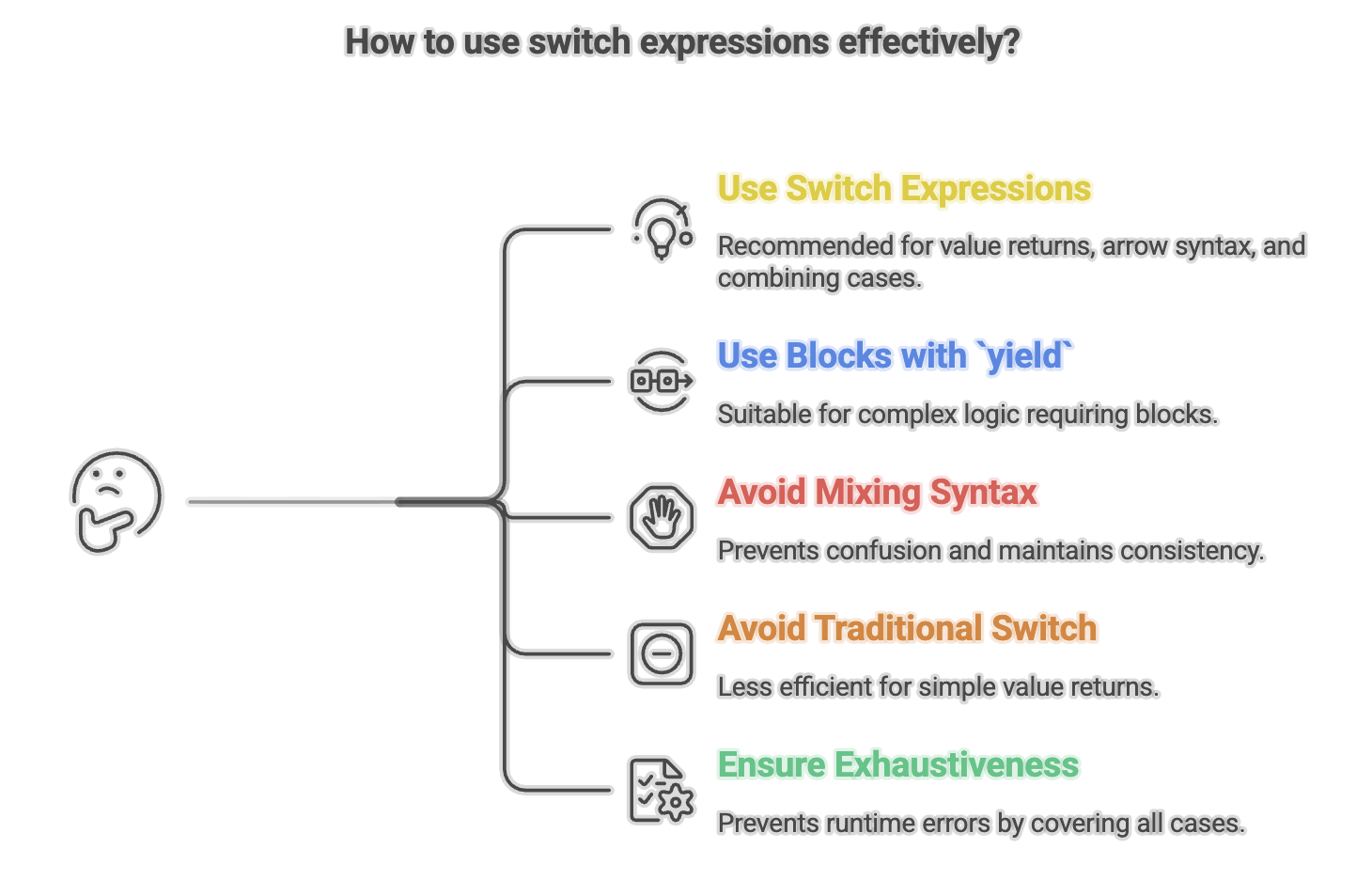
Summary
- Allow
switchto return values directly, making multi-way branching cleaner and more expressive. - Use
->for concise cases andyieldfor complex block logic. - Eliminate fall-through behavior, improving safety and reducing bugs.
- Support exhaustiveness checking, especially with enums and sealed hierarchies.
- Enable multiple case labels and more compact syntax.
- Work seamlessly with pattern matching and sealed classes for modern, type-safe control flow.
Written By: Muskan Garg
How is this guide?
Last updated on