
Database Constraints
In any relational database, simply storing data is not enough. The data must also remain accurate, consistent, and reliable throughout the lifetime of the application.
Consider the following scenarios:
- Multiple users register with the same email address.
- A post is created for a user who does not exist.
- Important fields such as name or email are left empty.
- Invalid values such as negative account balances are stored.
Such situations can lead to data inconsistency, application errors, and unreliable business operations.
To prevent these issues, relational databases provide constraints.
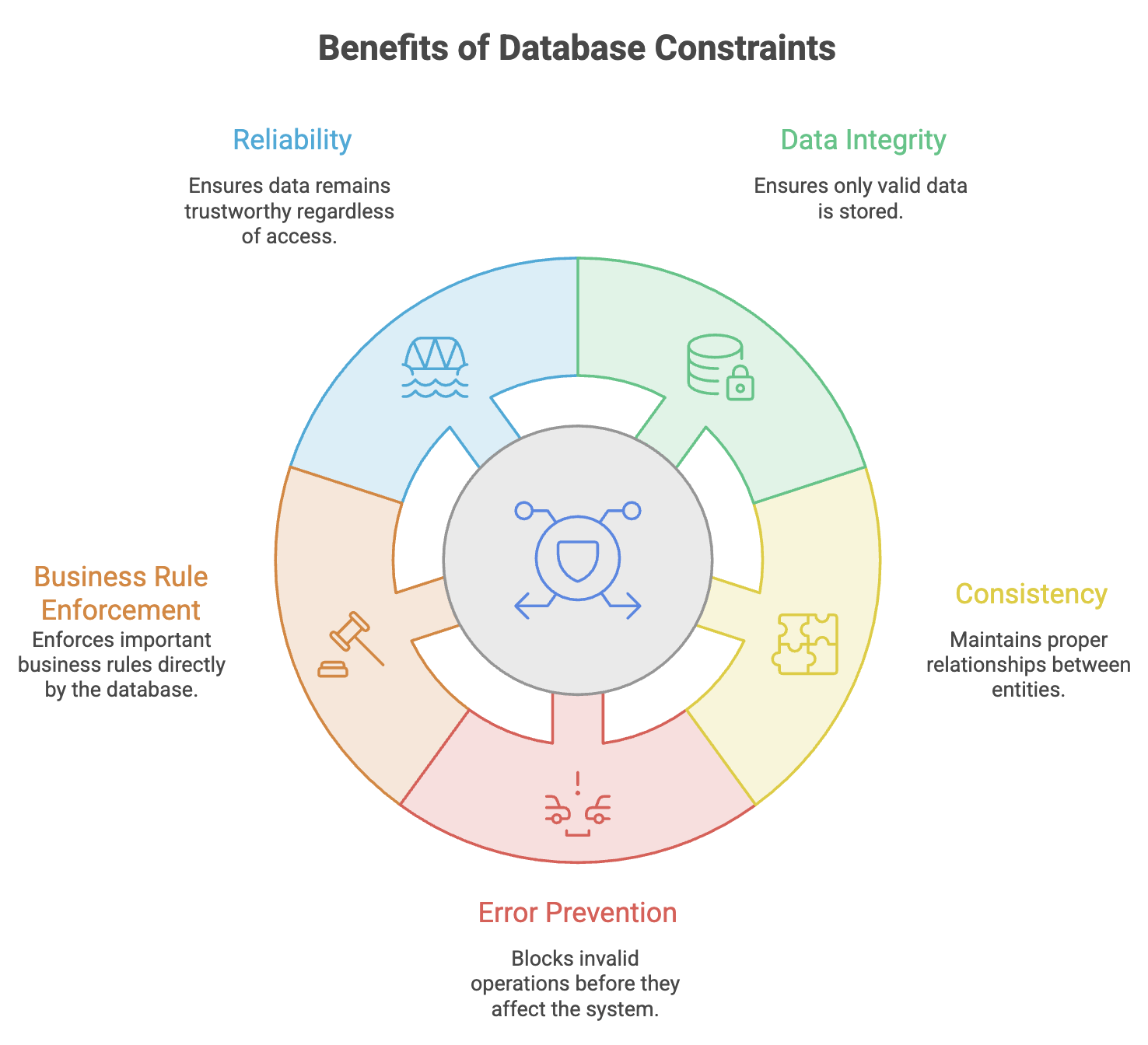
Database constraints act as rules that control what data can be stored, ensuring that the database always maintains valid and meaningful information.
What are Database Constraints?
Database Constraints are rules enforced by a database on tables and columns to ensure data integrity and consistency.
They define what kind of data is allowed and restrict invalid operations that could compromise the quality of stored information.
Definition
A database constraint is a rule that restricts the values that can be inserted, updated, or deleted in a table to maintain data integrity and reliability.
Unlike application-level validations, database constraints work directly at the database layer, providing protection regardless of which application or service accesses the data.
Why Constraints are Important
In modern systems, multiple applications, microservices, APIs, and users may interact with the same database.
If validation exists only in application code:
- Different applications may implement different validation rules.
- Bugs may bypass validations.
- Direct database operations may introduce invalid data.
Database constraints serve as the final line of defense against data corruption.
Types of Database Constraints
Relational databases support several types of constraints.
| Constraint | Purpose | Example |
|---|---|---|
| PRIMARY KEY | Uniquely identifies each record | User ID |
| FOREIGN KEY | Creates relationships between tables | user_id in posts |
| NOT NULL | Prevents empty values | User name |
| UNIQUE | Prevents duplicate values | Email address |
| CHECK | Validates data against conditions | Age ≥ 18 |
| DEFAULT | Assigns automatic values | Status = Active |
Each constraint serves a specific purpose in maintaining database quality.
PRIMARY KEY Constraint
What is a Primary Key?
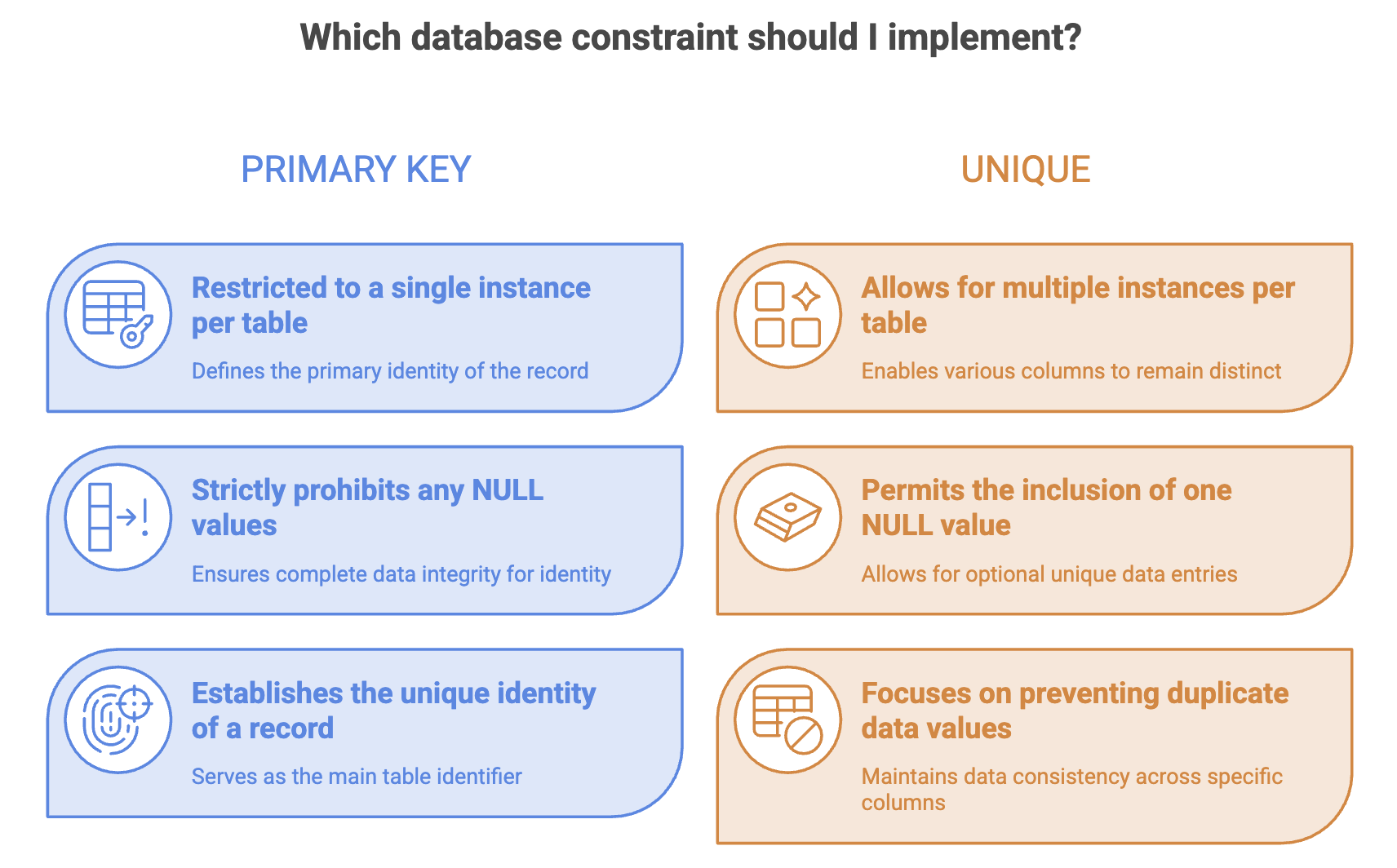
A Primary Key uniquely identifies every record in a table.
No two rows can have the same primary key value, and the value cannot be NULL.
Think of it as the identity of a record.
Characteristics
- Must be unique
- Cannot contain NULL values
- Each table can have only one primary key
- Frequently implemented using an auto-incrementing ID
Example : Users Table
| id | first_name | last_name |
|---|---|---|
| 1 | Muskan | Garg |
| 2 | Harsh | Rawal |
| 3 | Navin | Reddy |
Here:
idacts as the primary key.
Each user can be uniquely identified using this value.
CREATE TABLE users (
    id SERIAL PRIMARY KEY,
    first_name VARCHAR(50),
    last_name VARCHAR(50)
);
Why Primary Keys are Important
Without a primary key:
- Duplicate records become difficult to identify.
- Updates and deletions may affect incorrect rows.
- Relationships between tables cannot be established reliably.
Primary keys form the foundation of relational database design.
FOREIGN KEY Constraint
What is a Foreign Key?
A Foreign Key establishes a relationship between two tables.
-
It references the primary key of another table and ensures that the referenced record exists.
-
Foreign keys enforce referential integrity, ensuring that related records remain valid.
Example :
Users Table
| id | first_name |
|---|---|
| 1 | Muskan |
| 2 | Harsh |
Posts Table
| id | user_id | title |
|---|---|---|
| 1 | 1 | System Design Basics |
| 2 | 1 | SQL Fundamentals |
| 3 | 2 | NoSQL Guide |
Here:
posts.user_idreferences:
users.idThis means every post must belong to an existing user.
CREATE TABLE posts (
    id SERIAL PRIMARY KEY,
    user_id INTEGER NOT NULL,
    title VARCHAR(200),

    FOREIGN KEY (user_id)
    REFERENCES users(id)
);
Benefits of Foreign Key
-
Maintains Relationships : Ensures valid connections between entities
-
Prevents Invalid References : A post cannot reference a user that does not exist
-
Improves Data Consistency : Related records remain synchronized
Invalid Scenario
Suppose the Users table contains:
| id |
|---|
| 1 |
| 2 |
Attempting to insert:
user_id = 99will fail because no user with ID 99 exists.
NOT NULL Constraint
What is NOT NULL?
The NOT NULL constraint ensures that a column always contains a value.
The field cannot be left empty.
Example : Users Table
| id | first_name | last_name | mobile |
|---|---|---|---|
| 1 | Muskan | Garg | 9876543210 |
| 2 | Harsh | Rawal | NULL |
If the mobile column allows NULL values, the second row is valid.
However, fields such as:
first_nameand
last_namemay be mandatory.
CREATE TABLE users (
    id SERIAL PRIMARY KEY,
    first_name VARCHAR(50) NOT NULL,
    last_name VARCHAR(50) NOT NULL
);
Common Use Cases
NOT NULL is commonly used for:
- Names
- Email addresses
- Passwords
- Order IDs
- Product names
These fields are essential and should never be empty.
UNIQUE Constraint
What is UNIQUE?
The UNIQUE constraint ensures that values in a column cannot be duplicated.
Every value must be distinct.
Example : Users Table
| id | first_name | |
|---|---|---|
| 1 | Muskan | Muskan@email.com |
| 2 | Harsh | Harsh@email.com |
Attempting to insert another record with:
Muskan@email.comwill be rejected.
CREATE TABLE users (
    id SERIAL PRIMARY KEY,
    email VARCHAR(100) UNIQUE
);
Common Use Cases
UNIQUE constraints are frequently applied to:
- Email addresses
- Mobile numbers
- Usernames
- Employee IDs
- Account numbers
CHECK Constraint
What is CHECK?
The CHECK constraint validates that data satisfies a specific condition before it is stored.
If the condition evaluates to false, the operation is rejected.
Example
Suppose a system requires users to be at least 18 years old.
CREATE TABLE users (
    id SERIAL PRIMARY KEY,
    age INTEGER CHECK (age >= 18)
);
Valid Data
| age |
|---|
| 18 |
| 25 |
| 40 |
Invalid Data
| age |
|---|
| 16 |
The insertion will fail because it violates the CHECK condition.
Common Use Cases
CHECK constraints are useful for:
- Age restrictions
- Positive balances
- Percentage ranges
- Product ratings
- Quantity validations
DEFAULT Constraint
What is DEFAULT?
The DEFAULT constraint automatically assigns a predefined value when no value is supplied during insertion.
-
Many fields often have the same initial value.
-
Instead of manually providing the value every time, the database can assign it automatically.
Example
Every new user should be active by default.
CREATE TABLE users (
    id SERIAL PRIMARY KEY,
    status VARCHAR(20) DEFAULT 'active'
);
Insert Statement
INSERT INTO users(id)
VALUES (1);
Stored Data
| id | status |
|---|---|
| 1 | active |
The database automatically inserts the default value.
Common Use Cases
DEFAULT is commonly used for:
- Account status
- Creation timestamps
- Boolean flags
- User roles
- Default preferences
Example
created_at TIMESTAMP DEFAULT CURRENT_TIMESTAMPAutomatically records the time when a row is created.
Combining Constraints in Real Applications
In production systems, multiple constraints are usually applied together.
Example: Users Table
CREATE TABLE users (
    id SERIAL PRIMARY KEY,
    first_name VARCHAR(50) NOT NULL,
    email VARCHAR(100) UNIQUE NOT NULL,
    age INTEGER CHECK(age >= 13),
    status VARCHAR(20) DEFAULT 'active'
);
Applied Constraints
| Column | Constraints |
|---|---|
| id | PRIMARY KEY |
| first_name | NOT NULL |
| UNIQUE, NOT NULL | |
| age | CHECK |
| status | DEFAULT |
This ensures:
- Every user has a unique identity.
- Names cannot be empty.
- Emails cannot be duplicated.
- Invalid ages cannot be stored.
- Default status is automatically assigned.
Foreign Key Delete Behaviors
When a parent record is deleted, foreign keys determine what happens to dependent child records.
CASCADE
Automatically deletes all related child records.
FOREIGN KEY(user_id)
REFERENCES users(id)
ON DELETE CASCADE
Example:
Deleting a user automatically deletes all posts and comments belonging to that user.
SET NULL
Sets the foreign key value in child records to NULL.
ON DELETE SET NULLThe child record remains, but its relationship is removed.
RESTRICT
Prevents deletion of the parent record if related child records exist.
ON DELETE RESTRICTUseful when accidental deletion must be avoided.
NO ACTION
Behaves similarly to RESTRICT and is often the default behavior in many databases.
Real-World Example: Blogging Platform
Consider a blogging system containing:
Users
Posts
Comments
Constraints ensure:
- Every user has a unique email address.
- Every post belongs to a valid user.
- Every comment belongs to a valid post.
- Mandatory fields are always provided.
- Invalid data never enters the system.
Without constraints, maintaining data quality becomes extremely difficult as the application scales.
Summary
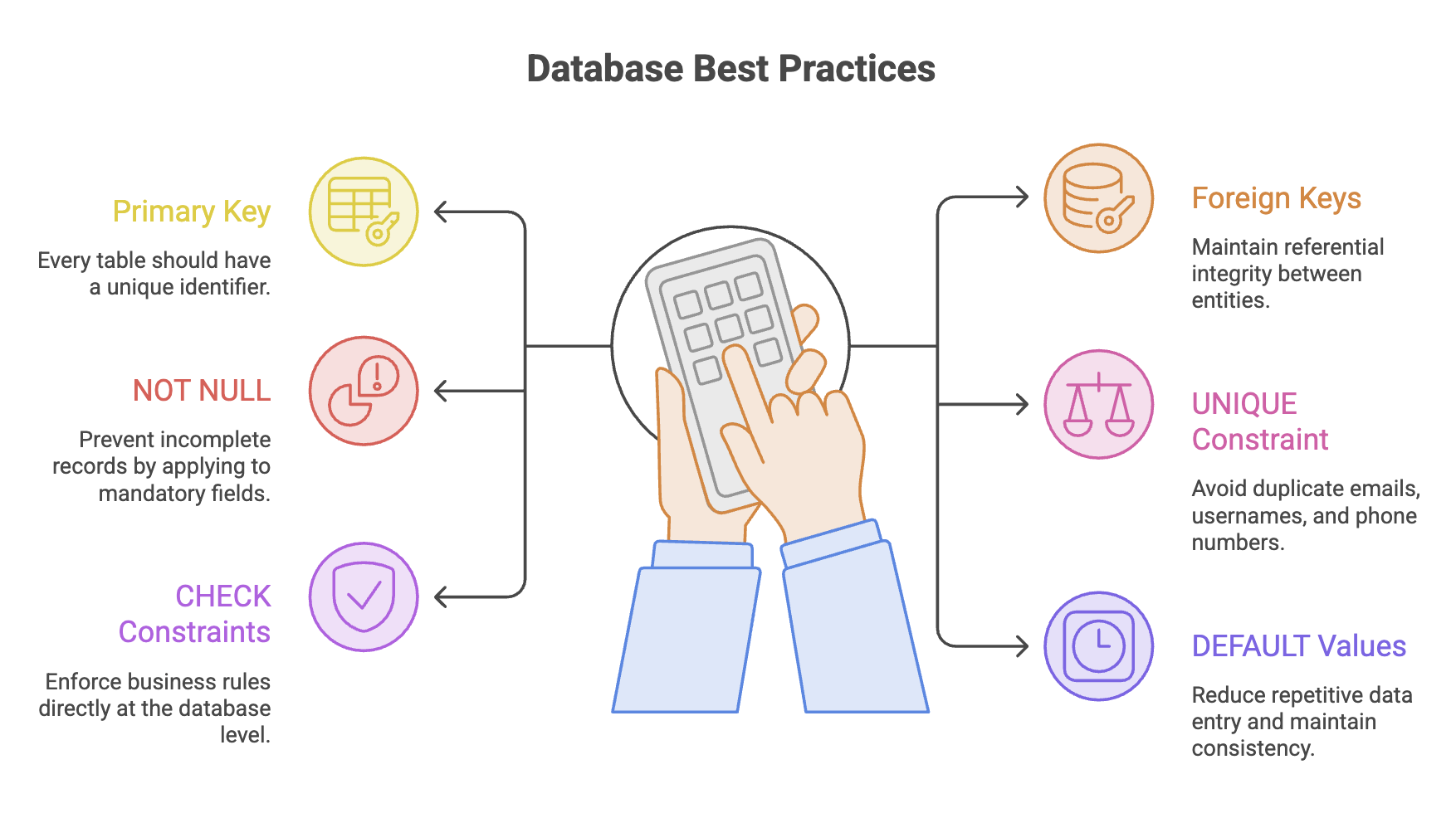
- Database constraints are rules that enforce data integrity, consistency, and reliability within relational databases.
- PRIMARY KEY uniquely identifies each record and serves as the foundation for table relationships.
- FOREIGN KEY establishes relationships between tables and ensures referential integrity.
- NOT NULL guarantees that mandatory fields always contain valid values.
- UNIQUE prevents duplicate values in columns such as emails, usernames, and phone numbers.
- CHECK validates data against business rules before it is stored in the database.
- DEFAULT automatically assigns predefined values when no explicit value is provided.
- Multiple constraints are often combined to create robust and production-ready database schemas.
- Constraints are a part of system design because they ensure data remains accurate, reliable, and consistent regardless of which application or service interacts with the database.
Written By: Muskan Garg
How is this guide?
Last updated on