
Linux File System Structure
Linux organizes files and directories in a structured hierarchy. Understanding this layout helps you know where system files, user files, configuration, applications, and logs are stored.
Unlike Windows, Linux does not use drive letters such as C: or D: for its main filesystem. Everything starts from a single top-level directory called /.
The Root Directory /
The / directory is the top of the Linux filesystem hierarchy.
Every other directory branches from it.
You can move to the root directory with:
cd /Then list its contents:
lsYou may see directories such as:
bin
etc
home
opt
tmp
usr
var
Think of / as the starting point from which the entire Linux filesystem is organized.
The Home Directory
Each regular user normally has a personal home directory where they can store their files and projects.
For example:
/home/
├── ubuntu/
├── devops/
└── developer/
For the ubuntu user, the home directory is typically:
/home/ubuntuYou can check your current location with:
pwdYou can also use:
cd ~to return to your own home directory.
Note: The default login user depends on the Linux distribution and the way the system or cloud image was configured. On Ubuntu AWS AMIs, it is commonly
ubuntu; on Amazon Linux, it is commonlyec2-user.
Linux is a Multi-User System
Linux is designed to support multiple users on the same system.
Each user can have their own:
- Home directory
- Files
- Permissions
- Groups
- Environment and configuration
For example:
/home/
├── ubuntu/
├── devops/
└── developer/
This separation allows multiple users to work on the same Linux machine while controlling access to each other's files.
File and directory permissions, which determine who can read, modify, or execute something, will be covered separately.
Important Linux Directories
Let's look at some directories you'll frequently encounter.
| Directory | Purpose |
|---|---|
/home | Contains users' home directories. |
/etc | Contains system-wide and application configuration files. |
/var | Contains changing data such as logs, caches, and application data. |
/var/log | Contains many system and application log files. |
/tmp | Used for temporary files. |
/usr | Contains a large part of the operating system's user-space programs, libraries, and shared data. |
/opt | Commonly used for optional or third-party application software. |
/bin | Traditionally contains essential user commands; on many modern distributions, it is a symbolic link to /usr/bin. |
You don't need to memorize every directory immediately. Start with the ones you'll use most often.
/etc - Configuration Files
The /etc directory contains configuration files used by the operating system and installed applications.
For example:
cd /etc
ls
You will find many configuration files and directories here.
For example, Linux networking, user account, SSH, and service configurations commonly have files under /etc.
A useful mental model is:
/etc → Configuration/var - Changing Data
The /var directory contains data that changes while the system is running.
It can contain:
- Logs
- Caches
- Spool data
- Application data
- Other runtime-related information
For example:
cd /var
ls
One of its most important subdirectories for administrators is:
/var/log/var/log - Logs
Linux systems and applications generate logs to record events, errors, warnings, and other useful information.
These logs are commonly stored under:
/var/logYou can explore the directory with:
cd /var/log
ls
For example, you might inspect a log using:
tail -n 20 some-log-file.logThis is especially useful when troubleshooting applications or system problems.
Tip: Logs are one of the first places administrators check when something goes wrong.
/tmp - Temporary Files
The /tmp directory is intended for temporary data.
cd /tmp
ls
Applications and processes may create temporary files here.
The system may automatically clean temporary data based on its configuration. Therefore, don't use /tmp for important files that need to persist.
A simple mental model:
/tmp → Temporary data/usr - User-Space Programs and Data
The /usr directory contains a large portion of the operating system's user-space software, libraries, and shared resources.
For example:
/usr/bin
/usr/lib
/usr/share
Many commands you use every day are located under /usr/bin.
On modern Linux distributions, directories such as /bin and /usr/bin may be connected through symbolic links as part of the usr-merge layout.
You don't need to manage these directories manually at this stage; just understand their purpose.
/opt - Optional Software
The /opt directory is commonly used for optional or third-party software packages that are installed separately from the main operating system.
For example:
/opt/application/It provides a conventional location for software that doesn't naturally fit into the standard system directories.
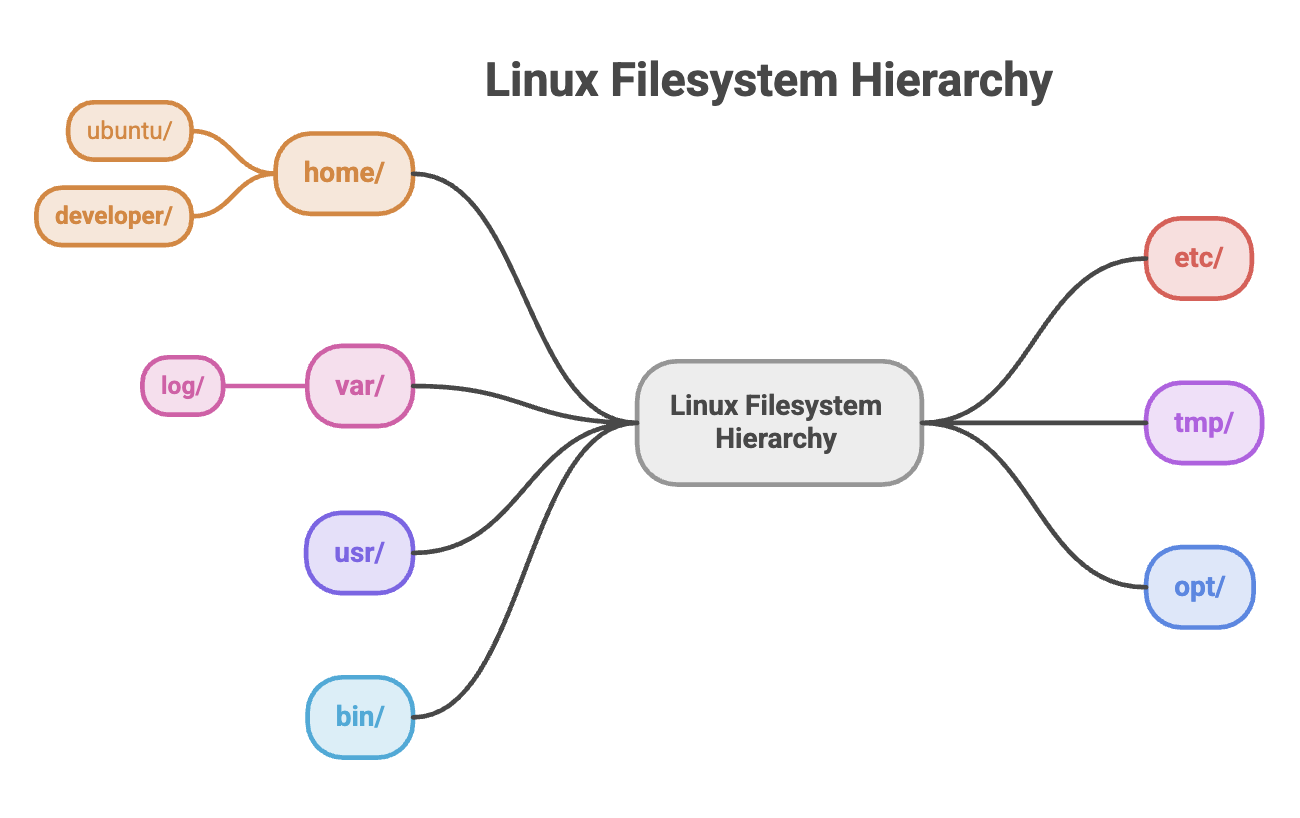
Quick Reference
| Path | Remember It As |
|---|---|
/ | Root of the entire filesystem |
/home | User home directories |
/etc | Configuration |
/var | Stores data that changes during system operation |
/var/log | location for troubleshooting logs |
/tmp | Temporary files |
/usr | Programs, libraries, and shared data |
/opt | Optional/third-party software |
/bin | Essential commands: commonly linked to /usr/bin |
Written By: Muskan Garg
How is this guide?
Last updated on