
Introduction to Linux
A comprehensive introduction to Linux
Linux is one of the most widely used operating systems in modern IT infrastructure. From cloud servers and web applications to containers and DevOps tools, Linux plays a vital role in how software is developed, deployed, and managed.
Before working with Linux commands or setting up a cloud server, let's understand what Linux is, why it matters, and where it is used.
What is Linux?
Linux is an open-source, Unix-like operating system widely used for development, servers, cloud computing, and system administration.
To understand Linux, let's first understand the role of an Operating System (OS).
Operating System
An operating system acts as an interface between applications and the computer's hardware. It manages system resources such as the CPU, memory, storage, and network, allowing applications to run efficiently.
For example, when you execute a program, the operating system helps it access the resources it needs.
       User
        |
        v
    Application
        |
        v
  Operating System
        |
        v
      Hardware
  (CPU, RAM, Disk)
Popular operating systems include Windows, macOS, and Linux.
What makes Linux particularly important is its flexibility, open-source nature, and widespread adoption in server and cloud environments.
Why is Linux Important?
Linux is a fundamental skill for developers, system administrators, and DevOps engineers. Its popularity comes from several practical advantages.
| Feature | Description |
|---|---|
| Open Source | Its source code is publicly available, allowing users to study, modify, and distribute it under its license. |
| Secure | Provides user permissions, ownership, and other security mechanisms to help protect systems. |
| Reliable | Widely used for long-running server workloads due to its stability and mature ecosystem. |
| Cloud-Friendly | Commonly used in cloud environments such as AWS, Microsoft Azure, and Google Cloud. |
| Developer-Friendly | Offers powerful command-line tools and scripting capabilities for development and automation. |
| DevOps Standard | Supports tools such as Docker, Kubernetes, Jenkins, and Ansible in real-world environments. |
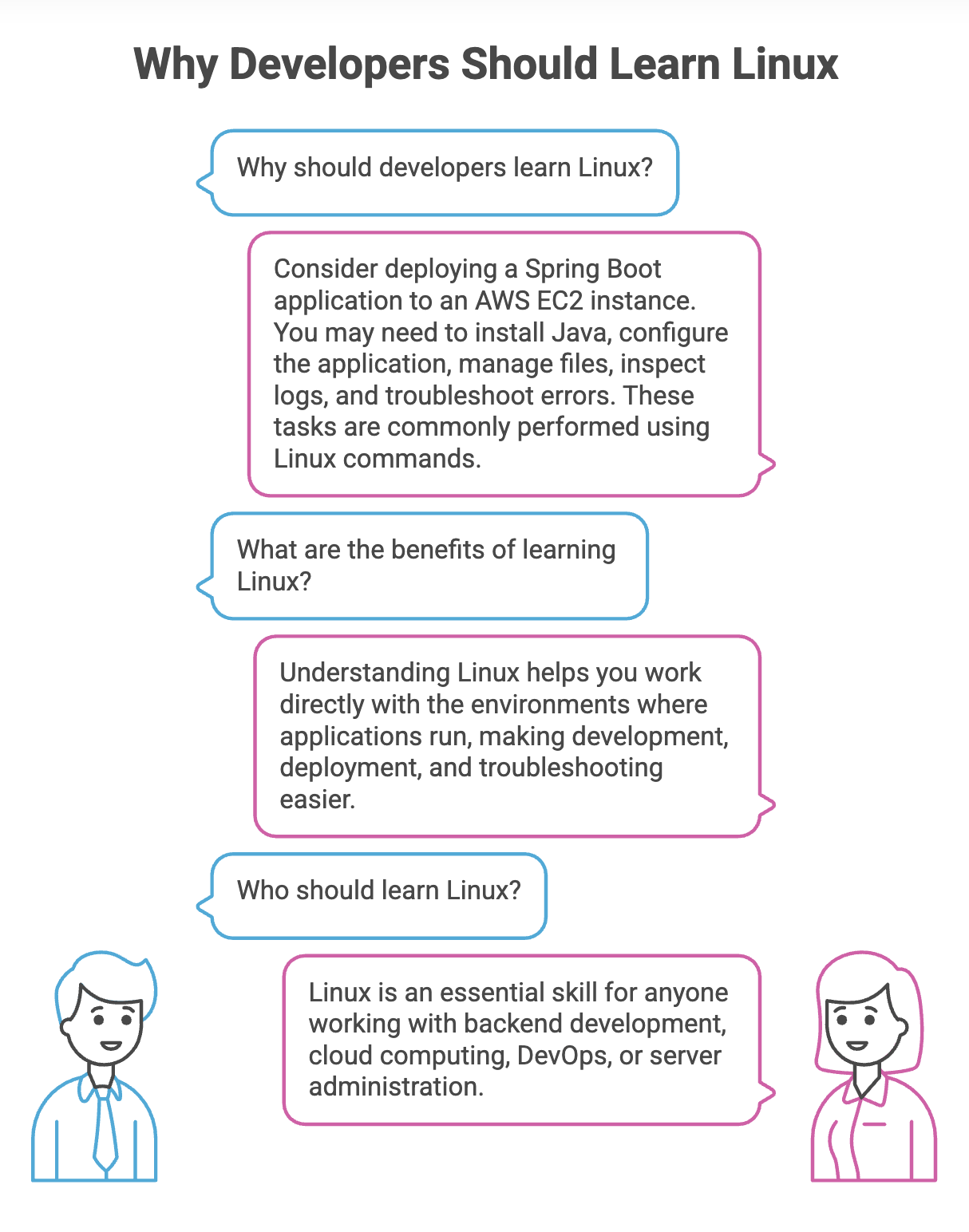
Linux Kernel vs Linux Distribution
When people refer to Linux, they often mean a complete operating system. Technically, however, Linux refers to the kernel, which is the core component of the operating system.
Linux Kernel
The kernel is responsible for managing communication between software and hardware.
Its major responsibilities include:
- Process management
- Memory management
- Hardware and device management
- System resource allocation
The kernel works behind the scenes, allowing applications to use hardware resources without needing to manage the hardware directly.
Linux Distribution
A Linux kernel alone is not a complete, user-friendly operating system.
A Linux distribution combines the Linux kernel with system utilities, libraries, package management tools, and other software to provide a usable operating system.
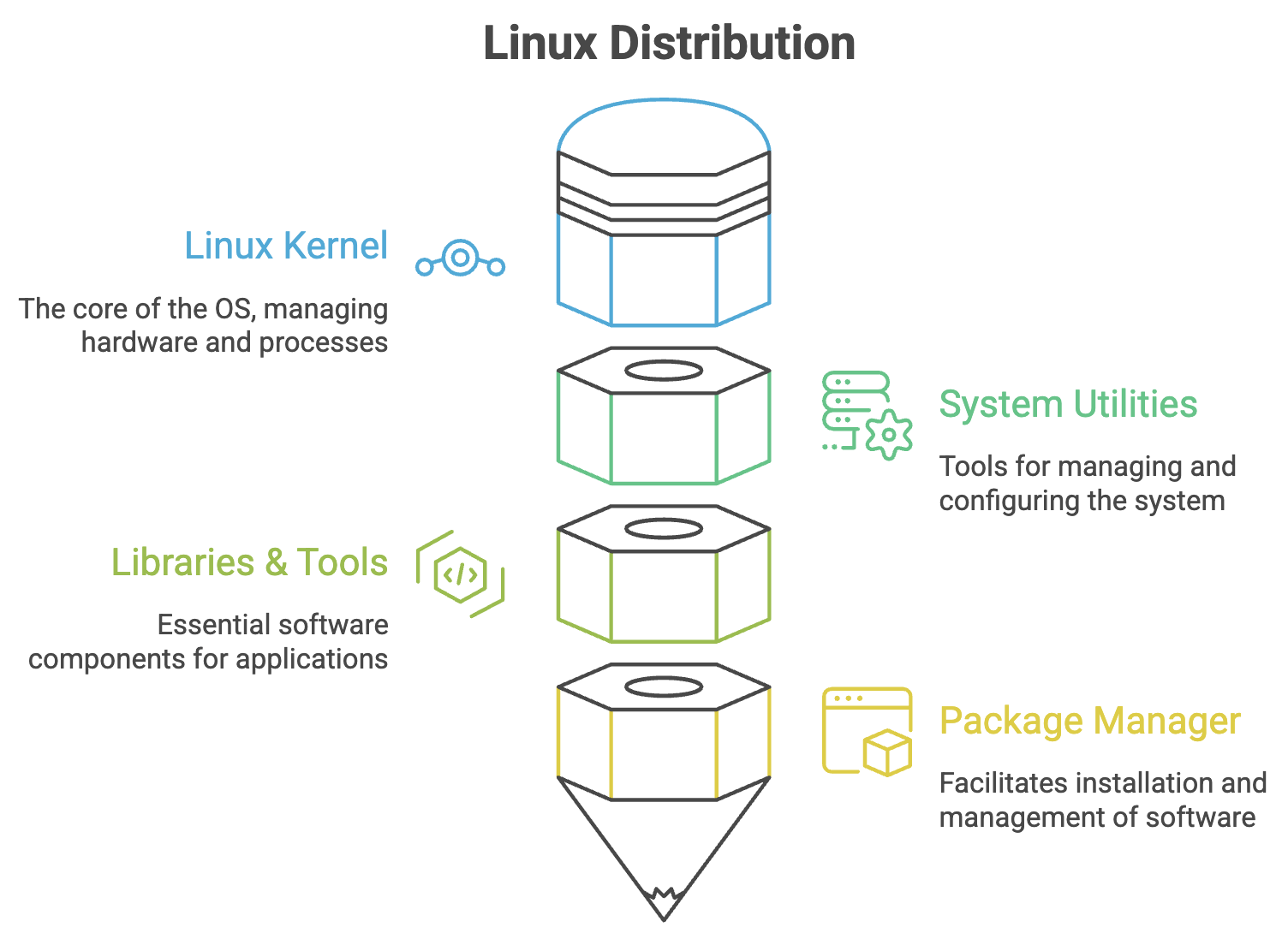
Popular Linux Distributions
Different distributions are designed for different environments, but they share the same Linux kernel foundation.
| Distribution | Common Use |
|---|---|
| Ubuntu | Learning, development, servers, and cloud environments |
| Amazon Linux | AWS workloads, particularly EC2 instances |
| Red Hat Enterprise Linux (RHEL) | Enterprise servers and business-critical applications |
| Rocky Linux | Enterprise Linux environments compatible with RHEL |
| Debian | Stable server environments and the foundation for Ubuntu |
| Alpine Linux | Lightweight containers and resource-efficient environments |
Most fundamental Linux commands work similarly across distributions. However, package managers, default configurations, and some administrative commands may differ.
Linux in the Real World
Linux is not limited to personal computers or command-line environments. It is a major part of the infrastructure used to build, deploy, and operate modern applications.
Consider a typical cloud-based application:
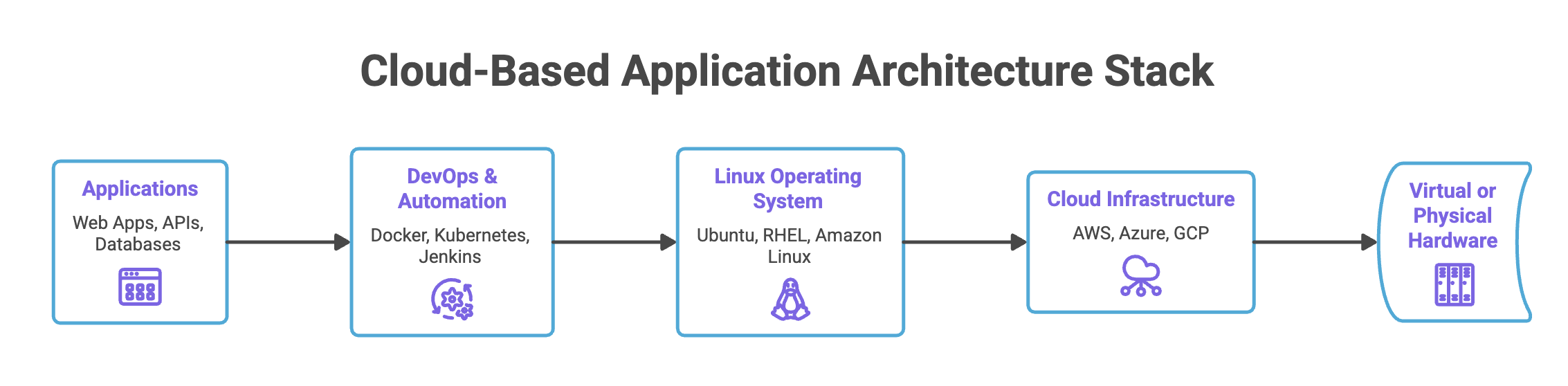
Here are some common examples of Linux in real-world environments:
| Technology | How Linux Is Used |
|---|---|
| Web Servers | Runs web server software such as Nginx and Apache. |
| Databases | Hosts databases such as MySQL, PostgreSQL, and MongoDB. |
| Containers | Provides core kernel features used by Linux containers. |
| Orchestration | Runs Kubernetes components and containerized workloads. |
| CI/CD | Provides environments for automated builds, tests, and deployments. |
| Cloud Computing | Powers a large number of virtual machines and cloud workloads. |
Linux Lab Setup: An Overview
Throughout this guide, we'll work with a Linux virtual machine hosted on AWS.
Instead of installing Linux directly on your computer, you'll connect to a cloud-based Linux server and execute commands remotely.
This approach gives you hands-on experience with an environment similar to those used in real-world deployments.
Our Learning Environment
+-----------------------------+
|       Local Machine         |
|       Windows + Git Bash    |
+-----------------------------+
               |
               | SSH Connection
               v
+-----------------------------+
|          AWS Cloud          |
|                             |
|      Linux EC2 Instance     |
|         (Ubuntu)            |
+-----------------------------+
               |
               v
      Execute Linux Commands
Setup Components
| Component | Purpose |
|---|---|
| AWS Account | Provides access to cloud infrastructure. |
| Git Bash | Provides a terminal on Windows for running commands and connecting to remote servers. |
| AWS EC2 | Provides a virtual machine in the AWS cloud. |
| Ubuntu | The Linux distribution used for hands-on practice. |
| SSH | Enables a secure remote connection to the Linux server. |
We will set up the environment in the upcoming lectures:
- Create an AWS account.
- Install and verify Git Bash.
- Launch a Linux EC2 instance.
- Connect to the instance using SSH.
Once the connection is established, you'll be able to execute Linux commands on your cloud server, just as you would on a locally installed Linux system.
Summary
- Linux is an open-source, Unix-like operating system widely used in modern IT infrastructure.
- The operating system manages hardware resources and provides services to applications.
- The Linux kernel is the core of the operating system, while a distribution combines it with tools and software to create a complete environment.
- Ubuntu, Amazon Linux, RHEL, Debian, and Alpine Linux are examples of Linux distributions.
- Linux is widely used in cloud computing, backend development, DevOps, and server administration.
Remember: Learning Linux is not just about memorizing commands. It's about understanding the environment in which modern applications run, scale, and operate.
Written By: Muskan Garg
How is this guide?
Last updated on